

Solid State Drives
- USD 684.81

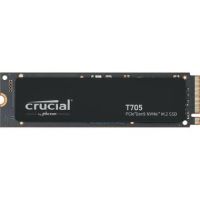
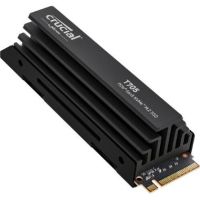
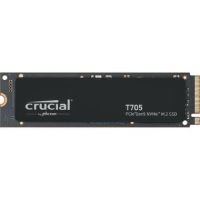
 Crucial CT4000T705SSD3 4TB NVMe PCIe 5.0 M.2 Internal SSD
 In Stock
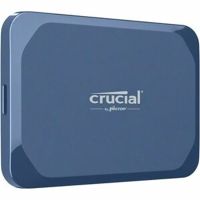
Brand: Crucial SKU: CT4000T705SSD3 Condition: NEW USD 684.81 - USD 265.59 Crucial CT2000X10SSD9 2TB X10 USB 3.2 Gen 2x2 Portable SSD In Stock
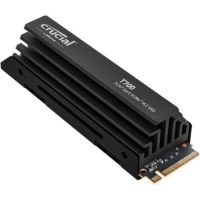
Brand: Crucial SKU: CT2000X10SSD9 Condition: NEW USD 265.59 - USD 0.00 Crucial CT4000T705SSD5 4TB NVMe PCIe 5.0 M.2 Internal SSD wi...
 Out of Stock
Brand: Crucial SKU: CT4000T705SSD5 Condition: NEW Call us for price(669) 244-0333
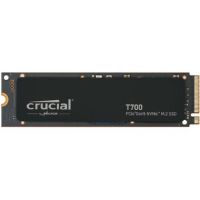
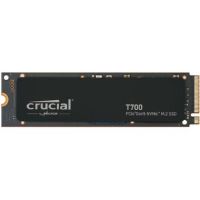
- USD 0.00 Crucial CT4000T700SSD3 4TB PCIe 5.0 x4 M.2 Internal SSDOut of Stock
Brand: Crucial SKU: CT4000T700SSD3 Condition: NEW Call us for price(669) 244-0333
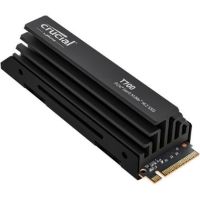
- USD 0.00 Crucial CT4000T700SSD5 4TB PCIe 5.0 x4 M.2 Internal SSD with...Out of Stock
Brand: Crucial SKU: CT4000T700SSD5 Condition: NEW Call us for price(669) 244-0333
- USD 0.00 Crucial CT2000T705SSD3 2TB NVMe PCIe 5.0 M.2 Internal SSDOut of Stock
Brand: Crucial SKU: CT2000T705SSD3 Condition: NEW Call us for price(669) 244-0333
- USD 0.00 Crucial CT2000T700SSD5 2TB PCIe 5.0 x4 M.2 Internal SSD with...Out of Stock
Brand: Crucial SKU: CT2000T700SSD5 Condition: NEW Call us for price(669) 244-0333
- USD 0.00 Crucial CT2000T700SSD3 2TB PCIe 5.0 x4 M.2 Internal SSDOut of Stock
Brand: Crucial SKU: CT2000T700SSD3 Condition: NEW Call us for price(669) 244-0333
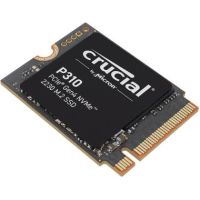
- USD 0.00 Crucial CT2000P310SSD2 2TB Gen 4 M.2 2230 PCIe NVMe SSDOut of Stock
Brand: Crucial SKU: CT2000P310SSD2 Condition: NEW Call us for price(669) 244-0333
Solid State Drives (SSDs) – NVMe, SATA & Portable SSD Storage | Kijero
Install Solid-State Drives and enjoy faster boot times, quick application loading, improved gaming performance, and faster file transfer. These high-speed SSD storage solutions can be external and internal, helping users deploy them for their PCs, laptops, gaming rigs, gaming consoles, servers, or workstations. Both external SSDs and Internal SSDs are available in varying types, including NVMe SSDs, SATA SSDs, 2.5-inch SSDs, 3.5-inch SSDs, desktop SSDs, external portable SSD drives, to name a few. Users can thus meet their varying personal or professional storage and backup needs. Furthermore, you can also find enterprise SSD storage solutions, SSD for video creative professionals, SSD for office & business uses, SSD for servers and workstations, and more. Understanding these various types of Solid-State Drives can help users buy the best solid-state drives for gaming, creative tasks, data centers, and other uses.
Explore High-Performance Solid-State Drives:
The SSD market is dominated by multiple high-performing SSDs, offering incredible read/write speed, low latency, high IOPS performance, energy efficiency, compact form factors, and more.
• NVMe SSDs for Ultra-Fast Performance:
NVMe or Non-Volatile Memory Express is a protocol that supports higher speeds than the SATA interface. NVMe SSDs can support up to 7,000 MB/s on PCIe Gen 4 and up to blistering 14,000+ MB/s on the latest PCIe Gen 5 M.2 SSDs. NVMe SSDs are therefore for high-performance applications, making them suitable for mission-critical tasks, including gamers, creative professionals, and PC builders who are working on 4K video editing, demanding multitasking, and large file transfer.
Most of NVMe SSDs come with M.2 form factor, enabling manufacturers to pack enormous space in compact form, such as thumb drives. You can thus deploy them for installation where physical space is a limiting factor. Overall, PCIe 5.0 (Gen 5) NVMe drives such as Crucial T705 4TB PCIe Gen5 NVMe M.2 SSD with heatsink are currently the fastest SSDs recommended for ultra-fast performance for demanding tasks.
• SATA SSDs for Everyday Computing:
SATA solid-state drives are provided with a SATA III interface that can support up to 6Gb/s connections. This same interface is also used by Hard Disk Drives. SATA SSDs can support up to 600 MB/s speed, which is 6x faster than HDDs. Therefore, SATA SSDs come with lower speed as compared to PCIe Gen 4 NVMe SSD or PCIe Gen 5 NVMe SSD. SATA Solid-State Drives are considered a suitable SSD solution for everyday computing for multiple reasons.
First, 600MB/s speed and 6Gb/s connections are sufficient for everyday tasks, including streaming, web browsing, email, office documents, light photo works, and the like. You don’t need to go for expensive M.2 NVMe PCIe SSDs for these tasks. A SATA drive can perform all tasks effectively without saturating your hard drives.
Second, SATA SSDs are universally compatible. Every desktop or laptop comes with a 2.5-inch bay or SATA port, making it extremely easy for users to deploy them for various ends. For instance, upgrading an aging laptop or PC is very easy and affordable. Moreover, buying affordable SATA storage means that you don’t need to worry about PCIe gen. If your system comes with a SATA port, it is perfectly fine; every kind of SATA drive can work just perfectly well.
• Portable SSDs for Backup & Mobility
Portable external SSDs have become essential storage devices as they can be used as backup, and you can carry them around wherever you go. Portable solid-state drives for backup come in various types, offering different sets of features and capabilities.
Portable SSDs are provided with various generations of USB. For instance:
• USB 3.0 / USB 3.2 Gen 1 SSDs can support up to 5Gbps speed. They are mid-range SSDs, featuring USB-A (blue interior), USB-C, and USB-B connectors.
• USB 3.1 / USB 3.2 Gen 2 SSDs can deliver up to 10Gbps speed. They are high-speed external SSDs, coming with USB-C, USB-A (rare), and USB-B.
• USB 3.2 Gen 2×2 SSDs can support up to 20Gbps speed. They feature in high-performing external SSDs and NVMe SSDs. They are provided with only a USB-C connector type.
• USB 4 (Next-Gen Speed and Compatibility) can deliver up to 40Gbps speed. They are made part of ultra-high-speed SSD devices. USB-4, based upon Thunderbolt 3, can deliver even higher speed, low latency, and improved compatibility. However, you need to have USB-4 compatible hardware to enjoy the maximum speed.
External portable SSDs are provided with a rugged design. Rugged external SSDs come with drop resistance and water/dust resistance shown in IP ratings such as IP65/IP67/IP68, making these rugged portable SSDs suitable for field work, traveling, and other outdoor assignments.
Portable Solid-State Drives also feature robust security safeguards, sustained write/read performance, and cross-platform compatibility, allowing users to use them for Windows, MacBooks, Android, iPhones, and the like.
• Enterprise SSDs for Business Storage:
Enterprise SSDs are high-performing Solid-State Drives that are designed to deliver endurance and reinforced reliability for 24/7 operation. They are suitable for demanding workloads, including high-demand data centers, servers, data-computing, or health care analysis programs.
Enterprise SSDs feature cutting-edge capabilities. For instance, they are provided with U.2/U.3 2.5-inch NVMe and EDSFF "ruler" formats (E1.S, E1.L, E3). Dual-port SAS or NVMe drives are also used as enterprise SSDs for redundancy and failover, making them suitable for mission-critical applications.
More importantly, enterprise Solid-State Drives feature Power-loss protection (PLP). They are equipped with built-in capacitors that can flush in-flight data instantly to NAND, in case power is off suddenly. SSDs featuring PLP can thus help users avoid data loss and data corruption, making these business storage SSD solutions suitable for databases and arrays.
For instance, here are some top-notch enterprise SSDs for business storage that you can look into:
• SOLIDIGM SB5PH27X076T001 D7-PS1010 7.68 TB Solid State Drive
• Solidigm SSDPF2KX153T11Z D7-P5520 Series
• Micron MTFDKCC6T4TGQ-1BK1DABYYR 7500 MAX
• Kingston SEDC600M/7680G
• Synology 7TB SAT5210 SATA III 2.5" Internal SSD
Types of SSDs Available in the Market:
You can purchase Solid-State Drives in varying capacities and specs, allowing you to choose the best SSDs for your specific needs.
1- Internal Solid-State Drives:
Internal SSDs are designed to install directly on the motherboard of laptops and desktops, or they are deployed directly with server backplane. Internal SSDs are used as the primary storage device of modern systems, and they are known for offering incredible speed, permanence, and cheaper capacity-per-dollar.
Some of the highlighted features of SSDs for laptops, desktops, and servers are discussed below.
M.2 NVMe interfaces are the most dominant form factors used in modern PCs and workstations. They are installed directly on the M.2 slot on the motherboard and support various PCIe generations such as PCIe 3, PCIe 4, and PCIe 5. PCIe 5 NVMe SSDs are the fastest Solid-State Drives, delivering blistering read speeds up to 14,900 MB/s. Most of these M.2 NVMe solid state drives come in M.2 2280 form factors and demand robust heatsinks or motherboards' built-in M.2 thermal solutions.
For example, Samsung 990 Pro, WD Black SN850X, Corsair MP700 Pro XT, Sandisk WD Black SN8100, Sandisk WD Black SN7100, and Crucial T500 are often ranked the best SSDs for laptops and desktops that you can purchase in the market.
2.5-inch SATA is an old SSD standard that can support a maximum 500MB/s speed; they are recommended for drop-in replacement for a hard drive. They are affordable SSDs often suggested for cost-effective PC upgrades and capacity enhancement.
For instance, Samsung 870 EVO MZ-77E500E and WD Red SA500 WDS500G1R0A-68A4W0 are highly-recommended SATA Internal Solid-State Drives that you can deploy for a cost-effective SSD upgrade for PCs and laptops.
Add-in-Card (AIC) SSDs are high-capacity Solid-State Drives that are installed into the motherboard through PCIe lanes, unlike NVMe SSDs that can only be integrated into the motherboard via M.2 slot. You can upgrade legacy laptops and desktops, even when they feature no M.2 slot. AIC SSDs are mostly enterprise-grade SSD solutions that can utilize PCIe x8 or x16 lanes to support 2x or even 4x speed of M.2 NVMe SSDs. Therefore, they are professional SSD storage devices suitable for enterprise and workstation settings.
2- External Solid-State Drives:
External SSDs are portable drives that are sealed inside a protective enclosure and connected to a gaming console, desktop, laptop, or tablet through an external port. The external port features various interfaces such as USB, Thunderbolt, and other high-speed interfaces. They are also high-speed SSDs with additional benefits of easy portability, plug-and-play functionality, mobile data backup, and compact form factor.
Similar to internal solid-state drives, external solid-state drives also come in various form factors and specs.
For instance:
Pocketable USB-C drives are everyday portable USB drives that are deployed for general backup and file transfers. Examples are the Samsung T7 line, the Crucial X-series, and SanDisk Extreme.
Rugged external hard drives come with IP65/IP67/IP68 dust and water resistance ratings, drop/crash protection, shock-absorbing rubber bumpers, reinforced enclosure, and wide-ranging temperature & humidity resistance. Samsung MU-PE4T0S/AM 4TB T7 Shield Portable SSD (Black) is one example, offering an IP65 rating and rugged durability, enduring up to 9.8 ft drop.
Thunderbolt external hard drives are high-speed and high-bandwidth external portable SSD drives. They can support up to 40Gbps speed through Thunderbolt 3 and Thunderbolt 4 connections, whereas a Thunderbolt 5 connection can help users enjoy up to 80Gbps speed. These SSDs with fast read and write speeds are suitable for high-end tasks such as 4K/8K editing without any need to copy content on internal hard drives. SanDisk Professional PRO-G40 SSD (APFS) is one example, supporting 3000MB/s read and 2500MB/s write performance and versatile dual-mode compatibility with both Thunderbolt 3 and USB 3.2 Gen 2.
Secure / hardware-encrypted drives are secure data storage external SSDs that come with onboard AES encryption as well as a physical keypad and a fingerprint reader. Apricorn AFL3-S500 Aegis Fortress L3 is one example of ultra-rugged external SSDs, featuring hardware-based 256-bit AES XTS encryption and other physical security features.
3- PCIe Gen 4 & Gen 5 SSDs:
PCIe Gen 4 and PCIe Gen 5 SSDs have now dominated the SSD market. PCIe SSDs are paired with the NVMe communication protocol, enabling manufacturers to come up with SSDs with blazing fast speed, reduced latency, and higher input/output operations per second (IOPS). PCIe NVMe SSDs are thus deployed for databases and other data-intensive, compute-intensive, and graphics-heavy applications.
PCIe 4 SSD can support 2GB throughput per lane; therefore, an over PCIe 4.0 x4 SSD can theoretically deliver up to 7,000–7,400 MB/s, which is 13x of a SATA SSD. For instance, Solidigm SSDPF2KX153T11Z D7-P5520 Series, Micron MTFDKCC6T4TGQ-1BK1DABYYR 7500 MAX, and SOLIDIGM SBFPF2BV614TOP1 D5-P5336 61.44 TB Solid State Drive are some examples of PCIe 4 SSD drives.
PCIe 5 SSDs have pushed speed boundaries further, supporting up to 14,700 MB/s reads, with writes in the 13,000+ MB/s range. For instance, SOLIDIGM D7-PS1010 7.68 TB Solid State Drive is one PCIe 5 SSD that supports 14500 MB/s 128KB Sequential read and up to 10500 MB/s 128KB sequential write speed.
It should be noted that PCIe is compatible both backward and forward, allowing users to deploy PCIe 5 SSDs into PCIe 4 slots; however, speed will remain restricted to what PCIe 4 supports.
SSD Solutions for Different Users:
Not every Solid-State Drive is suitable for every task. You need to choose them depending upon pre-determined benchmarks. Here are some pro-tips that can help you make a well-informed decision.
SSDs for Gamers:
You need to consider these specs so that you can purchase the best solid-state drives for gaming.
• Go for PCIe 4 NVMe SSDs for gaming; PCIe 5 SSDs are overkill, and PCIe 3 SSDs cannot provide sufficient speed for a smooth gaming experience.
• A minimum of 1TB storage is a must-have requirement; preferably, you should go for 2 TB storage, as modern AAA games can occupy 100GB-150GB space each.
• Prefer TLC NAND SSD drivers over QLC drivers.
• Look for Microsoft DirectStorage as it can help reduce load times. NVMe SSDs come with this feature; SATA SSDs cannot support these important specs.
• Purchase an SSD drive with heatsinks or utilize the built-in M.2 heatsinks of the motherboard to avoid problems such as thermal throttling, which is a common case with PCIe 4 and PCIe 5 SSD drives during long gaming sessions.
• Gaming consoles come with specific storage requirements. For instance, PlayStation 5 can support Gen 4 NVMe M.2 2280 drive rated at 5,500 MB/s or faster. The storage must come with a heatsink. Xbox Series X|S does not support any M.2 drive; they can only accept proprietary storage expansions.
Here are some of the best SSDs for gaming that you can purchase in the market.
• WD_Black SN7100
• Biwin Black Opal NV7400
• WD Black SN8100
• Crucial P510
• WD Black SN850X 8 TB
SSDs for Creative Professionals:
Creative professionals who perform high-end tasks such as video/photography as well as 3D work, should choose Solid-State Drives carefully.
Here are some specs that must be part of any SSD for content creators and other graphics- and CPU-intensive assignments.
First, you must make sure that an SSD for creative professions must support a sustained write performance rather than one-time peak performance, and then countless ebbs and flows.
Second, you need to prioritize DRAM-equipped SSDs for consistent performance during heavy multitasking and long file transfers.
Third, look for TLC SSD drives rather than QLC drives because creative tasks are write-intensive, and TLC drives can help you sustain write speed. QLC SSD drives are recommended for read-intensive applications.
Fourth, Gen 4 NVMe drives can help you cover creative work. However, unlike gaming, where transition from PCIe 4 NVMe drives to PCIe 5 NVM drives brings no significant improvement, creative work becomes smoother and creative apps run snappier if you go for PCIe 5 NVMe SSDs.
Fifth, high-capacity SSD solutions such as 2TB or 4TB SSDs are recommended. A multi-drive setup is also recommended, where you can dedicate a fast NVMe SSD for OS/App, another NVMe SSD for cache or working device, and external portable SSD/HDD drives for backup, delivery, and photo/video/work library.
Best Solid-State Drives for Content Creators and Power Users:
• SanDisk Extreme Pro
• SanDisk Professional 4TB PRO-G40 SSD Thunderbolt 3 Portable SSD
• SanDisk Professional 2TB PRO-BLADE SSD Mag
Why Buy SSDs from Kijero:
Kijero has carved out a unique name in the IT market for offering an extensive range of storage devices, including Solid State Drives, Hard Drives, Flash Drives, Tape Drives, and accessories such as Drive Trays. We have been a trusted partner of 50-plus leading manufacturers, including but not limited to Synology, QNAP, Lenovo, Axis Communications, to name a few.
Contact us today to upgrade your storage at the best price in the market.
Featured Products