

Keyboard
- USD 1,277.34

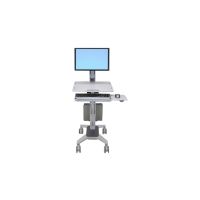
 Ergotron StyleView Lean WOW SV10 cart - light-duty - for LCD...
 In Stock
Brand: Ergotron SKU: SV10-1300-0 Condition: NEW USD 1277.34 - USD 1,157.38 Ergotron WorkFit-C Single LD Sit-Stand Workstation cart - LC... In Stock
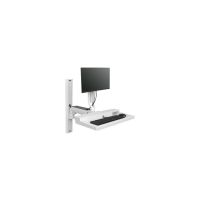
Brand: Ergotron SKU: 24-198-055 Condition: NEW USD 1157.38 - USD 1,132.49 Ergotron CareFit Combo System mounting kit - modular - for L... In Stock
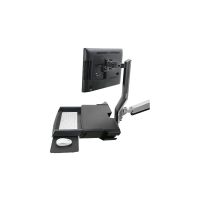
Brand: Ergotron SKU: 45-618-251 Condition: NEW USD 1132.49 - USD 1,052.47 Ergotron StyleView Sit-Stand Combo Arm mounting kit - Patent... In Stock
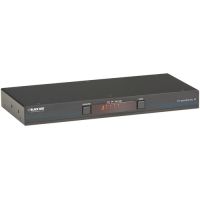
Brand: Ergotron SKU: 45-583-026 Condition: NEW USD 1052.47 - USD 799.88 Black Box KV0004A-R2 KVM Switch 4-Port USB Freedom II - keyb... In Stock
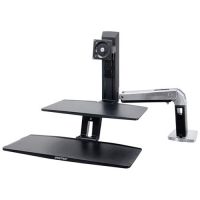
Brand: Black Box SKU: KV0004A-R2 Condition: NEW USD 799.88 - USD 687.40 Ergotron WorkFit-A Workstation for Suspended Keyboard and Si... In Stock
Brand: Ergotron SKU: 24-391-026 Condition: NEW USD 687.4 - USD 655.89
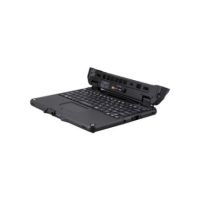
 Panasonic FZ-VEKG21LM - notebook replacement keyboard - QWER... In Stock
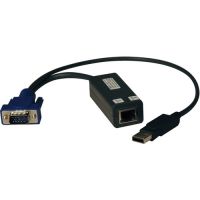
Brand: Panasonic SKU: FZ-VEKG21LM Condition: NEW USD 655.89 - USD 612.37 Eaton Tripp Lite Series B078-101-USB-8 USB Server Interface ... In Stock
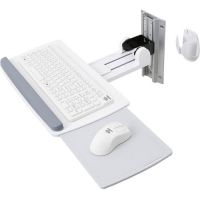
Brand: Eaton SKU: B078-101-USB-8 Condition: NEW USD 612.37 - USD 566.41 Ergotron 45-403-062 Neo-Flex Keyboard Wall Mount (White) In Stock
Brand: Ergotron SKU: 45-403-062 Condition: NEW USD 566.41
Buy Gaming, Mechanical & Wireless Keyboards Online | Best Keyboards for PC & Laptop
No matter how advanced and sophisticated touchscreen and voice commands have become, the significance of keyboards cannot be overemphasized. Their role in productivity and professional tasks as well as gaming is critical, requiring users to pay special focus on the keyboards they are intending to purchase. However, purchasing the right keyboard can be a bit challenging as these input devices are available in a great variety.
Therefore, Kijero has an extensive range of keyboards, including gaming keyboards, mechanical keyboards, wireless keyboards, and more. What’s more, our collection also features purpose-built keyboards for PC, mechanical keyboard with RGB backlight, ergonomic keyboard for typing comfort, to name a few.
Before we move ahead to discuss the type of keyboard we offer, here is a quick overview of features that typical users, including gamers, professionals, and typists, must look into.
How to Choose the Best Keyboard in 2026:
On face value, keyboards look the same, but the details like ergonomics, switches, and size can impact the speed, long-term productivity, and comfort. Here are factors that you should look for before making an ultimate decision.
1. Ergonomics:
This is the first thing a professional and gamers, particularly typists, must bear in mind. Typing or striking keyboards continuously for hours can cause medical problems, which can be mild, such as simple fatigue, or severe ones, such as carpal tunnel syndrome. Therefore, you should look for an ergonomic keyboard for typing comfort to avoid any such problems.
Ergonomic keyboards are designed in a way to support a natural typing experience and reduce pain. Concerning this, you can purchase a product that supports a horizontal and vertical angle adjustment. You can also pick a keyboard with a “split design” that keeps the hands and wrist in a “V Shape”, allowing users enjoy a natural typing experience without any fatigue or other problems. A keyboard with a wrist rest is another example of an ergonomic keyboard, making it suitable for professional programmers.
2. Wireless vs Wired Keyboards:
This is another major consideration. Both wired and wireless keyboards offer a specific set of advantages and disadvantages.
Wireless keyboards are portable. You can move them easily, and they help users reduce cable clutter, making the workspace clean and tidy. On the flipside, wireless keyboards need to be powered. Therefore, you will end up with a load of keyboards with replaceable batteries, or you need to plug them in PC or laptop via USB, which creates similar cable clutter as wired keyboard do.
Latency is another drawback. Latency creates a slight delay between pressing the keyboard and displaying the action on the screen. Though manufacturers have managed to reduce latency to a great extent, it is nonetheless a major problem for hardcore gamers, where a split-second delay can cost severely in gamers.
Wireless keyboards connect to PC via two types of technologies: Radio Frequency and Bluetooth. Keyboards with RF utilize a 2.4 GHz frequency that can cause interference with other wireless devices. Wireless Bluetooth keyboards for laptops and PCs don’t create the problem of unwanted interference; however, you need to purchase a Bluetooth adapter for seamless connection.
3. Backlighting:
Backlighting becomes important when you work in a dark office and want to see your keys. Under such a scenario, you should go for backlit keyboards. Backlighting can be regular or RGB backlighting. RGB backlighting is recommended for users who want to see a bunch of pretty colors. Particularly, an LED backlit keyboard for gamers is normally a great choice for hardcore gamers as it creates a deeply immersive and engaging ecosystem.
4. Keyboards with Extra Features:
Many keyboards in the market are designed for a specific set of users. For instance, if you are professionals performing video editing, programming, or spreadsheets, you should go for keyboards with features like RGB lighting, programmable keys, and faster response times. Moreover, a keyboard with multimedia keys saves clicks and makes your workflow smoother. Waterproof keyboards are also highly sought-after keyboards available in the market, recommended for daily use.
5. Keyboard Switches:
Keyboards come with different kinds of key mechanisms, termed switches. Switches determine the feel of typing, implying that users experience a different kind of experience when they work with keyboards with different switches.
Depending upon tactile attributes- bottoming actions, key travel, responsiveness, and amount of force required to register a key press- keyboard switches are of three types:
• Silicone Dome Switches
• Mechanical Switches
• Scissor Switches
Silicone dome switches are provided with two rubber membranes formed into domes. Normally less-expensive keyboards or pre-built PCs are provided with these switches. They produce a mushier and less precise typing feel, and demand greater travel distance to register a key press.
Mechanical switches are available in different designs; however, all are provided with metal springs that are depressed when users press a key. Mechanical keyboards with blue switches, for instance, provide the most tactile feel. They produce varying sound levels and tend to produce the most precise response and a long lifespan. Mechanical keyboards are popular among gamers and professional high-volume typists. They produce the most accurate typing experience.
Scissor switches come with plastic pieces that generate scissor mechanisms to dome switches. They allow shorter key travel and, therefore, are ranked as low-profile keyboards. Typically, notebooks are equipped with scissor switches. They are quieter and require less force, creating a snappier experience.
6. Size & Layout:
Size is the first thing you notice when you purchase a keyboard. Size does not mean space; the keyboards take your deskspace, which indicates which keys are included. For instance:
• Compact (65% & 60%) Keyboards are becoming increasingly popular. Compact keyboards can be 65% keyboard and 60% keyboard. 65% keyboards come with arrow keys and function and some navigation keys are removed. 60% Keyboards are the smallest keyboards; they feature no function or arrow keys. They are recommended for small desk spaces or for users looking for a minimalistic setup.
• Tenkeyless (TKL / 80%) keyboards are complete keyboards without number pads. It is popular among gamers as they provide more room for the mouse.
• Full-size (100%) Keyboards are classical keyboards. They are provided with everything, including a function key row (F1-F12), arrow and navigation keys, and a number pad. Therefore, if you are working with numbers, Full-Size Keyboards are well-suited for your professional needs.
Keyboards We Offer:
Kijero LLC has an extensive range of keyboards, meeting the needs of hardcore gamers, IT professionals, and typists. We also offer keyboard accessories and keyboard drawers, helping our customers find everything they need under one roof.
Gaming Keyboards:
Our collection of gaming keyboards stands out in the market thanks to advanced customization, high-performance, and responsiveness. We deal in industry-best brands including Logitech, Dell Alienware, Lenovo, Thermaltake, ASUS, Acer, Addesso, and more.
Mechanical Gaming Keyboards:
Our collection of mechanical keyboards for gaming is wide-ranging, including tactile, linear, and clicky. These purpose-built keyboards are known for fast response, durability, and precise feedback. They are recommended for FPS, MOBA, and esports gaming.
For example, Logitech mechanical gaming keyboards with blue switches are built with durable materials, making them suitable for competitive gaming.
Wireless Keyboards:
We offer wireless keyboards from leading manufacturers, including Logitech, Dell, ASUS, and more. Wireless gaming keyboards are best-suited for a minimalistic setup and couch gaming, providing clean setups, portability, and low latency.
Our collection features Tactile Mechanical Wireless Keyboards, Linear Mechanical Wireless Keyboards, and Clicky Mechanical Wireless Keyboards. Moreover, we also sell POP Key Wireless Bluetooth Keyboards and 2.4 GHz wireless keyboards.
Ergonomic Keyboards:
Kijero prides itself on offering a wide-range of ergonomic keyboards, designed to reduce hand or wrist strain. You can purchase ergonomic keyboards with a split, allowing you to enjoy long gaming sessions and comfort-focused programming or typing without any adverse medical impact. Alternatively, you can also look into ergonomic keyboards with a V-shaped design.
Multi-Device Keyboards:
These keyboards can be paired with more than one device at a time, allowing users connect them with a laptop, smartphone, tablet, Desktop PC, or Smart TV. You can also switch between these devices with a button, key combo, or dial.
Our collection of multi-device keyboards is wide-ranging, ranging from Dell Multi-Device Wireless Keyboards, Compact Multi-Device Keyboards, and Slim Multi-Device Keyboards, and more.
Keyboards for Mac:
We offer a wide-range of keyboards compatible with Mac. For instance, we sell Apple Magic Keyboards, Apple Magic Keyboard with Numeric Keypad, Multi-Device Bluetooth Keyboards, keyboards with Cherry MX, optical, or low-profile switches; and keyboards with Compact 75%, 65%, or TKL layouts.
RGB Keyboards:
You can also purchase keyboards with colorful lights, allowing users to customize lighting effects, including breathing, wave, game-specific profile, and reactive (light responds to key presses).
We offer Wireless RGB Keyboards, TKL RGB Wireless Keyboards, Wired RGB Mechanical Keyboards, and more.
Why Choose Kijero:
Kijero has carved a unique name in the USA market for delivering quality IT products and services, helping customers in the USA and beyond to reap the low-hanging dividends of digital transformation. We promise the best price in the market, fast shipping and customized and specialized support services.
Contact us today and take your business to the next level with our products and services at the most competitive price in the USA.
FAQs:
1- Which keyboard is best for gaming?
Mechanical keyboards are recommended for gaming for their responsiveness and longevity.
2- Should I get a wired or wireless keyboard?
Both offer a respective set of strengths and weaknesses. Wired keyboards offer lower latency, and users don’t need to worry about charging. Wireless keyboards are more suitable for a minimalistic setup.
3- How do I clean my keyboard?
First, you should remove keycaps, if possible, then use compressed air for removing debris. Finally, you should wipe the keyboards with isopropyl alcohol.
4- What is a membrane keyboard?
These keyboards use a single rubber dome sheet under the keys. They are quieter and more affordable; however, they are less durable than mechanical keyboards.
5- Are mechanical keyboards louder?
It depends upon switch used. Normally, clicky switches are louder and linear, and tactile switches are comparatively quieter.
Featured Products