

Intelligent LCD
- USD 301.55

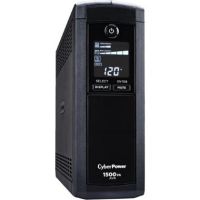
 CyberPower BRG1500AVRLCD2 Intelligent LCD Series UPS
 In Stock
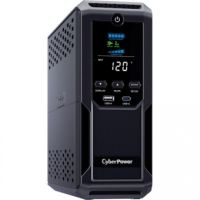
Brand: CyberPower SKU: BRG1500AVRLCD2 Condition: NEW USD 301.55 - USD 280.75 CyberPower Intelligent LCD CP1500AVRLCDTAA Uninterrupted Pow... In Stock
Brand: CyberPower SKU: CP1500AVRLCDTAA Condition: NEW USD 280.75 - USD 203.79 CyberPower CP1350AVRLCD3 Intelligent LCD Series UPS In Stock
Brand: CyberPower SKU: CP1350AVRLCD3 Condition: NEW USD 203.79 - USD 182.99 CyberPower CP1000AVRLCD Intelligent LCD UPS In Stock
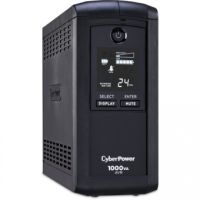
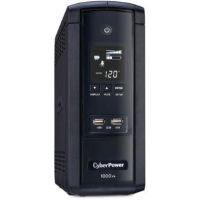
Brand: CyberPower SKU: CP1000AVRLCD Condition: NEW USD 182.99 - USD 177.79 CyberPower BRG1000AVRLCD Intelligent LCD Series Uninterrupti... In Stock
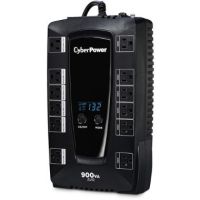
Brand: CyberPower SKU: BRG1000AVRLCD Condition: NEW USD 177.79 - USD 145.55 CyberPower AVRG900LCD Intelligent LCD UPS (900VA/480W) In Stock
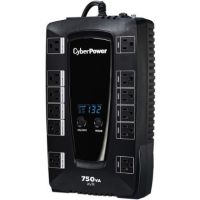
Brand: CyberPower SKU: AVRG900LCD Condition: NEW USD 145.55 - USD 135.15 CyberPower AVRG750LCD Intelligent LCD UPS (750VA/450W) In Stock
Brand: CyberPower SKU: AVRG750LCD Condition: NEW USD 135.15 - USD 0.00 CyberPower OR1500LCDRT2U Smart App Intelligent LCD Equipped ...
 Out of Stock
Brand: CyberPower SKU: OR1500LCDRT2U Condition: NEW Call us for price(669) 244-0333
- USD 0.00 CyberPower OR1500LCDRM1U Smart App Intelligent LCD UPSOut of Stock
Brand: CyberPower SKU: OR1500LCDRM1U Condition: NEW Call us for price(669) 244-0333
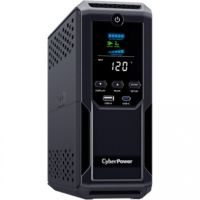
Intelligent LCD UPS – Smart Power Backup with Real-Time Monitoring
We are living in a hyper-connected world where an uninterruptible power supply is not a luxury, it is a strategic necessity. Particularly, when your national grid is not reliable, where power outages and voltage fluctuation are common, you must go for an Uninterruptible Supply Unit or UPS. Given the fact that businesses and homes need innovative, scalable, and adaptive UPS systems to meet their varying needs, manufacturers such as CyberPower, APC, Tripp Lite, Eaton, and the like are coming up with feature-packed power backup solutions. For instance, Smart App Sinewave UPS, PFC sinewave UPS, Smart App UPS, AVR UPS, Smart UPS, Ecologic UPS systems are some noteworthy innovative UPS designs. Similarly, Intelligent LCD UPS models are another such example that feature both advanced power backup as well as a digital LCD display, allowing users access to real-time information about power conditions, battery status, and system performance. Users can thus enjoy enhanced control, monitoring, and power efficiency. They are used extensively for homes, offices, and networking across the fields and domains.
Let’s dig deeper into UPS with LCD display so that you can choose them confidently for your UPS needs for home use, office equipment, and other business needs.
What is an Intelligent LCD UPS?
UPS systems with LCD digital display are advanced UPS models, allowing users to enjoy reliable power backup, voltage regulation, and real-time monitoring via an intuitive LCD display. They feature either Line-Interactive or Standby UPS topology and deliver guaranteed power protection for desktop computers, workstations, routers, modems, gaming consoles, and home theater equipment.
Intelligent LCD UPS models are equipped with other capabilities as well. For instance, CyberPower Intelligent LCD UPS models offer an LCD status panel, Automatic Voltage Regulation (AVR), energy-saving GreenPower UPS™ Design, data line protection, and management software to easily control and monitor your UPS.
LCD Panel Functionality in Intelligent LCD UPS Models:
The LCD panel in UPS systems acts as a central configuration and monitoring hub, showing real-time visibility into the system's health and power environment. Users can thus quickly access critical metrics without needing external management software.
Key Information Displayed on UPS with LCD Screens:
Here are metrics that users can access for quick diagnosis of health, problems, and troubleshooting.
• Power Status
• Input/Output Voltage
• Fault Diagnostics
• Load Capacity
• Battery Health
• Operation Mode indicating AVR (Automatic Voltage Regulation), ECO mode, or Bypass mode
• Backup & Runtime
Key Features of Intelligent LCD UPS:
UPS models with digital screens are designed to act as a reliable UPS battery backup with real-time LCD monitoring and control. Here are some of the salient features of UPS with monitoring displays.
1. Multifunction LCD Display (Real-Time Status):
These backup power supplies are equipped with a multi-function LCD display, providing tant readouts of input/output voltage, load level, battery charge, runtime estimates, and mode (line/battery). For instance, Tripp Lite LCD UPS models come with an intuitive front panel, showing a variety of UPS operational conditions, including voltage, runtime, load, battery, and operating mode. Furthermore, the panel rotates to accommodate both rack-mount LCD UPS and tower LCD UPS models. Similarly, CyberPower Intelligent UPS models offer immediate, detailed information on the UPS battery and power conditions, helping users get alerts about problems that can adversely affect the critical equipment.
2. Automatic Voltage Regulation (AVR):
LCD UPS battery backup solutions are designed to boost or trim voltage fluctuations (e.g., +10%/-15%) to safe levels without battery drain. They can correct minor voltage fluctuations, making UPS systems with LCD display and AVR for home use and offices, as they can extend battery life by up to 50% and the lifespan of connected loads.
For instance, CyberPower Intelligent LCD systems can deliver clean, consistent AC power by automatically increasing (boosting) low voltage without using battery power. Likewise, the APC LCD UPS model also ensures voltage regulations.
3. Simulated Sine Wave Output:
Intelligent LCD UPS models from CyberPower utilize pulse wave modulation to generate a stepped, approximated sine wave, supplying cost-effective battery backup power for equipment that doesn’t demand sine wave output.
Simulated Sinewave and Pure Sinewave outputs are quite different; you need to understand their differences to choose the right UPS systems for your requirements.
Pure Sine Wave Vs Simulated Sine Wave Outputs:
|
Features |
Simulated Sine Wave |
Pure Sine Wave |
|
Waveform quality |
Approximated or stepped waveform |
Smooth, clean, and similar to utility power |
|
Performance |
Less stable, may cause overheating or buzzing |
Stable and efficient performance |
|
Compatibility |
May have some issues with sensitive or modern devices |
Compatible with all types of devices, particularly suitable for sensitive equipment such as computers, servers, and laptops |
|
Noise Level |
Can produce audible noise and heat |
Minimal noise and heat generation |
|
Equipment lifespan |
May reduce lifespan |
Extension in lifespan |
|
Efficiency |
Reduced with potential heat loss |
Optimum power transfer |
|
Stability |
May causing buzzing |
Excellent for all loads |
|
Ideal for |
Basic electronics like fans, lights, and simple PCs |
Servers, medical equipment, gaming PCs, networking devices |
4. Surge and Spike Protection:
These uninterrupted power supply units with LCD are designed to divert excess voltage away from sensitive electronic equipment during an AC power surge or power spike. You can deploy these high-capacity LCD UPS systems for servers and workstations for avoiding damages to the hardware infrastructure.
5. USB/Serial Connectivity:
They are also equipped with communication ports such as USB/Serial that ensure communication with computers for monitoring, configuration, and safe system shutdown using UPS management software. For example, Tripp Lite LCD UPS models come with RS-232 and HID-compliant USB ports, supporting seamless connection with a computer running free downloadable PowerAlert® software. They help users ensure safe unattended system shutdown in case of a prolonged power failure.
Benefits of Using LCD UPS Systems:
These are energy-efficient UPS systems that provide multiple advantages to users by combining backup power with an intuitive LCD display for enhanced usability.
• Easy Monitoring of Power Conditions:
Desktop UPS systems are provided with a built-in display, showing real-time information related to input/output voltage, battery status, load level, and runtime. It helps users track performance and identify issues instantly, making these line interactive intelligent LCD UPS systems suitable for office equipment and networking devices. Users can thus enjoy simplified maintenance and operation without any extra software infrastructure.
• Protection of Sensitive Equipment:
These intelligent LCD UPSs for computers and other devices are designed to help users identify problems before they start damaging the equipment. They can help you safeguard devices like computers, servers, and networking equipment from voltage fluctuations, surges, and spikes. You can supply a stable and clean power delivery for all connected loads.
• Data Safety During Outages:
UPS models with Intelligent LCD screens are designed to supply backup power and runtime long enough for equipment to properly shut down when utility power fails. You can thus prevent loss of data and minimize the component stress caused by a hard shutdown, making these line-interactive intelligent LCD UPS suitable for office equipment and other devices.
• Extended Device Lifespan:
UPS with LCD display and AVR for home uses make sure that connected devices are protected by handling fluctuations without draining.
Types of Intelligent LCD UPS:
Intelligent LCD UPS systems, similar to other UPS models, are available in various form factors. Let’s discuss them one by one.
Rackmount Intelligent LCD UPS:
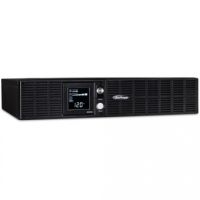
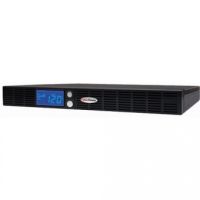
These UPS models are designed to fit in a server, making them ideal for an IT environment. They feature horizontal design for rack integration (typically 19-inch racks), advanced LCD panels for detailed system monitoring, and higher power capacity compared to mini-UPS units.
Where to use a rackmount LCD UPS?
• Data centers
• Managed service environments
• Cloud hosting setups
• VoIP infrastructure
• Large servers or virtualized workloads
Tower Intelligent LCD UPS Systems:
Tower LCD UPS units come in a standalone design, allowing users to place them both on the floor and the desktop. Similar to rackmount LCD UPS systems, they also offer AVR, Eco-Mode, energy-efficient design, and more.
Where to deploy Tower LCD UPS systems?
• Retail POS terminals
• Small office servers
• Branch office networks
• Workstations
• Networking devices in non-rack areas
LCD Intelligent Mini-UPS Systems:
LCD Intelligent Mini-UPS systems are line-interactive UPS models that are designed for routers, cameras, and small IT gear in unstable grids. For instance, CyberPower CP850AVRLCD is one example of a mini-UPS model that is recommended for home users, small offices, and basic backup needs.
How to Choose the Right LCD UPS For Your Needs:
Here are some factors that you know before choosing the best intelligent LCD UPS for computers and other needs.
1- Power capacity (VA/Watt):
Needless to say, the power capacity of UPS is the first and foremost consideration. Concerning this, you need to consider the following points:
First, you need to measure capacity in VA (Volt-Amps) and Watts.
Second, calculate the total power consumption of all connected devices, for instance, PC 350W + router 20W + cameras 50W.
Third, add a 20–25% higher capacity than your load for safety and future growth.
Now, choose the UPS with a capacity that you need to cover current and future needs. CyberPower Intelligent LCD UPS models offer the following power capacity:
|
Intelligent LCD UPS |
Devices Covered |
|
1 PC + monitor + router + 1-2 cameras |
|
|
1 PC + monitor + router + 2-3 cameras |
|
|
1 PC + monitor + router + 3-4 cameras + modem |
|
|
850VA |
Same as 825VA, plus a small NAS |
|
1-2 PCs + monitors + router + 4 cameras |
|
|
2 PCs + monitors + router + 4-5 cameras + NAS |
|
|
2-3 PCs/workstations + multiple monitors + 5-8 cameras + switch; |
|
|
3 PCs/servers + monitors + router/switch + 8+ cameras + NAS |
2- Runtime Requirements:
Runtime is the number of minutes that a UPS can support the attached devices with electricity during a blackout. Minimum runtime is the amount of time you need to shut down all connected devices completely to avoid stress on hardware or risks to data loss.
Here, you should note that the number of watts supported by a UPS is linked to runtime. The higher the watts, the shorter the runtime. Therefore, you need to find a sweet spot.
Here are some recommendations that help you make the right choice.
• 5–10 minutes: Safe shutdown (home/office PCs)
• 15–30 minutes: Short outages (Wi-Fi, routers)
• 30+ minutes: Requires larger UPS or external batteries
• 1+ hours: for mission-critical servers.
3- Number & Type of Outlets:
You need to count how many devices you need to connect. Concerning, you need to ensure that your sinewave UPS has the following types of outlets:
• Battery + Surge Outlets are designed to offer power backup during outages, making them suitable for critical loads.
• Surge-Only Outlets provide only protection. They don’t offer power backup, making them suitable for non-critical loads.
• ECO Outlets cut power automatically to idle peripherals such as printers, and they can save up to 10-30% energy.
4- LCD Features & Interface:
LCD displays have become a key advantage in modern UPS systems. Therefore, you need to choose UPS with an intelligent LCD display showing voltage, load %, runtime, faults, and AVR status. Furthermore, if the LCD display is interactive, it will help more in overall power management. Multi-lingual LCD is another major feature that you should look for.
5- Connectivity (USB / Software Support):
You need to choose UPS with USB ports as well as compatibility with software. For instance, CyberPower Intelligent LCD UPS models support PowerPanel® Personal Software. This software delivers a user-friendly dashboard interface for controlling and monitoring the UPS. Similarly, USB ports ensure seamless system integration.
FAQs:
1- What information does the LCD show?
The LCD display of UPS shows battery capacity, input/output voltage, load capacity, estimated runtime, and more.
2- Why is the LCD screen useful?
Intelligent LCD displays of UPS systems are extremely useful as it allows for immediate troubleshooting and precise power monitoring. You can determine how much time is left for the safe shutdown of the connected devices.
3- How accurate is the backup time shown on the LCD?
The backup time shown on the LCD is an estimated time based upon connected load. The accuracy is determined by battery condition and connected devices.
4- What should I check before buying an LCD UPS?
You should check the following factors before buying an LCD UPS system:
• Power capacity (VA/Watt)
• Required backup time
• Number of outlets
• LCD features
• Connectivity options
5- Why is the LCD glowing red or amber?
It shows a critical error or a "Replace Battery" warning. You need to check the specific error code displayed on the screen against your manufacturer’s user manual.
Why Buy an Intelligent LCD UPS from Kijero:
Kijero has long served its valued customers and supplied them with cost-effective IT hardware. We deal in a full portfolio of ICT hardware and IT services, including but not limited to all kinds of APS UPS, such as Standby, Line-Interactive, and Double Conversion, most importantly, Intelligent LCD UPS from leading manufacturers, including CyberPower, and more.
Additionally, our tech experts provide IT services, including solution designs for helping you access the most suitable UPS hardware customized to your needs and budget.
Contact us today and elevate your UPS experience to the next level at the best price in the market.
Featured Products