

Storage Devices
- USD 23,195.24
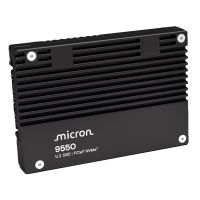
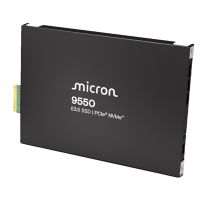
 MICRON MTFDLAL25T6THB-1BK1DABYYR 9550 MAX 25600GB NVME U.2 (...
 In Stock
Brand: Micron SKU: MTFDLAL25T6THB-1BK1DABYYR Condition: NEW USD 23195.24 - USD 17,422.44 SanDisk 0TS2463 15.36TB NVMe U.3 SFF-15mm RI-1 DW/D Dual Por... In Stock
Brand: SanDisk SKU: 0TS2463 Condition: NEW USD 17422.44 - USD 12,889.43 MICRON MTFDLBQ12T8THB-1BK1DABYYR 9550 MAX 12800GB NVME E3.S ... In Stock
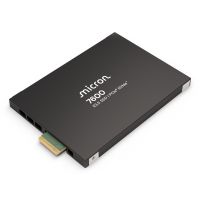
Brand: Micron SKU: MTFDLBQ12T8THB-1BK1DABYYR Condition: NEW USD 12889.43 - USD 10,742.48 MICRON MTFDLAL12T8THS-1BP1DFCYYR 7600 MAX 12.8TB NVME U.2 (1... In Stock
Brand: Micron SKU: MTFDLAL12T8THS-1BP1DFCYYR Condition: NEW USD 10742.48 - USD 10,405.23 MICRON MTFDKCC12T8TGQ-1BK1DABYYR 7500 MAX 12800GB U.3 (15MM)... In Stock
Brand: Micron SKU: MTFDKCC12T8TGQ-1BK1DABYYR Condition: NEW USD 10405.23 - USD 10,098.91
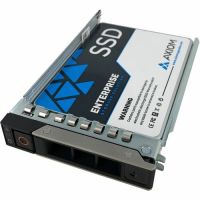
 AXIOM SSDUX10DJ15T3-AX 15.36TB U.2 SFF SSD FOR DELL In Stock
Brand: Axiom SKU: SSDUX10DJ15T3-AX Condition: NEW USD 10098.91 - USD 10,098.91 AXIOM SSDUX10DL15T3-AX 15.36GB U.2 SFF SSD FOR DELL In Stock
Brand: Axiom SKU: SSDUX10DL15T3-AX Condition: NEW USD 10098.91 - USD 10,098.91 AXIOM SSDUX10DV15T3-AX 15.36TB U.2 SFF SSD FOR DELL In Stock
Brand: Axiom SKU: SSDUX10DV15T3-AX Condition: NEW USD 10098.91 - USD 10,098.91 AXIOM SSDUX10DX15T3-AX 15.36TB U.2 SFF SSD FOR DELL In Stock
Brand: Axiom SKU: SSDUX10DX15T3-AX Condition: NEW USD 10098.91
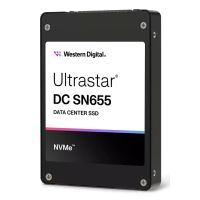

Storage Devices – SSDs, HDDs, External Drives & Data Storage Solutions | Kijero
It would be a total waste of time and our effort if we started discussing the importance of storage devices. Everyone, whether an IT specialist, creative artist, business analyst, or the like, knows exactly how important it is to have a reliable external storage and data storage solution. However, storage devices are available in a great variety, offering varying form factors, capacities, and read/write speeds, to name a few. Therefore, it is very important for users to understand the computer storage devices and their types, including SSD, Hard Disk Drives, Flash Drives, Tape Drives, and accessories such as Drive Trays, fully. Users can thus purchase the best storage devices for business, gaming, office work, content creation, and everyday multitasking.
Let’s begin our discussion with the types of data storage solutions available in the market.
1- Solid State Solution or SSD:
Solid State Drives or SSDs, are a type of data storage that depends upon flash-based memory to store data. Unlike Hard Disk Drives or HDDs, SSD drives don’t feature moving parts, and they store data electronically on interconnected memory chips. That’s why SSD drives offer faster read/write speed, lower access time, and comparatively higher per-gigabyte cost.
SSDs have become the backbone of storage hardware thanks to the multiple advantages they offer vis-à-vis HDDs.
Benefits of Using SSD Data Storage Solution?
SSDs are known for offering cutting-edge capabilities for users. For instance:
• Ultra-Fast Performance:
Solid State Drives are an enterprise storage solution, offering blazing fast speed. If you have an SSD-equipped PC, it can boot in less than a few minutes, even within seconds. Gamers can enjoy a 60–80% reduction in game load. Content creators can experience instantaneous file transfer and faster running of the creative app. Overall, you can enjoy faster project rendering, smoother 4K timeline scrubbing, and quick task accomplishment.
For the sake of SSD vs HDD comparison, a basic SATA-bus SSD storage can deliver as high as 2x read/write speed, and PCI Express-based SSDs can support up to 4x read/write speed, and cutting-edge PCI Express 5.0 can support five-figure transfer rates of 10,000MBps-plus.
• Silent Operation:
Since SSDs don’t feature moving parts, they produce absolute zero noise. Moreover, if you pair SSD storage with modern CPUs that come with an advanced cooling system, you enjoy the virtually silent PC experience. You can thus use SSD-equipped PCs for home offices, bedroom setups, and recording studios.
• Excellent Durability:
Solid-State Drives feature no moving heads or spinning platters. You are not going to lose your data when your laptop drops or your PC gets jolted. Therefore, SSDs are prone to vibration, shocks, and drops. You can count on them if you prefer to store data on a laptop and portable drives.
SATA SSDs Vs. NVMe SSDs:
SATA SSDs and NVMe SSDs are two formats that often come before you when you navigate the market to buy an SSD storage for your needs.
SATA III (Serial ATA) is a storage interface standard that can support up to 6 Gbps speed. You can deploy a SATA cable for connecting older HDDs and SSDs to the motherboard of PCs. SATA SSDs are a type of Solid-State Drive that uses the SATA III interface for connection with a PC’s motherboard. They can support up to 600Mbps speed in real-life scenarios.
NVMe or Non-Volatile Memory Express is a new protocol that is fast replacing the SATA interface. NVMe interface supports direct connection with the motherboard’s PCIe lanes. NVMe SSDs can thus support lower latency and higher data throughput. Newer protocols like PCIe 3.0, 4.0, and 5.0 offer blazing-fast speed, with each generation doubling the bandwidth supported by the previous generation. For instance, users can experience 8.0 GT/s, 16 GT/s, 32GT/s per lane, respectively, from PCIe 3.0 SSDs, PCIe 4.0 SSDs, and PCIe 5.0 SSDs.
SSD Form Factors:
The form factor of SSD drives should also be chosen carefully. Form factors not only make different SSDs distinguishable, but they also determine how the Solid-State Drive would connect and interact with the motherboard.
• 2.5-inch Solid-State Drives:
2.5-inch SSDs' data storage solution shows a striking resemblance to traditional 2.5-inch laptop hard drives. These SSD solutions are connected to the motherboard through a standard SATA III interface. You can thus find that 2.5-inch Solid-State Drives are one of the easiest and universally compatible SSD upgrades. 2.5-inch SATA SSDs are thus a budget-friendly upgrade choice for millions of users with budget desktops and aging laptops. They are also used as a second storage in modern laptops for game libraries, media files, or project archives.
• M.2 Solid State Drives:
M.2 SSDs are small, compact, and gum-stick-sized SSD data storage solutions that can be plugged into an M.2 slot on the motherboard. These data backup drives feature NVMe transfer protocols, making them standard SSD storage for desktops, laptops, gaming consoles, and mini-PCs.
You can find M.2 SATA SSD solutions that are suitable for older systems that don't support NVMe or slim laptops without a 2.5-inch bay. Most commonly found M.2 SSDs are M.2 NVMe SSDs that can support higher bandwidth, making them suitable for creative workstations, PS5 expansion, and modern gaming PCs.
• AIC (Add In Card) SSDs
AIC (Add-In Card) SSDs are high-performance and high-capacity storage drives that support direct plugging into a PCIe expansion slot on the motherboard. They are similar to miniature graphics cards, featuring active fans, large heatsinks, and multiple NAND chips on a full-size PCB.
Moreover, if your systems don’t have a free M.2 slot, AIC SSDs can also work as PCIe-to-M.2 adapters.
Where to Use Solid-State Drives?
SSD data storage solutions are quite expensive; therefore, you should deploy them after careful consideration.
• Modern AAA gaming.
• 4K and 8K video editing & content creation
• Operating System & Boot Drive
• Servers & Data Centers
• Surveillance Systems
• Automotive & IoT Devices
2- Hard Disk Drives (HDD):
Hard Disk Drives, or HDDs, are traditional data storage solutions that count on spinning magnetic disks to store information. Hard Disk Drives comprise several parts, including a metal alloy platter, a movable head, and an actuator connected to a circuit board. HDDs have been the backbone of IT infrastructure for decades, and they are still a preferable choice thanks to the lowest cost per terabyte, long shelf life, and more feasible data recovery as compared to SSDs.
HDDs are used extensively for video surveillance, data centers handling cold storage, NAS devices, and gaming libraries, where gamers prefer to have more storage capacity than faster load times.
Benefits of Using Hard Disk Drives?
Here are some compelling reasons explaining why you should deploy HDDs for data storage and backup.
• Affordable Storage Capacity:
HDDs offer enormous storage capacity, which is way more affordable than that of SSDs. You can find 500 GB for entry-level drives to 36 TB or more for high-end enterprise HDD solutions. HDD-equipped consumer desktops offer 1 TB, 2 TB, 4 TB, and 8 TB options, whereas enterprise-grade data center drives can offer higher capacity. Therefore, Hard Disk Drives are recommended for various applications, including surveillance footage, media libraries, and data backup.
• Interface and Connectivity:
Similar to SSDs, HDDs are also available in various form factors and specifications. For instance:
• SATA III is a widely used interface. SATA III Hard Disk Drives can support transfer speeds up to 6Gbps theoretically.
• USB 3.0/3.1/3.2 and Thunderbolt ports are also available in some HDD models, offering high-speed and plug-and-play connectivity.
• The SAS (Serial Attached SCSI) interface is used mostly in enterprise-grade settings. SAS HDDs offer better multi-drive support, higher availability, and faster speed.
• 3.5-inch HDDs are used in desktop PCs, servers, and external storage units. They are high-capacity storage solutions.
• 2.5-inch HDDs are smaller and lighter, making them suitable for laptops and gaming consoles. They can also be used as portable storage devices, but they come with comparatively lower capacity.
3- USB Flash Drives & Memory Cards:
USB Flash drives, also known as flash drives, thumb drives, pen drives, or memory sticks, are small, portable, and compact data storage solutions. They can connect to laptops, desktops, gaming consoles, or other devices with USB ports. USB flash drives are portable storage devices, making them suitable for carrying, sharing, and protecting your content, such as documents, photos, and videos.
Key features of USB Flash Drives:
• USB Storage devices offer a wide-ranging storage capacity, ranging from 4GB to as high as 2TB. In between, you can find multiple options, including 16 GB, 32 GB, 64 GB, 128 GB, 256 GB, and 512 GB USB drives, and 1TB USB Drives.
• You can find various USB interfaces that determine the connectivity and speed. For instance, USB 2.0 can support up to 480Mbps speed, USB 3.0/3.1 Gen 1 up to 5Gbps, USB 3.1 Gen 2/USB 3.2 up to 10Gbps, USB 3.2 Gen 2x2 up to 20 Gbps, and USB4 and Thunderbolt can support up to 40 Gbps for high-end use cases.
Key Features to Consider When Buying Storage Devices:
Here are some features that you need to consider before making the ultimate decision.
1- Storage Capacity (GB/TB):
Needless to say, storage capacity, measured in Gigabytes or Terabytes, is the first and foremost consideration. It determines how much data you can store.
Modern data storage solutions are available in a great variety. You can find entry level 64Gb or 128Gb storage that is considered suitable for Operating System Installation and basic file storage. Mid-range data storage devices can offer up to 1TB of storage, making them preferable for everyday users who need to store various types of data, such as photos, videos, documents, media files, and the like.
High-end storage solutions can offer storage up to 8TB. In this range, you can purchase 2TB and 4TB data storage devices as well, making these devices suitable for gamers, content creators, and professionals who need to handle extensive media libraries, large video files, and design projects. Finally, enterprise-grade data storage solutions are also available, offering as high as 36TB of storage, making them suitable for data centers and bulk storage applications.
You are recommended to add a 30-50% buffer to your storage requirement. It will help you meet your future growth as well as keep your storage device in perfect shape.
2- Speed (Read/Write):
Speed indicates how quickly data can be accessed and stored on the storage devices. It is often measured in megabytes per second (MB/s) or gigabytes per second (GB/s). Read and write are two metrics used to measure speed.
When it comes to speed, you find various options, allowing you to meet your requirements. For instance:
• Traditional HDDs can support read/write speeds of 80–160 MB/s.
• SATA SSDs can deliver 500–550 MB/s.
• NVMe SSDs can deliver speeds ranging between 3,500 MB/s and 7,000 MB/s on PCIe 4.0.
• PCIe 5.0 NVM can support up to 14,000 MB/s.
In addition to read/write speed, you need to consider random read/write speeds as well, especially if you are engaged in a multitasking workload, database management, and running Operating Systems.
3- Form Factor:
Form factors refer to the connection type, physical size, and shape of storage devices. A right form factor can ensure seamless compatibility with your desktop, laptop, or other device.
• 2.5-inch drives offer a good balance between ease of installation and capacity. They are recommended for upgrading older laptops and desktops.
• 3.5-inch Drives feature the highest capacity, making them suitable for NAS devices, servers, and external storage units.
• M.2 Drives are suitable for slim laptops and modern desktops.
4- Compatibility:
Compatibility is also a very important consideration. You need to make sure that the storage device in question shows interface compatibility, Operating System compatibility, Form Factor compatibility, device compatibility, and protocol compatibility.
Why Buy Storage Devices from Kijero
Kijero has carved out a unique name in the IT market for offering an extensive range of storage devices, including Solid State Drives, Hard Drives, Flash Drives, Tape Drives, and accessories such as Drive Trays. We have been a trusted partner of 50-plus leading manufacturers, including but not limited to Synology, QNAP, Lenovo, Axis Communications, to name a few.
Contact us today to upgrade your storage at the best price in the market.
Featured Products