

Monitor Stands
- USD 54.88
 SIIG Foldable Monitor Stand - CE-MT2P12-S1
 In Stock
Brand: SIIG SKU: CE-MT2P12-S1 Condition: NEW USD 54.88 - USD 55.34
- USD 73.02 SIIG Foldable Monitor Stand with Integrated USB Hub - CE-MT2... In Stock
Brand: SIIG SKU: CE-MT2Q12-S1 Condition: NEW USD 73.02 - USD 100.19
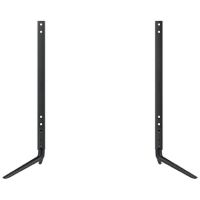
 Samsung STN-L4355G Display Stand Up to 43 Screen Support In Stock
Brand: Samsung SKU: STN-L4355G Condition: NEW USD 100.19 - USD 186.36
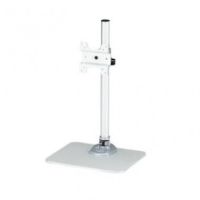
 StarTech Single Monitor Stand Adjustable Steel Silver - ARMP... In Stock
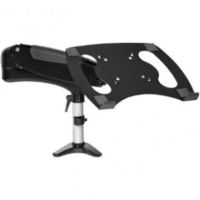
Brand: StarTech SKU: ARMPIVSTND Condition: NEW USD 186.36 - USD 189.56 StarTech Desk Mount Laptop Arm - Full Motion Arm/Stand for L... In Stock
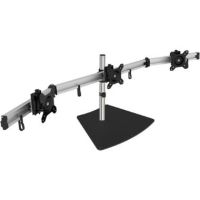
Brand: StarTech SKU: ARMUNONB1 Condition: NEW USD 189.56 - USD 209.36 SIIG Triple Monitor Stand for 13 to 27" Displays - CE-M... In Stock
Brand: SIIG SKU: CE-MT2111-S1 Condition: NEW USD 209.36 - USD 243.94
- USD 272.56 StarTech Dual Monitor Stand - Ergonomic Desktop Monitor Stan... In Stock
Brand: StarTech SKU: ARMDUALSS Condition: NEW USD 272.56
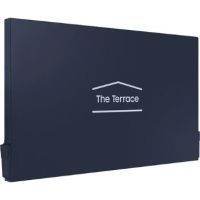

Monitor Stands | Adjustable, Ergonomic & Desktop Monitor Risers
It is not wrong at all to say that installing a monitor stand for your home office or offices will be the most productive office accessory. Monitor stands perform multiple tasks rather than merely holding the monitor or screens. They help users tilt, swivel, and rotate monitors on demand, deploying the screen at a position that is comfortable for the eye, neck, and shoulder. Adjustable Monitor Stands also help users save desk space, removing clutter and making a desktop aesthetically appealing. Moreover, desktop monitor stands simplify cable management. They also come in various configurations. You can purchase a single monitor stand, dual monitor stand, height-adjustable monitor stand, sit-stand monitor stand, wooden monitor stand, metal monitor stand, monitor riser with drawer, foldable monitor riser, portable monitor stand, and more. Therefore, users need to choose these monitor stands or risers carefully. That’s why we have discussed monitor stands and their types, including features to look for in a monitor stand, so that you can select the best monitor stand for your needs.
Explore Monitor Stands by Type:
Monitor stands come in various types and configurations. Each type is suitable for a specific set of users.
1- Adjustable Monitor Stands:
Adjustable monitor risers are ergonomic monitor stands that raise the monitor to the level of your eyes. As per medical research, monitors should be at eye level or slightly lower to avoid neck, back, and eye strain. They can come with a gas-spring or articulating arm, allowing users to adjust height, tilt, swivel, and rotation on demand. Therefore, these height-adjustable monitors are considered suitable monitor stands for home offices and offices.
For example, the StarTech Desk Mount Laptop Arm is an ergonomic adjustable monitor stand, featuring -85/+90° vertical tilt, -90/+90° horizontal swivel & -180/+180° rotation (portrait/landscape); 360° arm rotation. Users can thus enjoy a full range of motion. What’s more, it also supports easy one-touch and spring-assisted height adjustment range of 13.8" (35cm).
Desk-Mount Monitor Arm with Laptop Stand is a height-adjustable dual-screen stand that can raise the monitor and laptop of your desk. It comes with spring-assisted height adjustments for effortless positioning.
Likewise, the StarTech WALLSTS1 Wall-Mounted Sit-Stand Desk Single Monitor is designed to convert your workstation into a standing desk for greater comfort and productivity. It also offers a full range of motion, allowing users to perform tilt, swivel, and rotation as per their demand.
2- Fixed Monitor Stands:
Unlike an adjustable monitor stand, fixed monitor stands support a stable and simple platform with a set height. They provide a set-and-forget and dependable base, making them suitable for shared terminals, reception counters, and offices where screens rarely need repositioning. They are suitable monitor stands for PCs because they support fixed height, elevating the screen to a comfortable level without any mechanical mechanism.
For example, the Samsung STN-L4355G Display Stand is a fixed monitor stand that provides an easy and convenient way to hold compatible displays for business presentations and other applications. It is straightforward to use and place without any need for adjustment.
3- Monitor Risers:
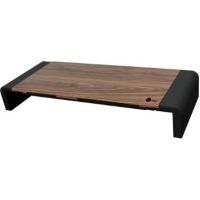
Monitors risers are the simplest monitor stands. They are platforms or shelves that are used to lift monitors a few inches higher, placing them at a level that is comfortable for the eye, neck, and shoulder. They can create a valuable space underneath, allowing users to place keyboards, notepads, and other stuff there. Monitor risers come with a clean line and minimalistic appeal, transforming your workspace into a place of clarity and focus.
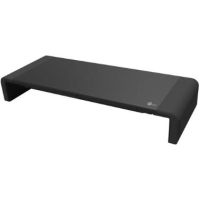
The SIIG Foldable Monitor Stand is one example of a monitor riser. It is a multi-functional stand, accommodating monitors/TVs, laptops, and printers. It supports adjustable width, built-in mobile stand, storage tray, and anti-slip pads.
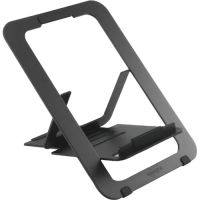
Kensington K50428WW is another example. It is an adjustable aluminum laptop stand, offering five pre-set height and angle combinations and improved airflow for cooling, and thus allowing users to enjoy optimum performance.
4- Dual Monitor Stands:
As the name indicates, dual-monitor or multi-monitor stands allow displaying more than one screen at a comfortable viewing angle and level. Users can enjoy enhanced productivity as they can perform the light work of comparing documents, watching dashboards, and keeping reference material open while working.
For instance, StarTech ARMBARTRIO2 Triple-Monitor Desktop Stand is a multi-monitor stand, supporting three monitors up to 27” (686 mm) in size and up to 17.6 lb. (8 kg) per monitor in weight. It is also an adjustable monitor, allowing users to perform height adjustment up to 16.7” (424 mm). In addition, it also offers a range of motion, including 360° rotation, +30°/-30° swivel, and +30°/-30° tilt to adjust to the ideal viewing angle.
Likewise, the SIIG Triple Monitor Stand for 13 to 27" Displays is another multi-screen stand, supporting triple monitor desk stand fits 13" to 27" monitors up to 17.6 lbs in weight with VESA 75x75mm or 100x100mm mounting holes. It also comes with support for a tilt angle of +/- 15° and 360° rotation for portrait or landscape monitor orientation.
What’s more, there are monitor stands supporting 4 displays, for instance, the StarTech Quad Monitor Desktop Stand that can support up to 4 32-inch screens.
Key Features to Consider in a Monitor Stand:
There are multiple factors that you need to consider before making the ultimate decision regarding the most suitable monitor stand for your needs. You need to run through these features to make a well-informed decision.
1- Height Adjustment:
Height adjustment is the most important ergonomic feature that you must consider before making the decision. Height-adjustable monitor stands let users elevate or place monitors at a level that is comfortable for their eyes, enabling users to avoid neck, shoulder, and eye strain. You can also lower the height for different users.
Height-adjustable monitors employ various mechanisms for height adjustment. Some come with fixed height, such as monitor risers, and others come with gas-spring arms and fully powered columns.
For instance, ViewSonic VB-STND-007 Motorized Trolley Cart (Black) is a height-adjustable monitor stand that comes with a motorized adjustable height function, supporting up to 22inch height with the help of Control Pad, ViewBoard Apps, or Control buttons. Users can thus use this ergonomic desk accessory for both sitting and standing presentations.
2- Weight Capacity:
Weight capacity is another major consideration. The stand must be able to support the weight of your display; however, you should also add some headroom to accommodate heavier glass on larger panels, ultrawides, and any VESA adapter plates. Therefore, you should calculate the weight by adding the weight of your display and headroom.
Monitor stands support varying weight capacities, ranging from 5kg to 20kg and even higher. For instance, the Chief PFCUB-G Large Flat Panel Mobile Cart is a heavy-duty monitor stand that can support a maximum 200lb weight capacity and is suitable for up to 71-inch screens. It also comes with telescoping height-adjustment and integrated cable management.
3- Storage Compartments:
Monitor stands with storage have become quite popular because of the valuable storage they provide for keeping keyboards, notes, office supplies, or other desk items. You should look for monitor stands with integrated trays, shelves, and compartments, as they work like an office desk, organizing by providing space for cameras, mini-PCs, conferencing gear, and everyday desk clutter. You can maintain your desktop tidy and clean.
For example, Kanto MTM86PL is a height-adjustable rolling TV cart that supports 55 - 86-inch displays with up to 200lb weight. It is provided with a camera shelf and device tray, accommodating conferencing devices, mini-PCs, and collaborative equipment.
4- Cable Management:
Cable management is another important and valuable feature that you should look into. Monitor Stand with Cable Management supports the routing of video and power cables through channels, clips, or snap-on covers. You can thus ensure a clutter-free workspace and make sure that the desk space is easy to maintain and dust. Concerning this, you need to monitor the stand that comes with enclosed routing channels or removable covers along the column. You should also look for arms with clip-in cable paths.
Single Monitor Sit-Stand Desk Mount with Keyboard Tray is one example of monitor stands that comes with cable management, hiding unwanted cables and wires from sight.
Other examples are the SIIG Foldable Monitor Stand with Integrated USB Hub and Mount-It MI-7263 Traditional Glass Computer Monitor Stand that supports effective cable management.
5- Non-Slip Base:
Simply put, if you are going freestanding, a non-slip base must not be overlooked. Monitor stands with a non-slip base ensure that monitor stands/risers don’t shift on smooth surfaces, especially when you are adjusting the monitor. In this regard, you should go for monitor stands with rubber pads or textured feet. You can also go for a weighted base to ensure enhanced stability to avoid tipping.
For instance, the Ergotron DS100 Dual-Monitor Horizontal Desk Stand (Black) is one example of a monitor stand with a non-slip base. It comes with a free-standing aluminum base that is provided with rubber feet that grip the worksurface to prevent movement.
Similarly, the StarTech Dual Monitor Stand is another example, featuring anti-slip rubber pads that prevent scratches on the desk surface.
Choose the Right Monitor Stand for Your Setup:
Choosing the right monitor stand for your setup can be quite a daunting task; therefore, we have enlisted some examples below to help you choose the best monitor stand for your needs.
1. Single Monitor Workstations:
For a single monitor setup, you should look for a monitor stand that supports height adjustment and a range of motion, including tilt, swivel, and rotation. In this regard, here are some highly-recommended single monitor stands:
• StarTech Single Monitor Stand Adjustable Steel Silver is a single monitor workstation stand, featuring heavy-duty steel construction, up to 30lb / 14kg weight capacity, +40/-15 tilt, and 360-degree swivel.
• StarTech Sit-Stand Monitor Arm - ARMSTSCP1 is another example of a single monitor stand, designed to convert your existing desk or table to a sit-stand ergonomic workstation with adjustable height, swivel, and extension.
2. Dual Monitor Configurations:
A dual monitor configuration is considered an extremely productive setup, allowing users to compare documents simultaneously, watch dashboards, and keep reference material open. You can purchase dual monitor stands, triple monitor stands, and even quad monitor stands.
For instance:
• StarTech Dual Monitor Stand can accommodate 2 large displays up to 32" (17.6lb/8kg) along with supporting w/ +90°/-40° tilt, +/-90° swivel, 360° rotating display, & adjustable height.
• StarTech ARMBARTRIO2 Triple-Monitor Desktop Stand is a triple-monitor stand, supporting three monitors up to 27” (686 mm) in size and up to 17.6 lb. (8 kg) per monitor in weight. It is a heavy-duty monitor stand coming with an aluminum base for optimum support.
• StarTech Quad Monitor Desktop Stand is a professional monitor stand that can accommodate 4 displays up to 32" (17.6lb/8kg) per screen w/ articulation & height adjustment.
3. Laptop and Monitor Combination:
Professionals can get the most from a setup where a laptop is placed alongside an external monitor. You can purchase various monitor stands supporting this precise configuration.
For instance, the StarTech Single-Monitor Arm with Laptop Stand is designed to raise your laptop and monitor off your desk. Users can create a dual monitor setup by integrating their laptop as a second display. It can accommodate a 15 to 27” monitor (17.6 lb. / 8 kg capacity) and a laptop of up to 17.6 lb. (8 kg).
4. Compact Desk Setups:
Last but not least, if you have a compact desk setup, look for compact monitor stands with a smaller footprint. Concerning this, foldable and slim monitor stands can help you save you deskspace and give a neat and clean touch to your working space.
For instance, the SIIG Foldable Monitor Stand is one example of a slim monitor stand. It helps users elevate the monitor to a comfortable level while occupying minimal space. Similarly, Kensington K50428WW - notebook stand is another monitor suitable for a compact desk setup.
However, you are suggested to go for a clamp- or grommet-mounted stand. They can be attached to the edge of tables, making sure that the entire surface stays clear.
Popular Brands Manufacturing Monitor Stands:
Here are some brands that stand out in the market for offering scalable monitor stands.
• Dell
• Lenovo
• ASUS
• Acer
• LG
• Samsung
• MSI
• BenQ
• ViewSonic
• Philips
• Gigabyte
• AOC
• StartTech
• SIIG
Why Buy Monitor Stands from Kijero?
Kijero prides itself on offering a comprehensive range of monitor stands, including single, dual, triple, and quad desktop stands, ergonomic sit-stand arms, space-saving monitor risers, and heavy-duty mobile carts. We deal in all major brands such as Dell, ASUS, Samsung, LG, Startech, SIIG, ViewSonic, and Chief. Our team of product experts is available 24/7, allowing users to find the best monitor at the best price in the market.
Contact our Kijero representative now and find the best monitor stand at the best price in the USA market.
Featured Products
Ubiquiti Networks UniFi 48-Port Gigabit PoE+ Compliant Managed Switch Call us for price
(669) 244-0333