

LED Monitors
- USD 106.76
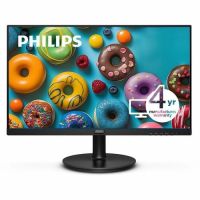
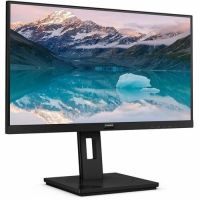
 PHILIPS 271V8LBS - 27 inch Monitor, LED, FHD, HDMI, VGA
 In Stock
Brand: Philips SKU: 271V8LBS Condition: NEW USD 106.76 - USD 110.02
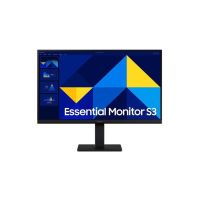
 Samsung S22D304GAN - S30GD Series - LED monitor - Full HD (1... In Stock
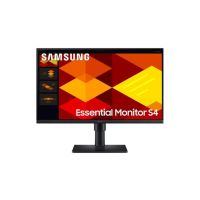
Brand: Samsung SKU: S22D304GAN Condition: NEW USD 110.02 - USD 128.95 Samsung S24D304GAN - S30GD Series - LED monitor - Full HD (1... In Stock
Brand: Samsung SKU: S24D304GAN Condition: NEW USD 128.95 - USD 152.50 PHILIPS 222S9JML - 22inch Monitor, LED, FHD, HDMI, DP, VGA,U... In Stock
Brand: Philips SKU: 222S9JML Condition: NEW USD 152.5 - USD 189.73
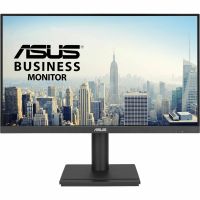
 ASUS VA24DQFS - LED monitor - Full HD (1080p) - 24" In Stock
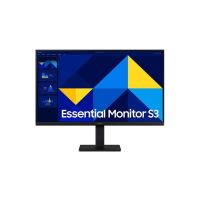
Brand: ASUS SKU: VA24DQFS Condition: NEW USD 189.73 - USD 209.51 Samsung S24D408GAN - S40GD Series - LED monitor - Full HD (1... In Stock
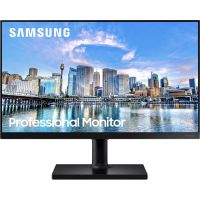
Brand: Samsung SKU: S24D408GAN Condition: NEW USD 209.51 - USD 219.10 Samsung F22T454FQN - FT454 Series - LED monitor - Full HD (1... In Stock
Brand: Samsung SKU: F22T454FQN Condition: Plain Box USD 219.1 - USD 224.72 Samsung S27D408GAN - S40GD Series - LED monitor - Full HD (1... In Stock
Brand: Samsung SKU: S27D408GAN Condition: NEW USD 224.72 - USD 327.16 Samsung QB24C QBC Series - 24" Class (23.8" viewab... In Stock
Brand: Samsung SKU: QB24C Condition: NEW USD 327.16
Buy LED Monitors Online – Gaming, 4K & IPS Computer Displays
Over the years, LED monitors have become immensely popular for a variety of compelling reasons. Thanks to their energy efficiency, longer lifespan, durability, superior image quality, high brightness, flexible design options, and wide-viewing angle, LED display monitors are considered the backbone of modern computing. Whether in immersive gaming setups, professional content creation, or everyday workspace, and the like, these LED monitors have found an extensive range of applications. What’s more, advancements in 4K resolution, IPS panels, and high refresh rates make them known for delivering stunning visuals, speed, and color accuracy like never before. These monitors are available in various specs, for instance, LED screens for PCs, gaming LED monitors, 4K LED monitors, 8K LED monitors, curved LED monitors, widescreen LED monitors, and more. To address various queries from our customers, here is a complete guide on how to buy the best LED monitor for gaming, office work, graphic design and editing, business uses, and multi-tasking.
What is an LED Monitor?
An LED monitor is a type of display that features a video display technology that utilizes an array of light-emitting diodes (LEDs) as pixels for a video display. The heart of LED video technology is a Light Emitting Diode or LED, which is a semiconductor light source. LED is capable of emitting light when current passes through it.
LED backlighting used in LED screens is known for delivering better energy efficiency, improved brightness, and a more extensive color range. Therefore, professional LED monitors are deployed in outdoor settings, for instance, for store signs, billboards, and destination signs on public transport systems.
What’s more, LED displays can be controlled individually, allowing users to adjust brightness, colors, and other features. You can use these dynamic, high-resolution, and energy-efficient LED monitors for business uses and other applications.
Types of LED Monitors:
Thanks to speed, responsiveness, and immersive experience, LED monitors are very popular. Therefore, manufacturers often compete among themselves to come up with purpose-built LED displays.
Here are some types that you need to consider.
1. Gaming LED Monitors:
Gaming LED displays are purpose-built LED monitors designed to deliver maximum clarity, speed, and immersion. Gaming LED screens are equipped with multiple cutting-edge features. For example:
• High refresh rate (up to 360Hz) for smoother action and faster response times.
• 1ms or even lower response time for ensuring reduced ghosting and motion blur, allowing users to enjoy crisp visuals during fast gameplay.
• 1080p, 1440p, and 4K resolution for stunning details and performance.
• NVIDIA G‑Sync and AMD FreeSync deliver smooth gameplay across varying frame rates with reduced screen tearing and stuttering.
• High Dynamic Range (HDR) for brighter highlights, deeper blacks, and richer colors.
• Wide-ranging connectivity. For instance, HDMI2.1 ports for 4K at 120Hz (ideal for PS5/Xbox Series X) and DisplayPort 1.4/2.1, supporting 1440p at 240Hz and 4K at 240Hz for PC gaming.
2. Office & Business Monitors:
LED monitors for office work are often provided with USB‑C docking, ergonomic stands, large screen sizes (27–43 inches), and high‑resolution panels (4K–6K) for crisp text clarity. They come with these features for multiple reasons.
For instance:
• High Resolution (4K–8K) support sharp text, ensuring reduced strain on eyes when workers have to work for hours on screen. You can also purchase LED monitors for long working hours eye comfort, making them suitable for high-end business tasks.
• Ergonomic design, such as adjustable height, tilt, and swivel, enables office workers and businessmen to perform their tasks comfortably without adverse impact on health.
• Ultra-wide LED monitors for multitasking are particularly suited for office and business tasks as they provide screen real estate for multitasking, spreadsheets, and design work.
• USB‑C / Thunderbolt Connectivity in office LED monitors supports single‑cable docking for laptops, charging, and data transfer.
In addition, office monitors are also provided with other productivity capabilities, including KVM switches, webcams, speakers, and conferencing features.
3. 4K and UHD Monitors:
4K LED monitors are designed to deliver ultra‑sharp resolution with features tailored to gaming, productivity, and creative work. They come with Ultra‑High Resolution (3840×2160), supporting 4× the detail of Full HD, HDMI 2.1, and DisplayPort 1.4/2.1 for supporting modern GPUs and consoles, and similar advanced capabilities.
4K & UHD monitors are suitable for various end-uses, including gaming, office productivity, creative editing, and entertainment. Therefore, you can purchase a 4K LED monitor for gaming with low response time and a 4K LED monitor for video editing and other applications.
4. Curved & Ultrawide Monitors:
With immersive viewing angles, extra screen real estate, and high refresh rates, curved LED monitors are quite popular for both gaming and productivity. They come with curved panels (1000R–1800R), wrapping around your field of view for enhanced immersion and depth. Curved monitors are ultra-wide monitors (21:9 or 32:9 aspect ratio), replacing dual‑monitor setups, making them preferable for multitasking, spreadsheets, and editing timelines. They also feature high refresh rates (165–240Hz) and adaptive sync (G‑Sync/FreeSync), making curved LED gaming monitors with high refresh rates very popular among users.
Key Features to Consider in LED Monitors:
You need to choose LED monitors very carefully by keeping in mind various factors. Let’s discuss these factors one by one so that you can choose the best LED monitors for your office, business, gaming, and other creative tasks.
1- Screen Size & Resolution:
First things first, you need to consider screen size and resolution simultaneously. On face value, more pixels mean sharper details on the screen, but it can prove quite tricky. You need to focus more on pixel density, that is, pixels per inch (ppi). Pixel density gives you a better idea of which screen size and resolution you need.
For instance, 1080p resolution looks great on a 13-inch LED monitor; however, it stretches out on a 27-inch screen, diluting the pixel density and making images less sharp.
Similarly, 1920 x 1080 (2K or FHD) resolution has 88ppi on a 25-inch screen, 82 ppi on a 27-inch screen, and 70ppi on a 32-inch screen. We do hope that this example has made our point clear to you.
As far as specific recommendations are concerned. Here they are:
• 1080p is the least expensive resolution; you should go for 24-inch monitors at max with this resolution. The majority of software can be run quite smoothly on 1080p LED monitors. They are more than enough for non-creative tasks like ordinary office or business uses.
• 1440p is a midrange resolution, and it must be paired with 27-inch or 32-inch LED monitors for optimum productivity and gaming experience.
• 4K resolution is for larger-sized monitors, but if you are willing to purchase 4K resolution in 27-inch or 32-inch monitors, it will give you a better experience.
1440p LED monitors and 4K LED monitors are suitable for creative tasks like 3D designing, high-definition video editing, and gaming.
2- Refresh Rate:
Refresh rate is another important consideration. Refresh rate indicates the speed at which a display can refresh itself to show new information. It is measured in Hertz or Hz. The higher the refresh rate, the higher the smoothness of the display when you play video games, scroll down/up the website, or perform any creative tasks.
Today, most of the LED monitors support a 60Hz refresh rate, which is the bare minimum that you need. However, for non-gaming tasks such as office work, a 75Hz LED monitor would be sufficient for your needs.
For casual gaming and media, you should go for 120Hz LED monitors and a 144Hz LED gaming monitor for PC. They can provide you with smooth gameplay, which will be better than 60Hz.
Finally, you go buy 240Hz LED monitors or 360Hz LED monitors for Competitive Gaming (FPS, Esports). The high-end monitors deliver ultra‑fast response, minimal motion blur, critical for reaction times.
3- Response Time:
Along with refresh rate, response time is another important feature that you need to consider. Response time is the speed at which a pixel can change color. Response time indicates how capable the LED monitor is in handling fast-paced moving images without blurring. Concerning response time, here are some recommendations:
• Monitors with 5ms to 10ms would be sufficient for office & business (emails, spreadsheets, browsing).
• LED IPS panels with 4ms to 5ms can meet the needs of multimedia and casual gaming.
• LED monitors with 1ms to 4ms are suitable for video editing/content creation.
• LED displays with 1ms or below response time are for Competitive Gaming (FPS, esports)
4- Panel Types (IPS, VA, TN):
Over the years, LED panels have undergone tremendous improvement. Their limitations have been corrected, and they are now available in various types, including IPS, VA, and TN.
Let’s discuss them one by one so that you can make the right decision regarding which LED panel best serves your needs.
• Where to Use IPS (In-Plane-Switching) Panels:
You should go for an IPS panel if you want to use systems for office work, creative tasks, and mixed-use setups. IPS panels are known for offering balanced color, viewing angles, and responsiveness. Furthermore, if you are forced to view content from off-center angles during collaborative work, or you intend to perform photo/video editing, or you prefer color consistency across brightness levels, an IPS LED monitor for color-accurate work should be your first choice.
• Where to Use VA (Vertical Alignment) Panels:
You prefer a VA LED monitor if you prioritize deep contrast and dark-room media consumption. For instance, if you love watching movies or playing single-player RPGs in dim lighting, you should consider VA LED panels.
However, they are known for slower response, making them not suitable for multitasking such as scrolling up/down, playing games, and working on a spreadsheet at the same time.
• Where to Use TN (Twisted Nematic) Panels:
TN LED monitors are the most affordable among LED panels. They are known for delivering decent picture quality and faster response time. They are more suitable for gamers who prioritize responsiveness over color accuracy and viewing angle.
On the flipside, TN panels suffer from the weakest contrast ratio and limited viewing angle, with colors appearing washed out when you look at the panel off-center.
5- Connectivity (HDMI, DisplayPort, USB-C):
Modern LED monitors are provided with a wide range of connectivity interfaces, including HDMI, DisplayPort, and increasingly USB-C ports. Let’s discuss these connectivity ports one by one.
• HDMI LED monitors feature HDMI ports that support audio and video through a single cable. Some HDMI variants, such as the HDMI 2.1 port, can support 4K/120Hz and 8K. These ports are readily compatible with devices like PCs, gaming consoles, and media players.
• DisplayPort feature support for 4K/240Hz or 8K/60Hz, and they also offer daisy-chaining multiple monitors. DisplayPort 2.1 and 2.1a are the versions currently found in high-end consumer hardware. DisplayPort LED monitors are suggested for PC gaming with high-refresh rate (144Hz or 240Hz). They are also suitable for professional workstations and multi-monitor setups.
• USB-C LED monitors offer the most versatile connectivity options. They support a single cable for video, data, and power (up to 100W). They also come with DisplayPort Alternate Mode for video output. More importantly, you can charge a laptop while connected, making it extremely convenient for users.
Why Choose LED Monitors:
Here are some compelling reasons why you should go for LED monitors for gaming, office work, and creative tasks.
1- Exceptional Brightness and Clarity:
LED displays are high-resolution monitors, offering vibrant colors that bring images to life. This is because Light Emitting Diode or LEDs produce light, making them much brighter. Even when there is a well-lit environment, screens remain visible, making professional LED monitors suitable for displaying advertisements, watching movies, or for conference settings.
2- Energy Efficient Monitors:
LED monitors are energy-efficient. In comparison with other display technologies, such as LCDs, they consume less energy. They are therefore highly recommended energy-efficient LED monitors for business use and other applications. You can thus reduce carbon footprint as well as contain your energy bill, making them affordable LED monitors for small businesses as well as large organizations.
3- Long Lifespan:
Professional LED monitors are known for offering a long lifespan. They can last up to 100,000 hours, which is a significantly enhanced lifespan as compared to other display technologies. The durability of LED monitors means that you don’t need to replace the screen often, saving you money in terms of replacement cost as well as maintenance.
Top LED Monitor Brands:
Many brands are offering cutting-edge LED monitor solutions. Some prominent brands are listed below:
• Dell
• HP
• Samsung
• ASUS
• LG
FAQs:
1- How long does an LED display last?
Depending upon usage and maintenance, an LED display can last up to 100,000 hours, which is almost 2x that of LCD screens.
2- How can you maximize the lifespan and performance of an LED display?
You can enhance the lifespan and performance of an LED display by:
• Ensuring adequate ventilation and climate control
• Ensuring surge protection and clean power sources
• adjustment in brightness appropriate to the environment
• ensuring the surface is free of dust, dirt, and debris
• carrying out regular calibration and software updates
• Practicing proper service and maintenance schedules
3- Are LED monitors good for gaming?
Yes, they are, if you go for LED monitors with a high refresh rate of 144Hz and above, low response time, and adaptive sync technologies.
4- What ports are commonly available on LED monitors?
LED monitors are equipped with the following ports:
• HDMI
• DisplayPort
• USB-C
• VGA (older models)
5- Can LED Displays Withstand Harsh Weather Conditions?
Yes, LED monitors are designed to withstand harsh outdoor conditions, including rain, snow, or intense sunlight. They are weather-resistant thanks to durable construction material, making them suitable for outdoor marketing/advertisement needs.
Buy LED Monitors at Best Prices:
Kijero has come a long way in combining cutting-edge LED technology with genuine support and expertise. Our inventory has the widest possible range of monitors. Ultra-Wide monitors, Interactive Displays, Touch Screen monitors, gaming monitors, 4K monitors, 144Hz monitors, PC monitors, curved monitors, flat monitors, and, more importantly, LED and LCDs and their accessories can be purchased at the most competitive price tag on the market.
Contact one of our representatives today and get the best deal, the best price.
Featured Products