

Internal Solid State Drives
- USD 672.25

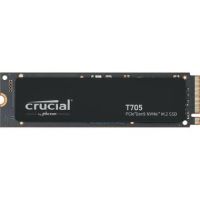
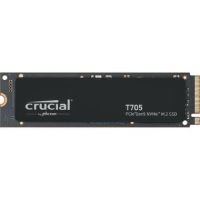
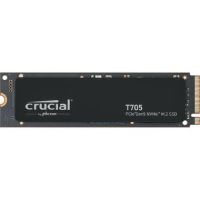
 Crucial CT4000T705SSD3 4TB NVMe PCIe 5.0 M.2 Internal SSD
 In Stock
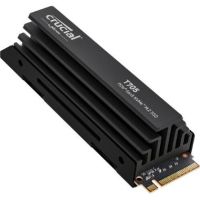
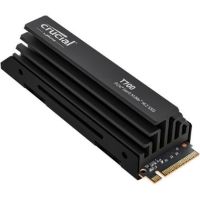
Brand: Crucial SKU: CT4000T705SSD3 Condition: NEW USD 672.25 - USD 0.00 Crucial CT4000T705SSD5 4TB NVMe PCIe 5.0 M.2 Internal SSD wi...
 Out of Stock
Brand: Crucial SKU: CT4000T705SSD5 Condition: NEW Call us for price(669) 244-0333
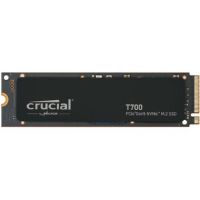
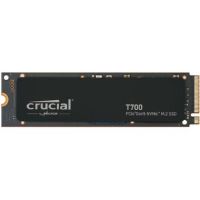
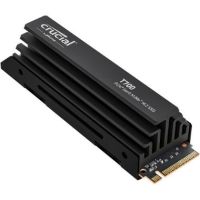
- USD 0.00 Crucial CT4000T700SSD3 4TB PCIe 5.0 x4 M.2 Internal SSDOut of Stock
Brand: Crucial SKU: CT4000T700SSD3 Condition: NEW Call us for price(669) 244-0333
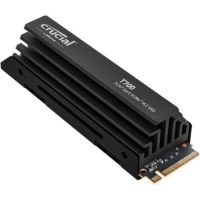
- USD 0.00 Crucial CT4000T700SSD5 4TB PCIe 5.0 x4 M.2 Internal SSD with...Out of Stock
Brand: Crucial SKU: CT4000T700SSD5 Condition: NEW Call us for price(669) 244-0333
- USD 0.00 Crucial CT2000T705SSD3 2TB NVMe PCIe 5.0 M.2 Internal SSDOut of Stock
Brand: Crucial SKU: CT2000T705SSD3 Condition: NEW Call us for price(669) 244-0333
- USD 0.00 Crucial CT2000T700SSD5 2TB PCIe 5.0 x4 M.2 Internal SSD with...Out of Stock
Brand: Crucial SKU: CT2000T700SSD5 Condition: NEW Call us for price(669) 244-0333
- USD 0.00 Crucial CT2000T700SSD3 2TB PCIe 5.0 x4 M.2 Internal SSDOut of Stock
Brand: Crucial SKU: CT2000T700SSD3 Condition: NEW Call us for price(669) 244-0333
- USD 0.00 Crucial CT1000T705SSD3 1TB NVMe PCIe 5.0 M.2 Internal SSDOut of Stock
Brand: Crucial SKU: CT1000T705SSD3 Condition: NEW Call us for price(669) 244-0333
- USD 0.00 Crucial CT1000T700SSD5 1TB PCIe 5.0 x4 M.2 Internal SSD with...Out of Stock
Brand: Crucial SKU: CT1000T700SSD5 Condition: NEW Call us for price(669) 244-0333
Buy Internal SSD Drives (256GB–4TB) – Fast Storage Solutions | Kijero
Installing a solid-state drive in your laptop or desktop is the best thing you can do to accelerate your productivity. SSD drives help you avoid frustrating problems such as slow loading pages, freezing of video in the middle of video editing, and agonizingly slow booting up of your systems. Solid State Drives, or SSD is a type of video storage solution that uses flash memory instead of read/write heads and spinning plates like Hard Disk Drives. These fundamental differences in working mean a lot to users. For instance, both internal solid-state drives and external solid-state drives help users enjoy blazing speed, enhanced durability, silent operation, improved efficiency, faster boot & load times, and instant data access.
Choosing between internal SSDs and external SSDs is a tricky question, particularly for users who are looking at upgrading laptops with an SSD to meet their growing needs. Both are high-speed SSDs, offering a specific set of features. Internal SSDs are integrated directly with systems, and they provide better performance and speed, whereas external SSDs offer flexibility and portability. However, if we make an internal SSD vs. external SSD comparison, internal solid-state drives outperform external ones in many areas. Understanding performance differences can help you buy the best SSD for a gaming PC and other applications.
Top Benefits of Internal SSDs (Internal SSDs vs External SSDs)
Here are some compelling reasons explaining why you should purchase a high-performance internal SSD for workstations, PCs, and laptops.
1. Improved System Performance:
Speed and bandwidth are areas where internal SSDs outperform their external counterpart decisively. The reason is simple. Internal SSDs are connected directly to the motherboard through high-performance interfaces such as PCIe or SATA. PCIe-equipped internal solid-state drives, such as PCIe 4 internal SSDs and PCIe 5 internal SSDs, can support 7,000 MB/s and 12,000+ MB/s. Similarly, PCIe NVMe internal SSDs can deliver up to 3,500 MB/s, making these high-speed SSDs suitable for demanding tasks such as 4K video editing, running virtual machines, and heavy-duty gaming.
As a result, when you deploy these fast storage drives, such as PCIe NVMe SSDs, in gaming PCs, you end up experiencing faster access to large games, quick load times, and reduced stuttering. External SSDs are limited by the interface they use. External SSDs are often provided with USB 3.1, USB 3.2, or Thunderbolt interfaces, which cannot provide as fast a speed as internal SSDs. However, external solid-state drives are faster than HDDs, and they are preferred for video editing or data-heavy applications where portability is a major concern.
2. Faster Boot Times:
Undoubtedly, internal NVMe SSDs are known for faster boot times, offering better boot performance for users. Internal SSD drives deliver faster boot times for multiple reasons.
First, Internal NVMe drives enjoy DMA or Direct Memory Access, enabling them to transfer data directly to RAM without intervention from the CPU.
Secondly, Windows and MacOS are programmed to use the boot drive for virtual memory. Since PCIe NVMe or SATA SSDs offer lower latency, users can enjoy seamless multitasking.
Thirdly, Operating Platforms are designed to cache frequently accessed files. Internal SSDs allow instant access to these files, producing snappier behavior and enhanced performance.
Finally, BIOS/UEFI offers the best performance and is optimized for internal storage. Though UEFI supports booting from USB, the process is slower and normally less reliable for mission-critical applications.
3. Storage Capacity and Options:
When we consider storage capacity, internal SSD drives tend to offer more capacity and options than their external counterpart. For instance, internal solid-state drives offer a great variety of capacity options, ranging from a few hundred gigabytes to several terabytes. Normally, consumer M.2 NVMe drives offer up to 8TB, whereas enterprise-grade internal SSDs can be as high as 122.88TB. Unlike consumer-grade internal storage, external SSDs can support up to 2TB of storage. Therefore, internal solid-state drives are considered affordable SSDs for everyday use, making them the optimum choice for creative professionals and gamers.
4. Reliability and Durability:
Since external SSDs are used frequently and often carried out, they are prone to damage stemming from accidents, drops, and spills. Though manufacturers are coming up with rugged designs, external SSDs are more prone to damage. Internal SSDs are housed within the PCs or laptops; therefore, they offer more reliability and durability.
5. Seamless Compatibility:
The internal SSD for gaming, video editing, and other applications depends on the compatibility of the motherboard. Modern motherboards support SATA internal SSDs or NVMe SSDs; however, older motherboards may not support them. Users also ensure that PCs, laptops, or other systems must feature a compatible form factor. For example, your systems must feature 2.5-inch bays for SATA SSDs and M.2 for NVMe drives.
Shop Internal SSD by Type:
There are multiple internal SSD types that you can purchase from the market. For instance:
1- NVMe (Non-Volatile Memory Express) SSDs:
NVMe is a communication interface that has been designed to take advantage of the ultra-fast speed offered by PCIe. The NVMe interface has been built specifically for SSDs. NVMe SSDs are considered the fastest internal SSD drives, allowing 25x more data than their SATA III 2.5" Internal SSD. They can support 2x faster commands and input/output operations per second (IOPS) crossing 2 million, making them 900% faster compared to AHCI drives.
More importantly, NVMe internal SSDs communicate directly with the system’s CPU through PCIe lanes, removing bottlenecks associated with legacy systems. They can thus deliver incredible speed and show compatibility with almost all types of Operating Systems. All the factors make NVMe SSDs the fastest ones, enabling them to support 3,500 MB/s (PCIe 3.0 Internal SSDs ) to 14,000 MB/s (PCIe 5.0) sequential read and 3,000 MB/s to 12,000 MB/s sequential write speed.
NVMe SSDs are therefore recommended for:
• 4K/8K video editing
• 3D rendering and CAT design
• Workstations that need to handle virtual machines or compile code.
• Content creators who need to handle large files
• Gaming Systems for faster load times
2- M.2 SSD (Compact):
First things first, M.2 is not an interface; it is a physical form factor that is provided with either SATA or NVMe interface. M.2 SSDs are very compact and internally-mounted expansion units, offering high-performance internal SSD storage in thin and space-constrained devices such as ultrabook laptops and tablet computers. M.2 SSD solutions are suitable for gaming, 3D animation, video editing, or large file transfers.
M.2 SSDs are available in two types: M.2 NVM internal SSDs and M.2 SATA SSDs.
M.2 NVMe Solid State Drives are equipped with a PCIe interface that can support 3,500–7,000 MB/s and higher speeds, making them suitable for slim laptops, small form factor PCs, and handheld gaming devices such as Steam Deck, ROG Ally, and Legion Go.
M.2 SATA Solid-State Drives are affordable SSDs for everyday use, which are equipped with a traditional SATA III interface. They can support 550 MB/s sequential read/write speed. M.2 SATA SSDs are the slowest internal data storage; however, they are budget-friendly SSDs as well. They are recommended for offices that don’t need NVMe speed and reviving old desktops and laptops that don’t support the M.2 slot.
3- PCIe SSD (High-Performance):
PCIe SSDs are those internal Solid-State Drives that use the PCIe or Peripheral Component Interconnect Express interface standards. You can find multiple types of internal SSDs in this category, including PCIe NVMe SSDs, Add-in Card (AIC) SSDs, and enterprise-grade U.2/U.3 drives.
We have already covered NVMe SSDs; therefore, we are restricting our debate to Add-in-Card(AIC) and U.2/U.2 SSD drives.
Add-in-Card(AIC) SSDs are plugged directly into the motherboard through PCIe lanes, unlike NVMe SSDs that can only be integrated into the motherboard via M.2 slot. AIC Solid State Drives support rapid transfer speeds of NVMe without needing an M.2 connector. You can thus upgrade legacy desktops and laptops without worrying about the M.2 connector. AIC SSDs are enterprise-grade storage devices that feature RAID, encryption, and monitoring. Furthermore, AIC SSDs can utilize PCIe x8 or x16 lanes, doubling or even quadrupling the bandwidth supported by M.2 NVMe SSDs. Therefore, AIC SSDs are found more in enterprise and workstation environments, whereas M.2 NVMe SSDs are made part of consumer and laptop markets for speed and efficiency.
U.2 / U.3 solid-state drives are not used in consumer laptops; instead, they are purpose-built storage devices, featuring PCIe/SAS/SATA connection protocol and 2.5-inch form factor. U.2 and U.3 SSDs offer better heat dissipation due to their increased surface area. They also feature larger capacity, making them suitable SSDs for enterprise servers and data storage solutions.
Shop SSD by Capacity:
How much internal SSD storage capacity do you need is often the question that deserves our utmost attention.
Let’s discuss various sizes of internal solid-state drives that are available in the market.
1- 128GB / 256GB SSDs:
128 GB and 256GB SSDs are now quickly fading from the market as prices of solid-state drives have fallen over the years. These are smaller capacity SSDs that are only enough if you install an operating system on them and use them for backup and entertainment. However, modern-day gaming, productivity apps, and operating systems consume a lot of space, making a 128 SSD or 256 SSD suitable for web browsing, email, office work, a secondary boot drive in a dual-drive setup, Chromebooks, entry-level Ultrabooks, and some SFF PCs.
2- 512GB SSD:
512GB SSDs are recommended for business use, simple gaming, and entertainment. Under normal working conditions, 512GB SSD storage is considered an entry-level Solid-State drive, providing sufficient space for remote and office work, efficient application launching, fast system setup, and other light uses.
512GB SSD storage solutions are therefore recommended for students, office users, and shared household systems. However, 512GB Solid-State Drives are not suitable for 4K video editing and AAA games because you can only store 4-6 AAA games, 100+ hours of 1080p videos, and the like.
3- 1TB SSD:
This capacity size of internal SSDs is considered the mainstream sweet spot, making 1TB internal solid-state drives suitable for gaming, photography, and business uses. It strikes a perfect balance between price, performance, and capacity, meeting the needs of everyone from everyday users to demanding tasks such as modern AAA games and content creation.
Most of the 1TB SSD storage solutions are NVMe and PCIe Solid-State Drives; therefore, they can offer significantly enhanced performance and speed. This capacity size is recommended for mainstreaming gaming PCs, photos, and 1080p video editing, workstations for moderate creative tasks, and the like. You can install up to 8 AAA games without any problems. Moreover, 1TB Solid-State Drives are versatile storage solutions, enabling users to depend upon one internal SSD for the operating system, multimedia apps, and installing several games.
4- 2TB SSDs:
2TB SSDs are high-end storage solutions, showing a perfect mix for stable performance, versatility, and comfort for users who need a lot of space for gaming, content creation, or professional work with large files. With 2TB Solid-State Drives, you can install 20–30 AAA games simultaneously without juggling. You can also execute 4K video projects with raw footage and other high-end tasks.
4TB SSDs are high-capacity storage that is used for specific high-volume workloads. 4TB Solid-State Drives are recommended for content creators with massive project archives, professional video editors, local media servers, and installation for entire gaming libraries.
8TB SSDs are the highest capacity offered by M.2 NVMe and 2.5" SATA internal SSDs. 8TB Solid-State Drives are suitable for prosumer NAS users, enthusiasts, and creative professionals.
Choose the Right SSD for Your Needs:
You need to choose SSDs carefully, depending on specific needs. For instance:
• The Best Internal SSD for Gaming:
NVMe SSDs are recommended for gaming for multiple features, including support for PCIe4.0 or PCIe5.0, DRAM cache, heatsink, and more. Gamers are suggested to look for 1TB or 2TB storage for modern AAA games that can take over 100GB or larger in size. In addition to rapid load times, PCIe NVMe SSD solutions provide e consistent frame pacing in open-world games, and quicker game patches and updates.
• Best Internal SSD For Office Work:
SATA SSDs are often recommended for office work such as video conferences, PDF readers, web browsing, emails, Microsoft 365, and the like. SATA Solid-State Drives help office workers save 30-50% cost as SATA SSDs are cheaper than NVMe SSDs. Secondly, these SSDs are universally compatible with any computer, and users don’t need to ensure M.2 slots are available on the motherboard of recipient PCs.
Office workers are recommended for a minimum of 256GB and 512 GB SSD storage, and they also go for DRAM cache, as it improves the performance of systems that are used heavily throughout the working day.
• Best Internal SSDs for Content Creation:
You need to look for high-capacity NVMe SSDs for demanding tasks such as audio production, 4K/8K video editing, 3D rendering, animation, game development, architectural visualization, and CAD. Ordinary SATA SSDs cannot help you execute these tasks; you need to go for high-end PCIe NVMe Solid-State Drives.
Content creators are advised to go for NVMe SSDs featuring a PCIe 4.0 interface minimum, ideally PCIe 5.0; 2TB minimum and 4TB recommended size; robust sustained write performance, DRAM cache, and TLC NAND.
Popular Internal SSD Brands:
Featured Products
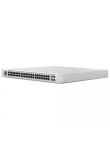
Ubiquiti Networks UniFi 48-Port Gigabit PoE+ Compliant Managed Switch Call us for price
(669) 244-0333