

Curved Monitor
- USD 1,403.99
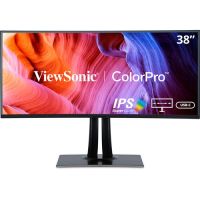
 ViewSonic VP3881A 38” WQHD+ Pantone validated 100% sRGB Cu...
 In Stock
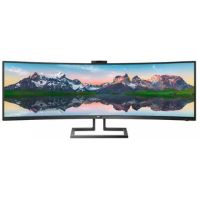
Brand: ViewSonic SKU: VP3881A Condition: NEW USD 1403.99 - USD 1,023.70 Philips 499P9H 48.8" Curved HDR Adaptive-Sync VA Monito... In Stock
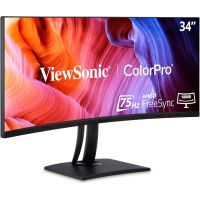
Brand: Philips SKU: 499P9H Condition: NEW USD 1023.7 - USD 704.10 ViewSonic VP3456a - 34" ColorPro™ 21:9 Curved UWQHD M... In Stock
Brand: ViewSonic SKU: VP3456A Condition: NEW USD 704.1 - USD 691.34
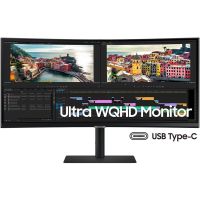
 Samsung S34C654VAN 34" WQHD 100Hz Curved Monitor In Stock
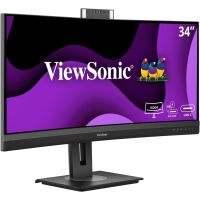
Brand: Samsung SKU: S34C654VAN Condition: NEW USD 691.34 - USD 674.98 ViewSonic VG3457CV 34" UWQHD 21:9 Curved Video Conferen... In Stock
Brand: ViewSonic SKU: VG3457CV Condition: NEW USD 674.98 - USD 637.45
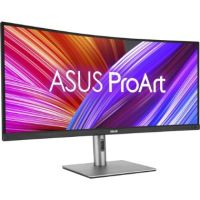
 ASUS ProArt Display 34.1" 1440p HDR Curved Monitor - PA... In Stock
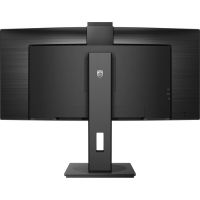
Brand: ASUS SKU: PA34VCNV Condition: NEW USD 637.45 - USD 542.37 Philips 34B1U5600CH 34" 1440p 120 Hz Ultrawide Curved V... In Stock
Brand: Philips SKU: 34B1U5600CH Condition: NEW USD 542.37 - USD 500.68
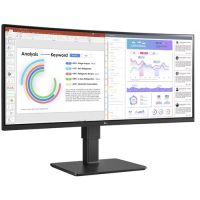
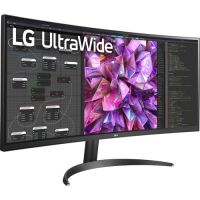
 LG UltraWide 34BQ77QE-B 34" 1440p HDR Curved Monitor In Stock
Brand: LG SKU: 34BQ77QE-B Condition: NEW USD 500.68 - USD 449.77
Buy Curved Monitors Online – Gaming, Ultrawide & 4K Displays
Over the last decade, display technology has undergone rapid advancement. Monitors are now available in various sizes and specs, namely, flat monitors, ultra-wide monitors, touchscreen/interactive monitors, and more. Of all these specialized monitor forms, curved display monitors have gained immense popularity, replacing traditional flat monitors in homes, offices, and gaming setups. Curved computer monitors are designed in a way that they curve gently around your field of view, providing a comfortable and engaging viewing experience. Curved shape displays information across a broad horizontal layout, making a curved monitor suitable for a multitasking workspace involving managing documents, communication tools, or running multiple applications at the same time. Particularly, if you are engaging in creative tasks such as video/photo editing and graphic design, the curved design ensures eye comfort, allowing creative professionals to enhance their productivity. However, buying the right curved monitor for gaming, office productivity, and everyday use is a critical job, which is why we have discussed every in and out of curved computer monitors so that you can make the right buying decision.
What is a Curved Monitor:
A curved screen monitor for PC is a specialized monitor that is provided with a slightly curved screen. The screen is curved inward toward the viewer, mimicking the natural curvature of the human eye. This design ensures that users enjoy a wider field of view, and distortion at the edges of the screen is reduced. Users can thus experience a more engaging and comfortable viewing experience. The consequent sense of depth and reduced distortion make working on screen less straining for the human eye. An eye comfort curved monitor for long hours enhances productivity during working hours without any adverse impact on human health.
You can also purchase a curved monitor for a multitasking workspace, as you don’t need to purchase multiple displays. It is because of the fact that curved monitors are usually ultra-wide monitors, providing extra screen for opening multiple windows and running multiple applications at the same time. What’s more, professional curved monitors are provided with the same connectivity options, namely USB-C, HDMI, DisplayPort, among others, as featured by flat displays. You can thus integrate curved computer monitors seamlessly with your existing IT infrastructure.
Types of Curved Monitors:
We can classify curved PC monitors in various categories. Here are some types that you should know so that you can purchase the best curved monitor for your needs.
1. Gaming Curved Monitors:
Curved monitors, particularly ultra-wide curved monitors, have become extremely popular among gamers. Their designs ensure that curvature wraps around the Field of View of gamers, producing an immersive and engaging gaming experience. Ultra-wide curved monitors, often recommended as the best curved monitor for a gaming setup, can create a three-dimensional gaming experience.
Gaming curved displays are particularly suitable for games that are focused on rich natural landscapes, such as open-world adventures, racing games, and first-person shooters, allowing users to enjoy a competitive edge to outmaneuver their opponents.
Curved monitors for gaming are often provided with 1000R–1500R, matching the human eye’s field of view for immersion. In addition, they also feature high refresh rates (144Hz–240Hz), fast response times, and adaptive sync (G-Sync/FreeSync).
Samsung LC49G95TSSNXZA 49" Odyssey G9 Curved Monitor is one example of a gaming monitor that features 1000R curvature, 240Hz refresh rate, super-fast response, QLED display technology, and more.
2. 4K &UHD Curved Monitors:
4K curved computer monitors are another type of professional monitor. Ultra-sharp 3840 × 2160 (4K) resolution and 1800R–3000R enable these curved monitors to deliver smooth and premium performance. 4K monitors are considered suitable for various applications, including content creators, video editors, and professionals needing precision.
RK curved monitors for gaming and creative tasks also feature high refresh rate, near-instant response time, HDMI2.1 ports for modern devices and graphics cards, near-infinite contrast ratio, and minimized risks of burn-in by using it for varied content.
Multiple brands, such as Dell and LG, offer 4K and UHD monitors for gaming and dual-screen setup work.
3. Ultrawide Curved Monitors:
Ultrawide curved monitors have also become quite popular. An ultra-wide monitor is a sub-class of display that features a 21:9 or 32:9 aspect ratio, and their screen size ranges from 34-inch to 50-inch. You can also purchase Super Ultrawide monitors with a 32:9 aspect ratio and 49-inch screens.
Ultrawide curved monitors offer more screen space than traditional 16:9 monitors, allowing users to purchase an ultrawide curved monitor for dual-screen setup work and gaming. Though these specialized curved monitors are designed to meet the needs of gaming, high resolution and advanced features make them equally preferable for video editing and graphic design.
For instance, Samsung UN55TU8300FXZA 55" Class HDR 4K UHD Smart Curved LED TV is a super ultrawide monitor featuring a 55-inch screen size, 4K resolution, and other advanced features.
4. Office & Professional Monitors
Professional curved monitors are also in great demand. These office and professional curved monitors are often provided with larger ultrawide (34–49 inches) screens with QHD or Dual QHD resolutions for improved multitasking. More importantly, these curved LCD monitors feature ergonomic design, supporting adjustable stands and eye-care features to reduce fatigue during long workdays.
Professional monitors also come with USB-C with charging (65–90W), allowing professionals to connect devices, transfer data, and charge connected devices at the same time.
For instance, Samsung Viewfinity S65UA is one of the highly recommended professional curved monitor that feature Ultra-WQHD resolution with 21:9 aspect ratio, fast 100Hz screen refresh rate, AMD FreeSync™, USB Type-C port with 90W charging, and more.
Key Features to Consider in a Curved Monitor:
There are multiple factors that you need to consider before choosing the final curved monitor for your gaming setup, office settings, or creative professional needs, including graphic designs, data analysis, and the like.
1- Curvature:
When you shop for a curved professional monitor, you end up facing multiple curvature options. Therefore, it is important to understand the curvature of curved monitors.
Curved monitors come with various curvature ratings, indicating the degree of curvature. The curvature is measured in milliseconds, representing the radius of a circle that can be formed if the curvature of the curved monitor is expanded to complete the circle.
Besides the degree of curvature, the rating also indicates how much distance you should sit to enjoy the intended immersive and optimum viewing.
Here are some commonly found curvatures and our recommendations:
• 1000R: The recommended distance is almost 1 meter
• 1500R: the suggested distance is almost 1.5 meters
• 1800R: the suggested viewing distance is almost 1.8 meters
• 2300R: The advised viewing distance is almost 2.3 meters
• 3000R: the recommended viewing distance is almost 3 meters
• 4000R: the suggested viewing distance is 4 meters
As a thumb rule, a lower curvature rating indicates a more pronounced curvature and shorter distance between users and screen, whereas a higher curvature rating denotes subtler curvature, demanding a longer distance between users and screen for an immersive viewing experience.
2- Screen Size:
Similarly, size is equally important. Unlike a flat or traditional monitor, you need a larger screen size for a curved monitor to emulate a dual display setup. You can find various screen sizes in curved monitors. For instance, you can purchase compact 24-inch curved monitors for an ordinary office setup, or massive 49-inch ultrawide monitors for productivity and gaming displays. Certain models feature an even larger screen size. Samsung TU8300 Curved 4K UHD Smart TV is one such mammoth curved monitor offering a 55-inch screen size.
You should note that curved monitors with a smaller diameter struggle to create as immersive a viewing experience as their larger counterparts. Therefore, you are recommended to go for as large a diameter as you can afford financially.
3- Resolution:
Similar to straight displays, you can find curved monitors with varying resolutions ranging from 1080p(FHD), 1440p (QHD), 4K ultrawide, 4K UHD, and even beyond. However, there are some differences that you need to know when it comes to the resolution of curved monitors.
Curved PC monitors often support crisper images, a broader range of colors, and deeper black values as compared to Flat Monitors. Therefore, if you make a curved monitor vs flat monitor comparison, curved monitors outshine them. Given this background, it is often suggested that 1080p curved monitors and 1440p curved monitors are more than enough for users. 4K curved monitors come with heavy price tags, providing a little Return on Investment (ROI). Having said that, for advanced creative workflow and niche professional tasks, high-resolution monitors such as 4K and beyond should be considered seriously. Similarly, a 4K curved gaming monitor with HDR can also provide an extremely immersive gaming experience.
4- Refresh Rate & Response Time:
Refresh rate is another important consideration. Refresh rate, measured in Hertz or HD indicates the number of times a screen updates its images per second. Similar to flat monitors, curved computer monitors come with a standard 60Hz refresh rate that is sufficient for most of the productive tasks and casual gaming.
However, curved monitors with a high refresh rate are more suitable for gaming, where content involves frequent, rapid visual changes and frequent motion. Therefore, a curved monitor with 1440p resolution and 144Hz refresh rate is recommended for high-end competitive gaming because it can provide a smooth gaming experience.
Response time is closely linked with refresh rate. Response time is a measurement of how quickly a pixel can change from one color to another on screen. Measured in milliseconds, response time should be considered particularly when users need to deal with fast-moving objects on screens, such as video editing and gaming.
Recommendation:
Curved monitors with 1ms response are for gaming and video editing; 1-4ms response time is for creative tasks and casual gaming, and 5-8ms response time is for office work and casual uses.
5- Panel Types:
Similar to flat PC monitors, curved monitors can be fitted with any of the standard LCD/OLED panel types. Therefore, you can purchase VA curved monitors, IPS curved monitors, and increasingly rare TN curved monitors.
• VA (Vertical Alignment) Curved Monitors:
Most curved monitors feature a VA panel. Indeed, for curved screens, VA panel technology best serves the needs of an immersive viewing experience. They can avoid color mixtures and white glows, which are major problems in IPS curved PC monitors. VA curved computer monitors also have a higher contrast ratio, making them suitable for gaming and productivity tasks.
On the flipside, VA PC monitors suffer from slow response times, mediocre color quality, and high input lag. Color washout and distortion are also major issues when you see the screen off-center.
• IPS(In-Plane-Switching) Curved Monitors:
IPS panel is generally considered the most premium panel type because they are known for delivering color-sensitive and professional work.
However, it should be noted that IPS panels and TN panels are designed for flat PC monitors. Manufacturers bend them to create curvature that often causes problems. For instance, stress on the edges of the screen causes white glows and distortion. In addition, IPS panels feature horizontal alignments, and bending them to create curvature leads to a problem known as cloud defects and color mixtures on edges.
• TN Panel:
Twisted Newmatic (TN) panels are fast becoming history. Though they feature excellent response time and affordability, they show poor performance in all other benchmarks. TN panels are mostly found in Flat Monitors; however, there are a few models, such as ASUS ROG PG27VQ or the AOC AG273QCG, that feature TN panels.
• OLED Panel:
Organic Light-Emitting Diode (OLED) has increasingly found applications in curved PC monitors. They are set to replace IPS panels. OLED curved monitors support individual switching off/on of pixels; as a result, they can support an infinite contrast ratio. OLED curved monitors are also energy efficient.
What’s more, OLED panels offer near-instant response time without any need for overdrive settings. However, downsides are also there. There are risks of permanent burn-in.
Benefits of Curved Monitors for Business, Gaming, and Creative Professionals:
Curved office monitors are designed to offer several advantages for users. Let’s discuss the salient benefits that you accrue.
• Immersive Viewing Experience:
Curved monitors offer a panoramic view, drawing users deeper into the display. Users can thus experience an immersive experience that is almost a 3D experience. The broader horizontal space and wider Field of View (FoV) make curved monitors suitable for graphic designs, video editing, gaming, and multi-tasking.
The expanded screen space allows running several applications at a time. Users can buy a curved monitor for a dual-screen setup for work and other applications.
• Reduced Eye-Strain:
Eye comfort is another major advantage. Flat PC monitors need to be focused on constantly to ensure a proper working setting. Curved monitors come with a curvature that mimics the natural shape of your eyes, allowing users to enjoy hours-long working without any stress on their eyes and other adverse health impacts.
• Reduced Distortion & Better Edge Visibility:
Reduced edge visibility and distortion are major problems when you see the screens off-center. The curvature of the curved monitors minimizes the distortion and provides better edge visibility. They can thus deliver sharper and more consistent images.
• Impressive Aspect Ratio:
Most curved monitors, particularly ultra-wide curved monitors, feature an expansive aspect ratio, allowing users to perform various tasks easily. For instance, they provide enough space for graphic design, data analysis, and video/photo editing.
What’s more, they feature expansive screen real estate, helping users perform multiple tasks such as opening and viewing multiple windows side by side. So, you find them affordable monitor solutions as you don’t have to purchase multiple monitors.
Top Curved Monitors Brands:
There are multiple brands offering curved monitor solutions. Here are some brands that we deal with.
• Samsung
• ViewSonic
• LG
• Dell
• ASUS
• Acer
• Lenovo
• MSI
• Philip
Frequently Asked Questions or FAQs:
1- What is monitor curvature, and what is the meaning of R value?
Curvature indicates how much the screen curves towards the viewer. R value indicates the radius of the curves, which is measured in millimeters. The lower the R value, the more pronounced the curvature, and the higher the R value, the subtler the curvature. For instance, a 1000R curved monitor has more curvature than a 1800R curved monitor.
2- Is a curved monitor better than a flat monitor?
It depends on your uses. Normally, curved monitors are suitable for gaming, entertainment, large screen requirements, and immersive setups. Flat monitors, on the other hand, are preferred for precise design work on smaller screens, wall mounting, and multi-monitor alignment.
3- Can curved monitors be wall-mounted?
Yes, they can be wall-mounted; however, you need to make sure that there is enough space between the monitor and the wall to accommodate the curved shape.
4- What is the best size of a curved monitor?
The best screen size must be determined by your use. For instance, curved monitors with 27 inches and 32 inches are suitable for general work and casual gaming. 34-inch ultra-wide monitors are designed to provide ample space for multitasking and immersive gaming. Finally, 49-inch curved monitors for an ultimate gaming experience and high-end creative tasks.
5- Are curved monitors better for gaming?
Yes, they are. Curved monitors are popular for both casual and competitive gaming. Modern gaming curved monitors are provided with high refresh rates (144hz, 165hz, 240hz and higher), low response times, and adaptive sync technologies.
Featured Products