

Notebook
- USD 1,713.63

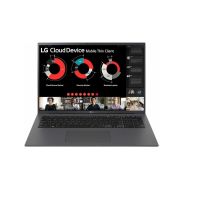
 LG Gram Intel Core I3-1315U 3.30GHz 8GB 256GB 17" Mobil...
 In Stock
Brand: LG SKU: 17ZT90R-G.AX34U1 Condition: NEW USD 1713.63 - USD 1,105.30
 Dell Pro 16 PC16250 Intel i5-120U 16GB 256GB SSD Win11Pro 16... In Stock
Brand: Dell SKU: C8G51 Condition: NEW USD 1105.3 - USD 0.00
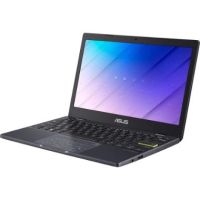
 Asus Vivobook Go 12 L210 L210KA-ES04 11.6" Notebook
 Out of Stock
Brand: ASUS SKU: L210KA-ES04 Condition: NEW Call us for price(669) 244-0333
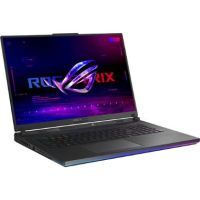
- USD 0.00 ASUS 18" Republic of Gamers Strix SCAR G834JZR-XS96 Not...Out of Stock
Brand: ASUS SKU: G834JZR-XS96 Condition: NEW Call us for price(669) 244-0333
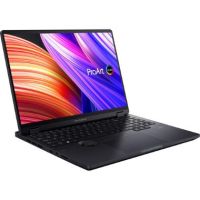
- USD 0.00 ASUS 16" ProArt StudioBook 16 OLED Multi-Touch LaptopOut of Stock
Brand: ASUS SKU: H7604JV-DS96T Condition: NEW Call us for price(669) 244-0333
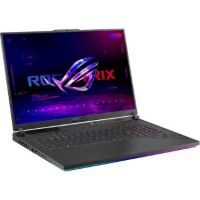
- USD 0.00 ASUS 18" Republic of Gamers Strix G814JIR-XS96 NotebookOut of Stock
Brand: ASUS SKU: G814JIR-XS96 Condition: NEW Call us for price(669) 244-0333
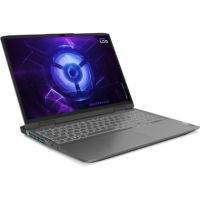
- USD 0.00 Lenovo 82XW001WUS LOQ i7-13620H Notebook 16 WUXGA Intel 16 G...Out of Stock
Brand: Lenovo SKU: 82XW001WUS Condition: NEW Call us for price(669) 244-0333
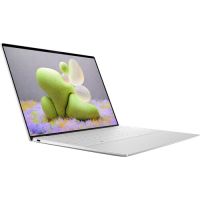
- USD 0.00 Dell 6F5CN 13.4" XPS 13 9340 NotebookOut of Stock
Brand: Dell SKU: 6F5CN Condition: NEW Call us for price(669) 244-0333
- USD 0.00 Dell P1FNF 14.5" XPS 14 9440 NotebookOut of Stock
Brand: Dell SKU: P1FNF Condition: NEW Call us for price(669) 244-0333


Notebook Computers & Laptops for Work, Gaming & Business | Kijero
Notebooks, also known as notebook laptops or notebook computers, are lightweight and ultraportable laptops designed primarily for light and basic computing tasks. Portable notebook computers feature comparatively smaller screen sizes and less processing power than traditional laptops. Furthermore, a notebook typically comes with lower RAM capacity, integrated graphics, lighter weight, and fewer ports. Users who need to perform basic tasks such as web browsing, streaming, watching movies, sending/receiving emails, and other basic needs should choose notebooks. It is because thin and light notebooks are known for offering longer battery life, affordability, compact and lightweight form factor, eye-catching aesthetics and built-quality, fanless and quiet operation, and the like. However, various manufacturers, including Dell, Lenovo, ASUS, Acer, LG, and Microsoft, are coming up with increasingly powerful notebooks, such as notebooks for students, notebooks for programming, notebooks for content creation, and notebooks for business use. Therefore, it is important for you to look at various aspects of notebooks so that you can make a better decision regarding which notebook is the most suitable for your personal and professional uses.
Key Features to Consider Before Buying a Notebook:
Notebooks come in a very extensive range, offering varying specs and capabilities. Therefore, you need to know precisely which notebook best serves your needs. Here is a quick overview of features that you should look into before affordable notebook computers as well as high-performing notebooks.
1. SSD Storage:
Storage is one of the most important features of a notebook, directly impacting the system responsiveness, boot times, application loading time, and more. Modern notebooks are equipped almost universally with Solid-State Drives or SSDs, abandoning Hard Disk Drives or HDDs completely. However, not all SSD storage options are the same.
High-end and mid-range Notebooks are provided with NVMe PCIe SSDs featuring PCIe Gen 4 or Gen 5 NVMe storage. NVMe PCIe 4 or NVMe PCIe5 offers exceptionally fast performance as compared to SATA SSDs, reaching 5,000 MB/s and above 10,000 MB/s, respectively.
You can purchase a 256 GB notebook, a 512 GB notebook, and above. 256GB notebooks are suitable for cloud-dependent tasks and web browsing, and 512GB notebooks are recommended for moderate media consumption, everyday productivity, and office work. 1TB notebooks are productivity uses, including video editing, programming, photography, and the like.
For instance, Dell Pro 16 PC16250 is a professional notebook laptop that comes with 256 GB SSD, TLC, and 512GB SSD storage. It is also provided with Intel® Core™ 5-120U, 10 cores. Intel® Graphics, and a 16" Non-Touch FHD+ display,
2. RAM Capacity:
RAM, or Random Access Memory, is another important feature of notebooks. RAM determines how many tasks notebooks can handle simultaneously without any adverse impact on their performance. That’s why the RAM is considered a critical requirement for smooth multitasking.
Concerning RAM, users need to choose from notebooks offering 8GB, 16GB, and 32GB RAM. Notebooks with 8GB RAM are suitable for document editing, light productivity tasks, and basic web browsing. Notebooks with 16GB are suggested for browser-heavy workload, light creative tasks, multitasking, and video editing. Finally, notebooks with 32GB RAM for power users who need to run resource-intensive applications, creative professionals, and software developers.
For example, Dell Latitude 5420 is one business-class notebook featuring 32 GB DDR4-3200 SDRAM memory paired with Intel Core i7-1165G7, 512 SSD storage, 14-inch Full HD Anti-glare touchscreen display. This touchscreen notebook laptop is used extensively in education and corporate business environments.
3. Display Size & Resolution:
The next big question while buying a notebook is the display, in which you need to check color accuracy, display size, brightness, refresh rate, and panel technology.
In this regard, a 13–14-inch display size is often preferred by those requiring portability. 13-inch and 14-inch notebooks are compact and lightweight, making them very easy to carry around. Students and frequent travelers love to buy these lightweight notebooks.
15–16-inch display size has become immensely popular because they strike a perfect balance between weight and screen real estate. 15-inch and 16-inch notebooks are suitable for everyday users and professionals.
17–18-inch display size the biggest screen notebook you can purchase in the market. 17-inch and 18-inch notebooks are preferred by those users who need larger screen real estate for coding, graphic design, and programming.
Panel technology can vary in notebooks. You can purchase IPS notebooks, OLED notebooks, and Mini-LED notebooks. Notebooks with OLED panels are suitable for creative tasks and media consumption as OLED notebooks deliver deeper black, superior contrast, and vivid color reproduction. IPS notebooks come with a wide viewing angle, and they are found extensively in mainstream notebooks. Finally, Mini-LED notebooks are suitable for outdoor work as they can support high brightness with localized dimming.
Resolutions that notebooks support are of various types. For instance, 1080p notebooks are considered the very basic, suitable for everyday tasks. 1200p / 1440p (QHD) resolution is mostly paired with a 14-16-inch display, and they support sharper images. 1440p notebooks are mostly mid-range notebooks.
For instance, the ASUS 16" ProArt StudioBook 16 OLED Multi-Touch Laptop is a 16-inch OLED notebook supporting 3200 x 2000 resolution at a 120 Hz refresh rate. This is a premium notebook computer that is recommended for designers, photographers, and video editors who need accurate color reproduction, a wider color gamut, and a multi-touch OLED panel for their various professional needs.
4. Battery Life:
Needless to say, battery life is one of the most critical features that you should look into. No matter how advanced the specs that notebook is offering, if it dies within hours, it means nothing for users. The battery life is determined by multiple factors such as resolution, web browser count, processor architecture such as Qualcomm Snapdragon X normally has longer battery life, and background applications.
Concerning battery life, Snapdragon X-powered Windows notebooks and ARM-based notebooks such as MacBook Air M4 can support up to 15+ hours of battery life. Thin-and-light ultrabooks can support up to 10 hours, whereas gaming notebooks and mobile workstations can deliver up to 6 hours of battery life.
For example, the LG Gram SuperSlim 15.6" is a notebook with long battery life supporting up to 16 hours of battery life. It also features USB-C connectivity, OLED panel, Intel® Core™ Ultra7 155H CPU, 16GB LPDDR5X RAM, and 1TB Gen 4 NVMe M.2(2280) SSD storage.
Find the Right Notebook for Every Need:
Not every notebook is suitable for everyone. Users should choose them carefully in line with their specific uses. Here are our suggestions for each user group so that you can make a well-informed decision.
Notebooks for Business Professionals
Business professionals need high-performance notebooks, but what makes a notebook high-performing? Here is an answer.
A notebook for business use should include:
• Intel Core Ultra 5/7 or AMD Ryzen 7 Pro. Pro-series chips
• Minimum 512GB NVMe SSD
• Minimum 14-inch at 1080p with anti-glare coating and privacy screen support
• Minimum 16 GB, or preferably 32 GB Memory
• Thunderbolt 4 or USB4 port, Wi-Fi 6E, LTE/5G option, HDMI or DisplayPort for seamless compatibility for conference rooms.
• 8-10 hours battery with support for fast charging
As a recommendation, the Dell 13.3" Latitude 7340 Notebook is suggested as the best notebook for business needs for office workers and other user groups. It comes with a 13th Gen Intel i5-1335U Processor, 16GB LPDDR5 RAM, 2 x Thunderbolt 4 Ports, a 13.3" 1920 x 1200 LCD, WiFi 6E, and Integrated Intel Iris Xe Graphics.
Notebooks for Students:
Students should also select the notebook carefully as they cannot ill-afford wasting of their already scarce resources in buying a notebook that is either low-performing or overkill.
• 8 minimum battery life
• Intel Core i5 / AMD Ryzen 5 or equivalent
• Ultra-lightweight design, ideally less than 1.5 kg
• A minimum of 4GB RAM, 8-16GB RAM is for students who need to work on Adobe tools, MATLAB, and AutoCAD.
• 256GB SSD storage for cloud-dependent students, whereas 512GB is recommended for most of the students
• 13–15 inch at a minimum 1080p resolution
• A minimum 720p webcam, preferably 1080p
As a recommendation, the Asus VivoBook 15 15.6" Laptop is suggested as the best notebook for students for its multiple cutting-edge features. This notebook for students comes with AMD Ryzen™ 7 7730U Processor 2.0GHz, AMD Radeon™ Graphics, 15.6-inch, FHD (1920 x 1080), 8GB DDR4 on board, 512GB M.2 NVMe™ PCIe® 3.0 SSD, 720p HD webcam with privacy shutter, and more.
Notebooks for Everyday Use:
For everyday uses such as web browsing, email, streaming, office apps, and light multitasking, you should look for these specs in any notebook for everyday uses.
• Intel Core i5 / AMD Ryzen 5
• A minimum of 8GB RAM, preferably 16GB RAM
• 256GB storage for users who rely upon cloud storage, whereas 512GB is recommended for local storage of photos and media.
• 15–16 inch at 1080p resolution
• 8-10 hours battery life
• At least 2x USB-A ports and HDMI ports for TV/monitor output.
As a recommendation, the Asus Chromebook Plus is recommended as the best notebook for everyday use.
Top Notebook Brands:
Multiple manufacturers specialize in notebooks, for instance:
• ASUS Notebooks
• Lenovo Notebooks
• Dell Notebooks
• HP Notebooks
• Acer Notebooks
• MSI Notebooks
• LG Notebooks
Why Buy Notebook Computers from Kijero?
Kijero stands out in the USA market for offering a wide range of notebooks from leading manufacturers, including Lenovo, ASUS, Acer, LG, and Microsoft, to name a few. We offer genuine notebooks at the best competitive price in the market. What’s more, our product experts are always ready to help you make the right decision, with 24/7 Customer Support Services.
Contact us today for fast shipping and one of the best customer support services in the USA.
Featured Products