

Internal Hard Drives
- USD 0.00

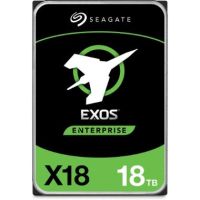
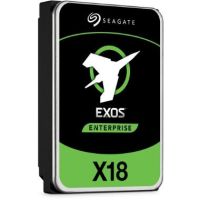
 Seagate 18TB Exos X18 7200 rpm SAS III 3.5" Internal HD...
 Out of Stock
Brand: Seagate SKU: ST18000NM004J Condition: NEW Call us for price(669) 244-0333
- USD 0.00 Seagate 14TB Exos X18 7200 rpm SATA III 6 Gb/s 3.5" Int...Out of Stock
Brand: Seagate SKU: ST14000NM000J Condition: NEW Call us for price(669) 244-0333
- USD 0.00 Seagate 12TB Exos X18 7200 rpm SATA III 6 Gb/s 3.5" Int...Out of Stock
Brand: Seagate SKU: ST12000NM000J Condition: NEW Call us for price(669) 244-0333
- USD 0.00 Seagate 10TB Exos X18 7200 rpm SATA III 6 Gb/s 3.5" Int...Out of Stock
Brand: Seagate SKU: ST10000NM018G Condition: NEW Call us for price(669) 244-0333
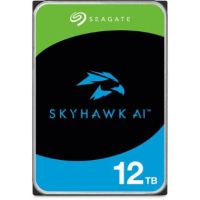
- USD 0.00 Seagate 12TB SkyHawk AI 7200 rpm SATA III 3.5" Internal...Out of Stock
Brand: Seagate SKU: ST12000VE001 Condition: NEW Call us for price(669) 244-0333
- USD 0.00 Seagate 24TB Exos X24 7200 rpm SATA III 6 Gb/s 3.5" Int...Out of Stock
Brand: Seagate SKU: ST24000NM002H Condition: NEW Call us for price(669) 244-0333
- USD 0.00 Seagate 10TB IronWolf Pro 7200 rpm SATA III 3.5" Intern...Out of Stock
Brand: Seagate SKU: ST10000NT001 Condition: NEW Call us for price(669) 244-0333
- USD 0.00 Seagate 6TB IronWolf Pro 7200 rpm SATA III 3.5" Interna...Out of Stock
Brand: Seagate SKU: ST6000NT001 Condition: NEW Call us for price(669) 244-0333
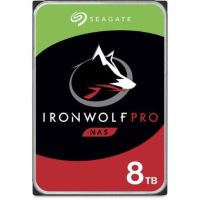
- USD 0.00 Seagate 8TB IronWolf Pro 7200 rpm SATA III 3.5" Interna...Out of Stock
Brand: Seagate SKU: ST8000NT001 Condition: NEW Call us for price(669) 244-0333




Internal Hard Drives | SATA, NAS, Surveillance & Enterprise HDDs at Kijero
Though a data storage device comprising read/write heads, magnetic platters, and other physical parts seems to be an ancient technology, Hard Disk Drives or HDDs are still here to stay for years to come. They are still dominating the storage market as they hold 62% of global storage shipments and more than 62% of enterprise storage counts on Hard Disk Drives. Therefore, HDDs are the preferred choice for bulk and enterprise storage, whereas Solid-State Drives or SSDs are deployed extensively in personal and consumer computers. Hard Disk Drives can be both Internal Hard Drives or External Hard Drives. Users deploy them for multiple advantages, including lower cost per gigabyte, massive storage capacities, suitability for enterprise, NAS, bulk, and cold storage. However, internal hard drives are available in different sizes and form factors such as SATA III hard drives, 3.5-inch hard drives, 2.5-inch HDDs, and multiple purpose-built internal HDD solutions such as HDD for servers, HDD for NAS, HDD for CCTV, HDD for DVR, and HDD for NVR. Given the widespread applications of internal hard disk drives, we have discussed everything you need to know to purchase the most suitable internal hard drives for desktop PC, gaming, NAS, and other applications.
Different Types of Internal HDDs:
Whether you're upgrading your laptop, installing a surveillance system, or expanding your desktop, you need to choose purpose-built internal HDDs to enjoy optimum performance.
Let’s discuss some types of internal HDDs to choose the best hard drives for NAS, surveillance, laptop, and desktop.
1. SATA Hard Drives:
SATA HDDs come with a SATA interface that is the most widely used interface in the world, enabling SATA HDDs to enjoy universal compatibility with every desktop PC, laptop, and storage device on the market.
SATA HDDs are available in both 3.5inch and 2.5-inch form factors, supporting 500GB to 20TB+ capacities. You can purchase SATA HDDs from brands like Seagate BarraCuda, WD Blue, and Toshiba P300, and the like.
SATA III hard drives can support up to 6Gbps speed, making them suitable for wide-ranging devices and applications, including home storage, desktops, laptops, media libraries, and secondary storage drives.
2. NAS Storage Drives:
Hard Disk Drives for NAS storage are purpose-built HDDs that come with advanced features, including better durability, balanced performance, and lower power consumption. They also come with time‑limited error recovery (TLER/RAFF), higher MTBF/workload ratings, and vibration tolerance than what desktop HDDs offer. Some NAS Storage Drives offer workload ratings of up to 500TB/year, rotational vibration (RV) sensors, and RAID-optimized firmware to enable them to perform 24/7 operations.
WD Red NAS hard drives and Toshiba N300 NAS HDDs are two well-known names when it comes to internal hard drives for NAS storage.
3. CCTV & Surveillance HDDs
Surveillance and CCTV hard disk drives are also specialized internal hard drives that are designed for 24/7 operation for long video recording and continuous sequential writes. Surveillance HDDs are provided with specialized capabilities, including firmware tuned to avoid stuttering, enhanced video vibration, better error handling, and RAID support.
Users are suggested to consider multiple factors before choosing the best surveillance hard drives. First, you should purchase purpose-built surveillance hard drives with features such as robust power management capabilities, including reduced heat generation, energy conservation, and power generation. Second, you should look into reliability and durability for surveillance hard drives that need to perform 24/7. Concerning this, you should seek features such as fewer moving parts, self-healing technology, and built-in power management. More importantly, 5400 RPM hard drives are recommended as the most suitable CCTV and surveillance hard drives.
HDD video surveillance storage solutions, such as WD Purple surveillance drive, are recommended for DVR/NVR recorders, 24/7 multi-stream video recording, CCTV cameras, and IP cameras.
4. Enterprise & Server HDDs:
Enterprise Storage Drives are designed with advanced technology and cutting-edge components, supporting maximum reliability and performance for mission-critical workloads. Enterprise HDDs also deliver better performance, POH, MTBF, vibration protection, and error correction.
Enterprise Hard Drives feature SAS (Serial Attached SCSI) and enterprise SATA (higher‑end SATA models), supporting higher RPM (7200–10000+), larger cache, better BER (bit‑error rate), MTBF up to 2.5M hours, and high annual workload (500–550 TB/year). Enterprise HDDs can offer up to 44TB of storage and come with helium-filled designs for lower power consumption.
These are high-performing internal HDD storage that are considered suitable for mission-critical applications, including cloud storage, dedicated servers, high-availability business systems, and data centers.
5. Desktop Internal HDDs:
Desktop internal HDDs come with 3.5‑inch mechanical hard drives designed for use in desktop PCs. Desktop internal hard drives are often deployed as additional/bulk storage rather than as the main boot drive. Though internal Solid-State Drives are more suitable for desktops as they offer the best experience for the operating system, internal Hard Disk Drives are also used because they offer more affordable per-terabyte storage space. Secondly, desktop internal HDDs offer higher capacity, reaching 36TB and even 50TB. Desktop internal HDDs are also compatible with legacy SATA ports. They are suggested for media libraries, bulk storage, and secondary drives.
Desktop Hard Drives should be chosen depending upon multiple factors such as 3.5‑inch (desktop) vs 2.5‑inch (laptop / some servers) form factors, SATA III (6 Gb/s) interface, RPM, and cache. For instance, 7200 RPM internal HDDs are desktop-grade HDDs, and 5400 RPM internal HDDs are recommended for low‑power or NAS‑like desktops.
6. Internal Laptop Hard Disk Drives:
Laptop Hard Drives are 2.5-inch magnetic storage drives that are built to fit inside slim laptops and notebooks, and feature SATA (SATA II or SATA III) interfaces. 2.5 internal hard disk drives can support up to 5TB of storage, making them suitable for extensive software suites, extensive personal files, and large media libraries.
WD Blue mobile / 2.5‑inch HDDs, Seagate BarraCuda 2.5‑inch, and Toshiba 2.5‑inch laptop HDDs are some well-known internal laptop hard disk drives. Preferably, you should go for the SATA III interface that can help you show compatibility with modern notebooks.
Choose the Right Internal Hard Drive:
You need to choose the internal hard drives carefully, as the wrong HDD drives can lead to wastage of money, poor performance, and risks to data security.
Here are some factors that you need to know before making the ultimate decision.
1- Storage Capacity:
The capacity of internal Hard Disk Drives is the first spec that you need to consider. You must know that the space available for usage in HDDs is usually less than what is marketed. System overhead and formatting consume some space on your internal hard drives.
Here are some recommendations that you consider before settling on a specific storage capacity.
• 500GB–1TB HDD storage is for basic documents, photos, the OS, and web.
• 1TB–2TB HDD storage is for students and everyday computing.
• 2TB–4TB HHD storage is for media libraries of music and movies.
• 4TB–8TB storage is for gaming library storage.
• 8TB–16TB HDDs are for content creation and 4K video editing.
• 8TB–24TB per drive is suggested for home servers and NAS solutions
• 16TB–44TB storage per drive is suitable for enterprise and data servers.
More importantly, if you are building NAS arrays or RAID storage, you should look for headroom for scrubbing and rebuild time, and future needs.
2- RPM Speed (Revolution Per Minute):
RPM (Revolutions Per Minute) is another key factor that you should consider thoroughly before making the ultimate decision. RPM is the measurement of how fast magnetic platters spin in a hard disk drive. RPM is directly responsible for the performance of an internal hard drive. For instance, if a hard drive supports 7200 RPM, it can access data 25% quicker than an internal drive supporting 5400 RMP. More importantly, RMP has also been directly linked with Random Access Latency, which determines how quickly a hard disk drive responds to requests from applications. The higher the RPM, the higher the RAL, and the better the performance.
When it comes to RMP, you end up choosing from either 5400 RMP internal hard drives or 7200 RMP or higher internal hard drives. 5,400 RPM Internal HDDs can support 100–130 MB/s speed, and they are considered the most suitable for surveillance, cold storage, gaming libraries, and laptops. 7,200 RPM Internal Hard Drives can support 160–220 MB/s, making these high-performance internal HDDs suitable for gaming libraries, NAS, desktops, and active workloads.
3- Cache Size:
Cache size has also assumed serious significance over the years. Cache, also known as buffer memory, is in fact a small pool of fast DRAM on the drive that can store frequently accessed data temporarily. Cache can thus help in improving read/write operations and enhance the overall performance of the internal hard disk drives.
There are multiple options when it comes to cache sizes. You can find entry-level 64MB internal hard drives as well as 512 MB enterprise-grade hard drives. If you engage in sequential workloads such as multi-camera surveillance recording, large file transfers, and video streaming, you should go for 128MB of cache, or even 256MB internal hard drives. However, for small-file tasks, you can opt for 32MB or 64MB internal hard storage.
4- Interface Compatibility:
Interface is another critical feature that you should look into. The interface determines how your internal hard drives communicate with the motherboard. If the host device and internal HDDs are incompatible in terms of interface, they don’t work together, and your money will be wasted.
Normally, for consumer-grade desktops and laptops, you don’t have to choose much. You have only one interface type: SATA and its variants. The SATA I interface is found only in old legacy systems, and it can support up to 150 MB/s. The SATA II interface is made part of old systems, and it can deliver up to 300 MB/s. Finally, the SATA III interface is available in all modern PCs, NAS, and the like. It should be a great relief for users that all SATA interfaces are forward and backward compatible.
SAS (enterprise) interface is equipped with enterprise internal hard drives that can support up to 6Gb/s or higher speed, making SAS HDDs as large-capacity hard drives suitable for servers or high‑end RAID arrays.
5- Form Factor:
Form factor is the physical dimension of your internal HDDs. Form factors determine whether the HDDs under consideration can fit into a laptop, desktop, gaming console, or NAS storage devices. When it comes to the form factor of hard disk drives, you need to choose from two types: 2.5-inch hard drives and 3.5-inch hard drives.
The 2.5-inch form factor measures 100mm × 69.85mm and comes in different thicknesses, such as 15mm, 9.5mm, 7mm, and 5mm. 2.5-inch internal hard drives are found in laptops and some popular game consoles, including the PlayStation 4 and XBOX One. They can support 2-6TB capacity, and they are suitable for small-sized PCs.
3.5-inch Form Factor can measure 47mm × 101.6mm × 26.1mm. This form factor has been a standard for desktop PCs and servers. 3.5-inch internal hard drives can support up to 20TB of storage, and they can come with 5400 RPM or 7200 RPM, making them suitable bulk storage internal HDDs for various applications.
Top Internal Hard Drive Brands:
• Seagate
• Western Digital
• Toshiba
• Synology Compatible HDDs
Internal HDD Applications:
• Gaming PCs
• NAS Systems
• CCTV/DVR/NVR Recording
• Servers & Workstations
• Backup & Archiving
• Photo & Video Archiving
• Music Libraries
• Document & File Storage
• System Backup & Recovery
• NAS (Network Attached Storage)
• Home Servers
• Small Business File Servers
• RAID Arrays
Featured Products
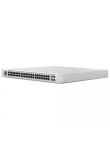
Ubiquiti Networks UniFi 48-Port Gigabit PoE+ Compliant Managed Switch Call us for price
(669) 244-0333