

Hard Drives
- USD 8,532.52
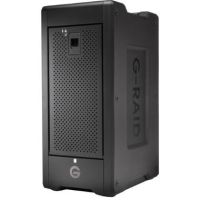
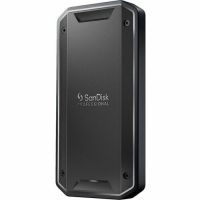
 SanDisk Professional 96TB G-RAID Shuttle 8 8-Bay Thunderbolt...
 In Stock
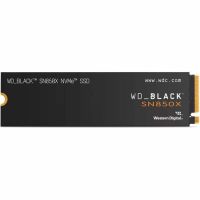
Brand: SanDisk SKU: SDPH48H-096T-NBAAB Condition: NEW USD 8532.52 - USD 3,435.55 WD_BLACK SN850X WDS800T2X0E-00CDD0 - SSD - 8 TB - PCIe 4.0 x... In Stock
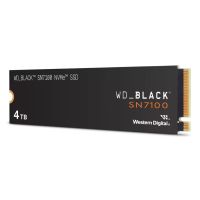
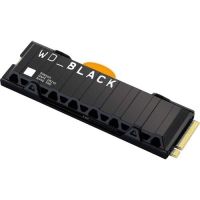
Brand: SanDisk SKU: WDS800T2X0E-00CDD0 Condition: NEW USD 3435.55 - USD 1,376.28 WD 4TB WD_BLACK SN7100 NVMe PCIe 4.0 M.2 Internal SSD - WDS4... In Stock
Brand: SanDisk SKU: WDS400T4X0E-00CJA0 Condition: NEW USD 1376.28 - USD 1,279.26 SanDisk SDPS31H-004T-GBC1D Professional PRO-G40 - SSD - 4 TB... In Stock
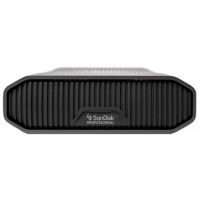
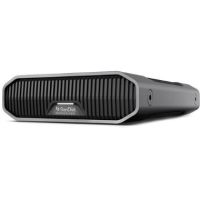
Brand: SanDisk SKU: SDPS31H-004T-GBC1D Condition: NEW USD 1279.26 - USD 1,086.52 SanDisk Professional 22TB G-DRIVE Enterprise-Class USB 3.2 G... In Stock
Brand: SanDisk SKU: SDPHF1A-022T-NBAAD Condition: NEW USD 1086.52 - USD 945.77 SanDisk Professional 18TB G-DRIVE Enterprise-Class USB 3.2 G... In Stock
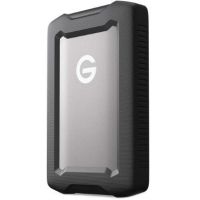
Brand: SanDisk SKU: SDPHF1A-018T-NBAAD Condition: NEW USD 945.77 - USD 396.39 SanDisk Professional 5TB G-DRIVE ArmorATD USB-C 3.2 Gen 1 Ex... In Stock
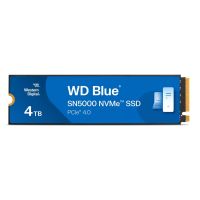
Brand: SanDisk SKU: SDPH81G-005T-GBA1D Condition: NEW USD 396.39 - USD 339.45 WD Blue SN5000 WDS400T4B0E-00BKY0 - SSD - 4 TB - PCIe 4.0 x4... In Stock
Brand: SanDisk SKU: WDS400T4B0E-00BKY0 Condition: NEW USD 339.45 - USD 231.00 WD_BLACK SN850X WDS100T2XHE-00BCA0 - SSD - 1 TB - PCIe 4.0 x... In Stock
Brand: SanDisk SKU: WDS100T2XHE-00BCA0 Condition: NEW USD 231
Hard Drives for Sale | Internal & External HDD Storage Devices | Kijero
Hard Drives are no longer simple objects. They have become a lifeline for our personal and professional lives, keeping our work files, memories, personal videos, and music tracks safe. Hard Drives protect our valuable data from cyberattacks and act as a digital archive of our lives. However, purchasing hard drives, whether Hard Disk Drives or Solid-State Drives, is not a straightforward task. You need to navigate the complicated world of storage devices offering varying features and specialized capabilities, including Internal Hard Drives, External Hard Drives, SATA hard drives, desktop hard drives, laptop hard drives, and enterprise hard drives, to name a few. Therefore, it is very important to discuss these storage solutions comprehensively so that you can buy the best hard drives for storage to meet your needs.
Shop High-Performance Hard Drives:
Nowadays, high-capacity hard drives have become a key requirement for demanding tasks of data-intensive workloads, modern computing, and creative tasks. For instance, you can deploy high-performing hard drives to run a NAS device, power a gaming workstation, edit 8K video, build a RAID setup for maximum redundancy, or archive terabytes of business data.
• Internal Hard Drives for PCs & Laptops:
Internal Hard Drives play a key role in determining the performance of PCs and laptops. Users often ask what to look for in hard drives for PCs and laptops. Here is a brief answer to this question.
a) Look for 2.5-inch hard drives for laptops, mini-PCs, and 3.5-inch internal drives for desktop PCs.
b) For internal hard disk drives, 5400 RMP hard drives are suggested for quieter and energy-efficient data storage, whereas 7200 RMP hard drives are more suitable for snappier performance and faster read/write speed.
c) Large cache internal hard drives, such as 512MB hard drives, 256 MB hard drives, or 128 MB hard drives, should be preferred for smooth multitasking and enhanced responsiveness.
d) 500 GB and 1TB internal hard drives are suitable for basic use, a 2 TB-4 TB data storage solution is recommended for gaming/creative tasks, and higher storage drives, such as 8TB, 16TB, and 20TB, are normally recommended for power users.
e) SATA III (6Gb/s) internal hard drives should be preferred for modern PCs and laptops.
f) You should look for trusted brands such as Synology, Seagate, and WD.
g) Look for internal hard drives featuring higher MTBF (Mean Time Between Failures) ratings, preferably 1 million to 2.5 million, for improved durability.
Best Internal Hard Drives for PCs & Laptops:
Based on the recommendations by product experts and reviews from customers, here is a list of the best computer hard drives and laptop hard drives that you can buy in the market.
• Seagate 24TB Exos X24 7200 rpm SATA III 6 Gb/s 3.5" Internal HDD (OEM): enterprise hard drives for data centers and other high-capacity storage requirements.
• Synology 20TB HAT5310 SATA III 3.5" Internal Enterprise HDD is a high-capacity internal hard drive for mission-critical applications.
• Seagate 4TB BarraCuda Compute 5400 RMP SATA 2.5" Internal HDD: Recommended often as the best internal hard drives for laptops.
• Seagate 500GB BarraCuda 2.5" Internal SATA III HDD is a highly recommended and reliable hard disk drive for laptops.
• External Hard Drives for Portable Storage:
Users are often confused when it comes to choosing the best external hard drives for portable storage; they don’t understand how to find the best external hard drives for laptops, desktops, or gaming consoles.
What to look for in an external hard drive? Here is a brief answer.
a) 500 GB to 1TB external hard drives for everyday personal files, photos, and videos, 2TB-4TB external storage should be looked for gaming backup and media libraries; and finally, 5TB and higher external drives should be selected for archival storage, full system backup, and professional 4K/8K video editing.
b) For modern computers, laptops, and smartphones, you should prefer modern connectivity interfaces such as USB 3.0 (5Gbps), USB 3.2 Gen 2 (10Gbps), USB-C, or Thunderbolt.
c) Compatibility is another factor; look for external hard drives that are compatible with your Operating Systems, such as Windows, MacOS, PlayStation, Smart TV, Linux, etc.
d) External Hard Drives offering IP54, IP55, or IP67 ratings should be preferred for water-, shock-, drop-, and dust-resistance.
e) Look for hard drives featuring robust security features, including password protection, hardware-based 256-bit AES encryption, and fingerprint sensors for protecting sensitive data.
f) Trusted brands such as SanDisk and Seagate should be preferred for smooth performance and reliable warranties.
g) 2.5-inch portable drives should be preferred for travel, and 3.5-inch desktop external drives are suitable for those settings where portability is not demanded. Typically, external hard drives are available in two types: Bus-powered that don’t need additional power supplies, and 3.5-inch desktop hard drives that need separate power adapters.
Best External Hard Drives:
WD WDBGKC0060BSL-WESN 6TB My Passport Ultra USB 3.0 Type-C External is recommended as the best external hard drive for most people.
Seagate 2TB One Touch USB 3.2 Gen 1 External Hard Drive with Password is a secure external hard drive featuring password protection and 256-bit AES encryption.
SanDisk Professional 1TB G-DRIVE ArmorATD USB-C 3.2 Gen 1 External Hard is a rugged external hard drive, suitable for field workers and wildlife photographers.
SanDisk Professional 22TB G-DRIVE Enterprise-Class USB 3.2 Gen 2 External is a high-capacity enterprise hard drive offering massive storage.
How Much Capacity Do You Have in a Hard Drive?
This is a very critical question that deserves our attention. You can buy hard drives online in various capacities. For instance:
• 1TB Hard Drive:
A 1TB hard drive is often considered a sweet spot, offering a perfect balance of affordability and utility for everyday users. 1TB hard drives can provide ample storage for 250,000 high-quality photos (12MP), roughly 500 hours of HD videos, 20-30 modern console/PC games, and 50 hours of 4K videos.
A 1TB hard drive is recommended for casual gamers, home users, and professionals who need sufficient storage without breaking the bank.
• 2TB Hard Drives:
A 2TB hard drive is also considered a perfect balance for speed, space, and price, offering 2x the space of a 1TB hard drive without any significant price jump. A 2TB hard drive can help you store 40-60 PC games, 100 hours of 4K videos, and 400,000 plus photos. It is therefore suitable for photographers, content creators, full system backup, mid-range gamers, and growing media libraries.
• 4TB Hard Drives:
4TB hard drives are high-capacity storage solutions, catering to the needs of power users who need serious storage for professional and gaming needs. A 4TB hard drive can store up to around 1 million photos, 1,000 HD movies, or 100+ AAA games.
These high-capacity hard disk storage solutions are recommended for NAS setups, heavy gamers, content creators, and other power users.
• 8TB+ Hard Drives:
These are high-capacity hard disk drives, offering massive storage ranging from 8TB, 12TB, 16TB, 24TB, and even higher. Users can deploy them for storing thousands of hours of 4K video, hundreds of thousands of RAM images, complete system backup, and entire gaming libraries.
They are provided with multiple advanced features, including helium-sealed designs for cooler and quieter performance, CMR recording, 2.5 million hours or above MTBF rating, and the like.
8TB or higher hard drives are suggested for home servers, video production studios, surveillance systems, data archiving, NAS systems, RAID configurations, and the like.
Popular Hard Drive Features:
Hard drives have undergone a massive transformation. They are no longer simple storage solutions. They offer a variety of connectivity options, robust security features, and blazing-fast speed, making them suitable for modern PCs, laptops, NAS systems, and gaming consoles.
1. SATA Connectivity:
SATA is an interface of hard drives that is used for writing and reading data to and from the data storage device and computer. SATA hard drives offer multiple advantages, such as multidrive support through port multiplier technology, faster throughput, and longer cables.
You can find various types of SATA drives. For instance, desktop SATA drives come with 4 inches width, 1.03 inches height, and 5.79 inches length. They are also called 3.5-inch SATA drives. Similarly, there are compact 2.5-inch SATA drives, featuring 2.7 inches width, 0.37 inches height, and 3.96 inches length.
SATA interfaces SATA III (6Gb/s) interface, supporting up to speeds of up to 600MB/s. SATA connectivity is now universally compatible with almost every laptop, desktop PC, server, and NAS device. They also offer plug-and-play simplicity and hot-swappable functionality.
2. Fast Data Transfer Performance:
Hard drives have increasingly become comparable to Solid-State Drives in terms of supported data transfer, thanks to multiple advancements. Thanks to increased cache size (up to 512 MB), higher rotational speed reaching 7200 RPM and 10,000 RMP, and cutting-edge recording technologies like CMR, both internal and external hard drives can support 150MB/s to 270MB/s for top-tier HDDs. Concerning this, Seagate Ironwolf Pro, Seagate EXOS MACH.2 2x18, and Seagate Barra Cuda are some of the fastest HDD drives that you can buy in the USA market and beyond.
Furthermore, the external hard drives are provided with modern connectivity interfaces, including USB 3.2 Gen 2, USB-C, and Thunderbolt 3 and 4 connections. You can thus deploy these fast hard drives for demanding tasks such as RAID configuration, large database management, video editing, and smooth 4K playback.
3. Reliable Data Protection:
Needless to say, that protection has assumed strategic importance for users, whether home users or enterprises. In this regard, hard disk drives come with multiple layers of data security features combining advanced encryption, centralized management, and rugged durability. You can purchase hard drives offering hardware-based 256-bit AES encryption, password protection, and biometric (fingerprint) access, allowing both home users and enterprise users to protect sensitive personal, business, or government data from cyber threats, accidental loss, or hardware failure.
Here are some secure hard disk drives that you can look into:
• DataLocker DL4 FE 15.3TB-SSD Portable Solid State Drive
• Seagate 1TB One Touch USB 3.2 Gen 1 External Hard Drive with Password
• Seagate 10TB One Touch Desktop External Drive with Built-In Hub (Black)
• Seagate 2TB One Touch USB 3.2 Gen 1 External Hard Drive with Password
Hard Drives for Different Needs:
It should be clear to everyone that not every storage device serves your needs. You need to be very choosy and select the hard drives that feature capabilities tailored to your end uses.
• Gaming Storage Drives:
Gaming hard drives are purpose-built data storage solutions that are designed to meet the demanding needs of gaming, such as expansive open worlds, massive game libraries, or modern AAA titles that can take 100GB each. Therefore, you should purchase hard drives for gaming carefully.
Concerning this, you should look for 7200 RPM hard drives. You can also couple an NVMe SSD with HDDs for combining speed and affordable storage. Large cache HDDs, such as 256MB HDDs and 512MB HDDs, should also be preferred.
If you are Nintendo Switch, PlayStation 5, or Xbox Series X/S gamers, you should go for Hard Drives with USB 3.2 Gen 2 or USB-C connectivity. USB 3.2 or USB-C hard drives offer plug-and-play simplicity for gaming consoles, and they also help gamers store plenty of games as well.
As a recommendation, you can look into Seagate Game Drive, Seagate FireCuda, and WD Black Drives as they are engineered specifically for gaming. Seagate Game Drive STKX5000403 and Western Digital WD6004FZWX are often suggested as one of the best hard drives for gaming available in the market.
• Business & Enterprise HDDs:
Enterprise hard disk drives are designed for demanding tasks and mission-critical workloads. They are intended to perform 24/7 and need to handle multi-user access, virtualization, heavy read/write cycles, and large-scale data processing.
To meet these demanding tasks, you need to look for enterprise HDDs that feature 300TB to 500TB workload; higher MTBF ratings of 1.2 million to 2.5 million hours; 4TB to 32TB per drive capacity; 7200 RMP SATA drives, 10,000 RPM or 15,000 RPM SAS drives; SATA III (6Gb/s) interface or SAS (12Gb/s) interface; 256MB or 512 MP cache sizes; CMR recording technology; Helium-sealed design; Error Recovery Controls (TLER/ERC); RAID and NAS compatibility; end-to-end data protection; and appropriate form factor.
Here are the top-ranking enterprise hard drives that you can consider to meet your needs.
• Seagate 24TB Exos X24 7200 rpm SATA III 6 Gb/s 3.5" Internal HDD (OEM)
• Synology 20TB HAT5310 SATA III 3.5" Internal Enterprise HDD
• Synology 20TB HAS5300 SAS-3 3.5" Internal Enterprise HDD
• Seagate 12TB IronWolf Pro 7200 rpm SATA III 3.5" Internal NAS HDD (CMR)
• WD WDBWLG0240HBK-NESN 24TB Elements Desktop USB 3.2 Gen 1 External
• Backup and Data Storage Drives:
Data storage and backup are the key functions of the hard drives, allowing you to enjoy complete protection against accidental deletion of data, ransomware, or hardware failure. Deploying hard drives for backup and data storage makes sure that your data remains protected, no matter what happens to your primary storage.
Concerning this, you need to choose hard drives for backup and data storage depending on some factors. First, look for a device that comes with 1.5x to 2x more storage than the device you are backing up.
Second, you should choose drives that come with bundled software such as WD Backup, Seagate Toolkit, and the like.
Third, connectivity options such as USB 3.0, USB 3.2 Gen 1, USB 3.2 Gen 2, USB-C, and Thunderbolt options should be preferred as they provide faster transfer speeds.
Fourth, faster hard drives supporting 250MB/s speed should be selected for backup and data storage.
Fifth, if you are looking for grab-and-go backup, 2.5-inch hard drives are more suitable. 3.5-inch desktop hard drives are selected only when you need higher-capacity centralized storage in the office.
Here are some of the best hard drives for backup and data storage you can purchase in the market.
• WD WDBWLG0240HBK-NESN 24TB Elements Desktop USB 3.2 Gen 1 External
• Seagate 6TB One Touch Desktop External Drive with Built-In Hub (Black)
• Seagate 1TB One Touch USB 3.2 Gen 1 External Hard Drive with Password
• Seagate 12TB IronWolf Pro 7200 rpm SATA III 3.5" Internal NAS HDD (CMR)
Why Shop Hard Drives from Kijero:
Kijero stands out in the market for offering an extensive range of storage devices, including internal and external SSDs, internal and external HDDs, and external hard drives. Our data backup solutions are comprehensive and specialized, allowing users to choose external hard drives for video editing, gaming, photographers, home users, office backup, and more. More importantly, we also offer gaming accessories as well, meeting all of your needs under one roof. We offer the best product at the best possible price in the market.
Still Not Sure Which Hard Drive Is Right for You? Contact today and find external hard drives that meet your budget, storage needs, and use cases.
Featured Products
Ubiquiti Networks UniFi 48-Port Gigabit PoE+ Compliant Managed Switch Call us for price
(669) 244-0333