

Flash Drive
- USD 0.00
 SanDisk 32GB Ultra Dual Drive USB Type-C Flash Drive - SDDDC...
 Out of Stock
Brand: SanDisk SKU: SDDDC2-032G-A46 Condition: NEW Call us for price(669) 244-0333
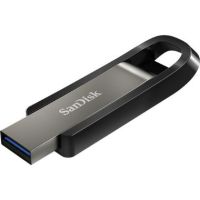
- USD 0.00 SanDisk 64GB Extreme Go USB 3.2 Drive - SDCZ810-064G-A46Out of Stock
Brand: SanDisk SKU: SDCZ810-064G-A46 Condition: NEW Call us for price(669) 244-0333
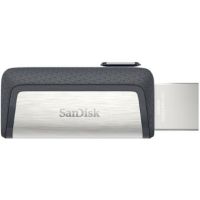
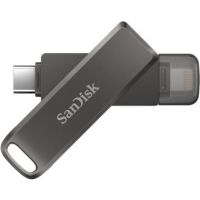
- USD 0.00 SanDisk 64GB Ultra Dual Drive USB Type-C Flash Drive - SDDDC...Out of Stock
Brand: SanDisk SKU: SDDDC2-064G-A46 Condition: NEW Call us for price(669) 244-0333
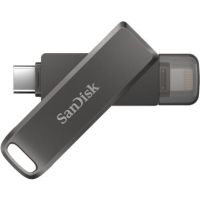
- USD 0.00 SanDisk 128GB iXpand Flash Drive Luxe - SDIX70N-128G-AN6NEOut of Stock
Brand: SanDisk SKU: SDIX70N-128G-AN6NE Condition: NEW Call us for price(669) 244-0333
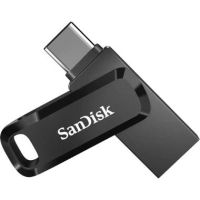
- USD 0.00 SanDisk 64GB Ultra Dual Drive Go 2-in-1 Flash Drive (Black) ...Out of Stock
Brand: SanDisk SKU: SDDDC3-064G-A46 Condition: NEW Call us for price(669) 244-0333
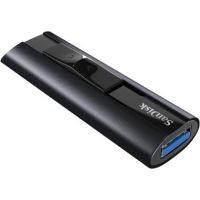
- USD 0.00 SanDisk 512GB Extreme Pro USB 3.2 Solid State Flash Drive - ...Out of Stock
Brand: SanDisk SKU: SDCZ880-512G-A46 Condition: NEW Call us for price(669) 244-0333
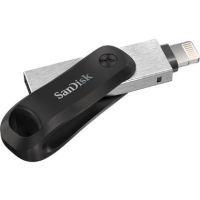
- USD 0.00 SanDisk 256GB iXpand Flash Drive Go - SDIX60N-256G-AN6NEOut of Stock
Brand: SanDisk SKU: SDIX60N-256G-AN6NE Condition: NEW Call us for price(669) 244-0333
- USD 0.00 SanDisk 256GB iXpand Flash Drive Luxe - SDIX70N-256G-AN6NEOut of Stock
Brand: SanDisk SKU: SDIX70N-256G-AN6NE Condition: NEW Call us for price(669) 244-0333
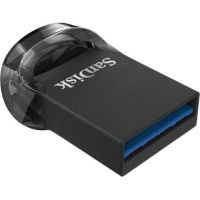
- USD 0.00 SanDisk 512GB Cruzer Ultra Fit USB 3.1 Flash Drive - SDCZ430...Out of Stock
Brand: SanDisk SKU: SDCZ430-512G-A46 Condition: NEW Call us for price(669) 244-0333
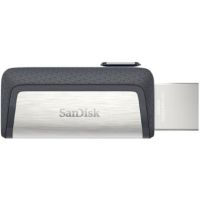
Buy USB Flash Drives Online | Portable Storage Devices & Memory Sticks
The Global Growth Insights reports that more than 72% of office workers and IT professionals use USB Flash drives as portable data storage solutions, thanks to their high-speed transfer and plug-and-play simplicity. Therefore, no matter how small and compact external hard drives, particularly SSD storage, have become, the use of USB memory sticks has remained intact, in fact, over the years, has increased, indicating the growing applications of these portable storage devices. USB Flash Drives, also known as Thumb Drives or Pen Drives, small and compact portable storage solutions that count on flash memory to store information. They feature a USB interface, making them compatible with a wide variety of devices, including laptops, desktops, gaming consoles, tablets, smartphones, cameras, and other devices, provided that they are equipped with a compatible USB connector. USB flash drives are data transfer and data sharing flash drives, allowing users to carry, transfer, and protect content, including documents, photos, and videos. These high-speed flash drives are available in different types depending on the interface they feature. For instance, you can purchase a USB-C flash drive, a USB 3.0 flash drive, a USB 3.2 flash drive, a dual USB flash drive, an OTG flash drive, an encrypted USB drive, and more. Let’s discuss them comprehensively so that you can purchase the best USB flash drives for photography and other applications.
USB Flash Drive: USB-Interfaces:
You can choose various variants of USB pen drives when it comes to USB interfaces. For instance:
1- USB 2.0 Flash Drives:
USB 2.0 flash drives are budget-friendly portable data storage solutions, making them suitable for students and casual users for ordinary everyday data transfer and backup tasks. They don’t come with blazing-fast speed; however, they can support up to 480Mb/s speed, making them preferable for users who don’t need ultra-fast speed. You can deploy USB 2.0 pen drives for school assignments, simple file backup, and basic document storage.
More importantly, USB 2.0 flash drives are compatible with almost every PC built over the last two decades, making these affordable USB flash drives preferable for older PCs, bulk distributions, and public computers.
2- USB 3.0 & USB 3.2 Flash Drives:
These are high-speed USB flash drives that are designed for users who need ultra-fast performance for tasks like virtual machine images, game file transfer, raw photo collections, design projects, and the like. USB 3.0 flash drives can support up to 5Gbps speed, making them 10x faster than USB 2.0. USB 3.2 Flash Drive has further pushed the speed boundaries, enhancing supported speeds up to 20 Gbps. However, you need to ensure that the host device comes with matching USB ports to enjoy full-speed performance.
Similar to other USB pen drives, they are also plug-and-play USB drives and backward-compatible with USB 2.0 thumb drives.
They are recommended for videographers, photographers, gamers, and professionals who need to transfer and share large files.
3- USB-C Flash Drives:
These are the latest USB flash drives that are designed to cater to the needs of modern ecosystems. Since most of the modern devices, including laptops, tablets, and other portable devices, come with only USB-C ports, USB-C flash drives show seamless compatibility with the most recent Apple and Android smartphones for easy photo backups and quick video storage sharing.
The best feature of Type-C USB flash drives is that they come with a reversible plug. You can plug them instantly without worrying about orientation; they can thus deliver a seamless plug-and-play experience.
The speeds supported by USB-C flash drives depend on the internal USB technology. Most of these high-speed drives support USB 3.1 and USB 3.2, and even some come with Thunderbolt, supporting up to 40 Gbps speed.
Nowadays, manufacturers are coming up with dual-connector options comprising USB-A and USB-C. You can use these dual-connector USB flash drives with drives because they can act as both modern Type-C flash drives and traditional USB-A connectors.
USB-C flash drives are recommended for MacBook users, modern Windows laptop users, Android users, iPad users, iPhone users, and tablets who need fast file transfer storage for 4K video shooting and other high-end tasks.
4- Dual-Connector and Multi-Interface USB Flash Drives:
Dual-connector USB flash drives are designed to show maximum cross-platform compatibility, helping users transfer files across various devices, say between laptops and smartphones, easily.
There are multiple options under this category. For example, some models of dual USB flash drives are discussed below.
• Lightning + USB Drives for iOS Devices are designed for iPhone and iPad users. They are equipped with an Apple Lightning Connector, allowing them to enjoy quick photo backup or simple file sharing.
• Micro USB Options are for old Android devices, and they are now less common. They typically act like OTG USB flash drives for direct phone connection.
5- OTG USB Flash Drives:
These are specialized USB flash drive which are designed to connect smartphones and computers. OTG or On-The-Go USB flash drives are provided with two connectors. One side is equipped with USB-A, and the other side features USB-C, micro-USB, or Lightning. OTG USB Flash Drives are ideal solutions, allowing users to free up spaces from phones by offloading photos and videos. Users can access stored multimedia without any need for PCs.
6- Wireless USB Flash Drives:
These are WiFi-enabled USB flash drives that come with built-in batteries. They can create their own WiFi network, allowing multiple devices to access and share data simultaneously without any need for a physical connection.
7- Rugged/Waterproof USB-Flash Drives:
As the name indicates, these are military-grade USB flash drives that are made of durable built material. They feature water as well as shock-resistance, making them suitable for harsh outdoor working conditions.
How to Choose the Right Capacity for Your Needs?
Needless to say, you must choose a portable USB storage capacity that reflects your storage requirements. Here are various capacities of external USB storage that you can purchase in the market.
• 32GB & 64GB Flash Drives:
These are entry-level USB flash drives, offering a sweet spot for users who need a reliable and sufficient storage without paying for the space they would never use. 32GB USB flash drives can hold 26,786 12MP photos, 168 minutes of 1080p videos, 65 minutes of 4K videos, and 32 minutes of 8K videos.
64 GB USB Flash Drives can provide double space, allowing users to store 53,571 12MP photos, 336 minutes of 1080p videos, 130 minutes of 4K videos, and 65 minutes of 8K videos. Users can store a full music collection, a photo library from their recent vacation, and all project files that they need during their workflow.
Office professionals, casual users, and students are advised to consider 32GB USB Flash Drives and 64 USB Flash Drives as they can be deployed for single-use bootable flash drives, photo backup solution for a large collection of photos, and other uses.
• 128GB & 256GB USB Drives:
These USB flash drives are suitable for those users whose data storage requirements exceed basic file shuffling. 128GB USB Flash Drives support storage of 107,143 12MP photos, 41,667 3MP songs, 672 minutes of 1080p videos, 260 minutes of 4K videos, and 130 minutes of 8K videos.
In addition, 256GB USB Flash Drives can store up to 214,28612MP photos, 83,333 3MP songs, 1344 minutes of 1080p videos, 521 minutes of 4K videos, and 260 minutes of 8K videos. 256GB USB thumb drives can thus be utilized for holding comprehensive business archives, feature-length 4K films, an entire toolkit of software and recovery utilities, and the like.
Overall, you can achieve an excellent price-per-gigabyte ratio in this category, making them suitable for content creators, video enthusiasts, business users who need the entire project archives on the go, and software developers. Business users are suggested to go for encrypted USB flash drives that help users move sensitive client files without any concerns for cyberattacks.
• 512GB & High-Capacity Flash Drives:
512 USB Flash Drives and high-capacity flash drives such as 1TB USB Flash Drive and 2TB Flash Drive are for users who need serious storage. 512GB USB Flash Drive can store 428,571 12MP photos, 166,667 3MP songs, 2688 minutes of 1080p videos, 1042 minutes of 4K videos, and 525 minutes of 8K videos. You can use a 512 GB USB Thumb Drive to store complete gaming libraries, full system backups, and entire video projects. 1TB USB Flash Drives can hold 857,143 12MP photos, 333,333 3MP songs, 5,376 minutes of 1080p videos, 20,83 minutes of 4K videos, and 1042 minutes of 8K videos. This compact flash drive can help you enjoy SSD-level performance in a pocket-sized flash drive. Similarly, 2TB USB Flash Drives can also offer an enormous amount of storage, sufficient for high-end tasks.
These are high-performance flash drives that are provided with NVMe technology, supporting up to 1000 MB/s speed, making them suitable for photographers and video editors who need to handle 4K/8K footage, IT professionals who need to store a full system image, and designers who need to deal with 3D designs and Photoshop.
These high-capacity portable storage devices are provided with cutting-edge features, including hardware encryption, long warranties, WiFi capabilities, and rugged construction.
Key Features to Consider Before Buying a USB Flash Drive:
Choosing the right USB Flash Drive should be a serious job. You need to consider multiple factors in a USB Pen Drive under consideration before making the ultimate decision.
1- Read & Write Speed:
The read and write speed of your USB flash drives determines how much you need to wait for transferring files. Read speed determines how much time it takes to move data from the drive to the device, whereas write speed indicates how fast data is stored on flash drives. Typically, write speed is slower than read speed.
USB technology has a direct link with the read and write speed. For instance, in the real world, USB 2.0 can support up to 30-40 MB/s, USB 3.0 can deliver up to 80-200 MB/s, and high-speed USB 3.2 or USB 4.0 Flash drives can support up to 1000 MB/s speed. If your job demands frequent moving of large videos and backup files from one device to another, you must prioritize speed over capacity.
2- Compatibility & Connectivity:
Compatibility is determined by connectivity options, and it is a crucial factor that you must consider. Nowadays, USB-C connectors have become a standard connectivity option on MacBooks, modern Windows laptops, Android phones, iPhones, and tablets. However, older laptops, desktops, gaming consoles, and car stereos often feature rectangular USB-A connectors. Similarly, Lightning connectors were used to be a part of older iPads and iPhones; however, Apple has gradually moved to widespread USB-C connectors.
In this context, if you need to deal with both older and newer devices, you should purchase dual-connector USB flash drives offering both USB-C and USB-A connectors. Dual-connectors flash drives would help you avoid adapters, helping you save money.
In addition, you should also consider backward compatibility. For instance, whether USB 3.0 flash drives can work with USB 2.0 ports or not.
3- Security & Encryption:
Security and encryption become extremely important when you need to carry around sensitive data such as project files, financial records, personal documents, and client files. In this regard, you should go for hardware-encrypted USB drives that offer the most robust security features. They come with built-in chips that scramble data, requiring a PIN or password before accessing these secure USB Flash hard drives. What’s more, they are encrypted USB Thumb Drives that are provided with a physical keypad for PIN entry. Apricorn ASK3-480GB Aegis Secure Key 3.0 is such an example of a secure USB flash drive that comes with a physical keypad, allowing users to neutralize any attempts at keylogger interception.
For business and offices, you should look for FIPS 140-2 or FIPS 140-3 certified drives in that come with robust enterprise-grade security measures, including XTS-AES 256-bit Encryption and Multi-Password Option with Complex/Passphrase Modes.
Best Uses for USB Flash Drives:
USB storage drives can be applied extensively for various end uses. For instance, here are some areas where external storage devices can be deployed.
• File backup and storage.
• Business and office use
• Media and video transfer
• Software installation
• Mobile device storage expansion
• Gaming and console storage
Popular Flash Drive Brands:
• SanDisk Flash Drives
• Kingston DataTraveler USB Drives
• Axiom USB Storage Devices
• StartTech USB Flash Drive
Why Buy Flash Drives from Kijero?
Kijero is a leading eCommerce firm, specializing in offering a cost-effective & wide range of data storage options, including Solid-State Drives, Hard Disk Drives, External Storage Devices, Desktop storage devices, USB Flash Drives, and computer accessories, as well as USB-C accessories. We deal in trusted brands including SanDisk, Samsung, and Microsoft, and the like. What’s more, we also offer both business and bulk purchase options, allowing users to purchase the best storage solutions at the best price.
Contact us for our customers’ support so that we can get storage devices, including USB Flash Drives, that are tailored to your needs, budget, and preferences.
Featured Products