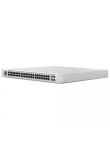


Ethernet Adapter
- USD 12.99

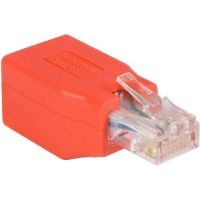
 StarTech Gigabit Cat 6 Crossover Ethernet Adapter - C6CROSSO...
 In Stock
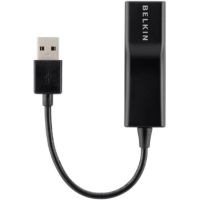
Brand: StarTech SKU: C6CROSSOVER Condition: NEW USD 12.99 - USD 19.24 Belkin USB 2.0 Ethernet Adapter - network adapter - USB 2.0 ... In Stock
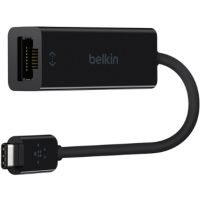
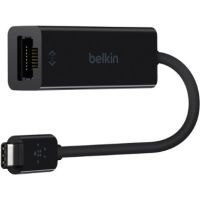
Brand: Belkin SKU: F4U047BT Condition: NEW USD 19.24 - USD 20.47 Belkin USB-C to Gigabit Ethernet Adapter - B2B145-BLK In Stock
Brand: Belkin SKU: B2B145-BLK Condition: NEW USD 20.47 - USD 22.76 Belkin USB-C to Gigabit Ethernet Adapter - F2CU040BTBLK In Stock
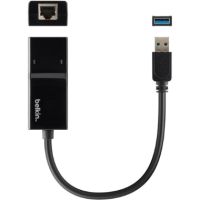
Brand: Belkin SKU: F2CU040BTBLK Condition: NEW USD 22.76 - USD 35.03 Belkin USB 3.0 to Gigabit Ethernet Adapter - B2B048 In Stock
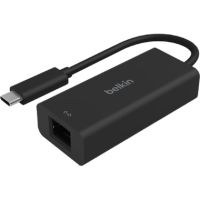
Brand: Belkin SKU: B2B048 Condition: NEW USD 35.03 - USD 40.73 Belkin Connect USB-C to 2.5 Gb Ethernet Adapter - INC012BTBK In Stock
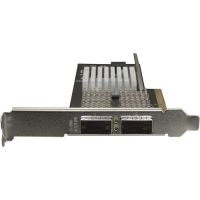
Brand: Belkin SKU: INC012BTBK Condition: NEW USD 40.73 - USD 490.10 StarTech Dual Port 40G QSFP+ Network Card - Intel XL710 Open... In Stock
Brand: StarTech SKU: PEX40GQSFDPI Condition: NEW USD 490.1 - USD 0.00
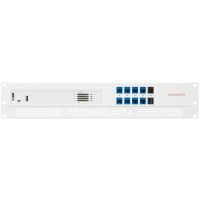
 Rackmount.IT RM-SR-T11 Ethernet Adapter
 Out of Stock
Brand: Rackmount.IT SKU: RM-SR-T11 Condition: NEW Call us for price(669) 244-0333
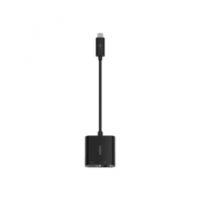
- USD 0.00 Belkin USB-C to Ethernet + Charge Adapter - INC001BTBKOut of Stock
Brand: Belkin SKU: INC001BTBK Condition: NEW Call us for price(669) 244-0333
Ethernet Adapters – USB, PCIe & Gigabit Network Adapters for Fast Wired Connectivity
Though the world has entered or is entering into WiFi 8, satellite-enabled WiFi & broadband, and Gigabit fiber optics, you cannot simply ignore Ethernet Adapters. They are still vital for allowing you to enjoy the fastest and most stable way to connect your device to the internet. Ethernet adapters, also dubbed as LAN adapters or Network Interface Cards, are small hardware devices that enable computers/laptops to access a network connection. Ethernet adapters have become more popular due to ever-thinning laptops and notebooks, allowing users to convert any USB-C, USB-A, or Thunderbolt port into a rock-solid wired network connection. You can find multiple types of network adapters in the market, including USB to Ethernet adapters, PCIe Ethernet adapters, 1 Gigabit USB-C dongles, 10 Gigabit Thunderbolt adapters, and more. You need to understand these adapters fully so that you can purchase the best Ethernet adapter for a stable internet connection for gaming, office setup, and other applications.
What is an Ethernet Adapter?
In simple words, network adapters are small hardware devices that are built to add a wired network port, RJ45 jack, to a laptop, computer, or smartphone. They are plugged into a USB-A, USB-C, or Thunderbolt port of your device, enabling your devices to deploy these devices to accept a standard Ethernet cable (Cat5e, Cat6, Cat6a. In this way, you can provide multi-gigabit Ethernet connectivity seamlessly, making these plug and play ethernet adapters for Windows and Mac suitable for even bandwidth-intensive applications, including high-performance virtualization, intelligent flow processing, secure data center connectivity, and machine learning.
The Types of Ethernet Adapters:
You can find various types of network adapters depending on the connection method, design, and use cases.
Here are some types of Ethernet port adapters that you need to know.
1. USB Ethernet Adapters:
As the name indicates, USB Ethernet adapters are external devices that are designed to convert a USB 2.0 or 3.0/3.1 port into an RJ-45 Ethernet port. These are often ranked as the best Ethernet adapters for laptops without an Ethernet port, allowing users to enjoy up to 1Gbps or even higher speeds. USB 3.0/3.1 Type-C to Gigabit adapters have now become the standard options for laptops. USB network adapters are plug-and-play devices, and they are compatible with all major operating systems, including macOS, Windows 10/11, ChromeOS, Linux, Game Consoles, iPadOS, and USB-C iPhones, and Android smartphones with USB OTG support.
USB Ethernet adapters are used extensively in various domains and for applications. For instance, they are deployed by:
• Remote workers and Zoom-heavy roles
• Competitive gamers
• Content creators with NAS workflows
• Travelers and consultants
• Single-board computers
• Virtualization and homelabs
• Technicians and field engineers
• Game consoles
2. PCIe Ethernet Adapters:
PCIe Ethernet adapters, also known as PCIe network interface cards or NICs, are internal hardware devices that are plugged directly into a PCI Express slot on a desktop or server motherboard. Therefore, unlike USB Ethernet adapters, they are not external devices, providing more efficient and high-performance connections.
PCIe Ethernet adapters can support various speed levels. They can deliver higher bandwidth than the integrated Ethernet ports on many motherboards. For instance, you can purchase:
• Gigabit (1GbE) PCIe Ethernet adapters
• 2.5GbE PCIe Ethernet adapters
• 5GbE Ethernet adapters
• 10GbE Ethernet adapters
• 25/40/100GbE for enterprise and data center use
More importantly, unlike USB Ethernet adapters that provide significantly lower speed than what is promised, PCIe Ethernet adapters can hit line-rate speeds. For instance, 10 GbE Ethernet adapters can sustain 9.4 Gbps.
These Ethernet adapters are provided with up to 4 Ethernet ports, helping network administrators connect multiple devices to a single card. Therefore, PCIe Ethernet network adapters for desktop PC are also deployed for servers or workstations that demand multiple network connections.
PCIe Ethernet adapters offer low latency and higher stability, making these high-performance LAN adapters suitable for gamers. Moreover, PCIe adaptrrs are future-proof as you can purchase as high as 100GbE Network Interface Cards, enabling users to enjoy ultra-high speed wired connections for bandwidth-intensive applications such as server management and high-definition video streaming.
PCIe adapters are deployed extensively for various ends, particularly, they are a preferable choice for desktop PCs, gaming rigs, workstations, NAS builds, home servers, and homelab setups. They are often utilized for upgrading an older motherboard from gigabit to 2.5G or 10G for future-proofing.
3. Thunderbolt / Type-C Adapters:
Thunderbolt and Type-C adapters are high-speed Ethernet adapters supporting connectivity for high-speed data, video, and power. They use a small and reversible USB-C connector to add a wired RJ45 network port to modern laptops, tablets, and phones. It should be made clear that USB-C adapters and Thunderbolt adapters are not similar.
USB-C is merely a physical shape of plug, and Thunderbolt is a fast-speed technology that uses the same USB-C plug shape. Simply speaking, USB-C is a road that allows multiple cars to drive on, whereas Thunderbolt is a Formula 1 race car. In other words, USB-C is a connector standard, and Thunderbolt is a high-performance protocol that is developed by Intel and Apple that is designed to ride on a USB-C connector.
UBS-C network adapters that utilize standard USB 3.1/3.2 protocol can support 1Gbps and 2.5 GbE speed. Thunderbolt Ethernet adapters come in various variants. For instance, Thunderbolt 4 can support up to 40GbE speed, whereas Thunderbolt 5 can deliver up to 80GbE speed.
They are suitable for all modern devices that come without built-in Ethernet ports, for example, MacBooks, Dell XPS, Surface devices, ultrabooks, and USB-C iPads. Similarly, Thunderbolt-certified adapters are recommended for video editors, photographers, audio engineers, and homelab users who demand 5G and 10G throughput for a smooth working experience.
Key Features to Consider in a Right Ethernet Adapter:
You need to choose the Ethernet adapter carefully, as it can have serious implications for your network. You should make sure that the Ethernet adapter is compatible with your host device and meets your actual workload.
#01: Determine the Speed that Your Actual Workload Demands:
Needless to say, that speed is the most important factor that you consider. You find Ethernet adapters offering varying speeds ranging from 100Mbps to 10GbE, allowing you to meet your different needs.
Here are our recommendations regarding the most suitable wired network adapter for office setups and other applications.
• Network adapters supporting 100Mbps (Fast Ethernet) are suitable for basic browsing, emails, and light streaming.
• Gigabit (1 Gbps) network adapters, such as Belkin USB 2.0 Ethernet Adapter, support a speed that is sufficient for most home internet plans, video calls, 4K streaming, and casual gaming.
• 2.5 GbE Ethernet adapters are recommended for high-speed networks, NAS, and 4K+ streaming. They can work on existing Cat5e cabling and remove the hurdles in establishing fast NAS access, multi-gig fiber plans, and Wi-Fi 6/7 backhaul.
• 5GbE Ethernet network cards are suitable for power users of high-end NAS devices.
• 10GbE multi-gigabit LAN adapters are high-performing NIC solutions, recommended only for video professionals, software developers, and homelab enthusiasts who already have high-end infrastructure such as a 10G switch and Cat6a cabling.
#02: Match Ethernet Adapter with Your Operating System:
After you have determined the speed that you need, the next big consideration is the compatibility with the operating system of your device.
Normally, all modern operating systems, including macOS, Windows 10/11, ChromeOS, current Linux kernels, iPadOS, and USB-C iPhones, are provided with native drivers for network adapters. So, most Ethernet LAN adapters work as plug-and-play devices for all these platforms.
Game console users, particularly those using Nintendo Switch, must make sure that the network adapter is clearly listed as console-compatible. Similarly, Windows 7 users are also advised to check whether manufacturers of Ethernet adapters still offer downloadable drivers. Finally, Linux users should prefer Realtek-based adapters to enjoy a smooth experience on the most recent kernels.
#03: Identify Your Port Type:
Now, the third major consideration: the port type. It is because different Ethernet adapters for PC and laptops are designed for a specific type of port. The adapters must match the port on your device; similarly, the port on your device must support the speed that network adapters are marketed to deliver.
• USB-A Port (Rectangular Shape) is found on older and some newer PCs and laptops. Therefore, if your device is equipped with a USB-A port, you should go for an adapter with a USB-A connector.
• USB-C Port (Small, Oval Shape) is now made part of every modern laptop, tablet, and some desktops. If your PC features a USB-C or Thunderbolt 3/4 port, you should opt for USB-C Ethernet adapters.
• Thunderbolt 3 or 4 ports support USB-C connectors, so you can choose any Ethernet USB-C adapter or Thunderbolt adapter for high-end connectivity.
The speed supported by the port on your device is another consideration. Concerning this, it should be made clear that normally ports don’t support the level of data transfer that manufacturer often claims. For instance, USB-A 2.0 can support 300 Mbps at max speed. USB-A 3.0 port can deliver gigabit speed. USB-C 3.1 and 3.2 ports can support 1G or 2.5G speed, making them suitable for modern laptops. If you are looking for 5GbE and 10GbE, you should look for ports that feature USB 3.2 Gen 2 2x2, USB4, or Thunderbolt 3, 4, or 5.
#04: Match Your Cat Cable with Your Ethernet Adapter:
The network adapter and networking cable must be matched perfectly. It should be noted that your ethernet adapters is as fast as your network cable. For instance, 2.5GbE runs 100 meters on Cat5e, 5GbE runs 100 meters on Cat6, and full 10GbE typically demands Cat6a for long runs. Therefore, if you plug your 10GbE Ethernet adapter into a decade-old Cat5e cable, that would be an awful waste of resources.
Benefits of Ethernet Adapters:
Undoubtedly, despite all the benefits provided by WiFi connections, wired Ethernet connections are still the clear winner. They offer multiple advantages for users.
For instance:
Faster Internet Speed:
Ethernet LAN adapters can help you deliver a network speed that is faster and more consistent than a WiFi connection can provide. For instance, if you have installed a 1GbE connection, Ethernet adapters help you deliver the same and consistent speed to all connected devices. It is the opposite of a wireless connection that delivers a varying and unpredictable speed, impacted by distance from the router, walls, neighboring networks, and the number of connected devices.
Lower and More Stable Latency:
Ethernet adapters offer a wired connection that has near-zero jitter. You can thus purchase a high-performance LAN adapter for gaming because they offer lower latency. This becomes particularly important for competitive gaming, video calls, and remote desktop work. You can also avoid random ping spikes that are often associated with the WiFi connection. Ping spikes may go unnoticed during web browsing, but they can prove quite devastating during live presentations or ranked matches.
Additional Connectivity:
This is one of the most fundamental benefits of network LAN adapters. The RJ45 ports are fast disappearing in Modern ultrabooks, MacBooks, tablets, and even some mini-PCs. Ethernet adapters restore RJ45 connectivity in these modern devices. You can thus deploy an Ethernet adapter for a laptop without an Ethernet port, allowing users to enhance the connectivity options.
Why Buy Ethernet Adapters from Kijero:
Kijero is a leading eCommerce firm, offering cost-effective and cutting-edge IT equipment and services. Our product portfolio is quite extensive, including but not limited to Ethernet adapters. We deal in wide-ranging Ethernet adapters from leading manufacturers such as Belkin, StartTech, and Rackmount.IT, and more.
Contact us today and elevate your connectivity level to the next level with our affordable and best Ethernet adapters for PCs, laptops, gaming consoles, and more.
FAQs:
1- Can I use a USB 3.0 Ethernet adapter in a USB 2.0 port?
Yes, you can. The speed will remain limited to what USB2.0 and you will not be able to enjoy the gigabit speed of a USB 3.0 Ethernet adapter.
2- Why is my Ethernet adapter not delivering its advertised speed?
It happens mainly for three reasons. First, the USB port is slower than required. Second, the Ethernet cable is too old (Cat5 or older Cat5e). Third, the router/switch on the other end is capped at a lower speed. If you want to realize the full speed potential of Ethernet adapters, you need to take care of the adapter, cable, switch, and the device on the far end.
3- What is the difference between RJ45 and a transceiver in network adapters?
RJ45 is the Ethernet cable’s physical connector, and transceiver modules are devices that are responsible for transmitting and receiving signals between two locations.
4- Will an Ethernet adapter work with my iPhone or iPad?
Yes, they can work if your device is provided with a USB-C port. Now, most iPadOS and iOS versions support USB-C Ethernet adapters. All you need is to plug Ethernet adapters into the device, and Ethernet appears on setting.
5- Can I use an Ethernet adapter with my Nintendo Switch, PS5, or Xbox?
All of these gaming consoles support Ethernet adapters. PS5 and Xbox Series X|S are provided with built-in Ethernet ports, so you don’t need any network adapter. Nintendo Switch is very selective. You need to check specifically that the network adapter is compatible with the Nintendo Switch.
Featured Products
Ubiquiti Networks UniFi 48-Port Gigabit PoE+ Compliant Managed Switch Call us for price
(669) 244-0333