

Drive Trays
- USD 15.98

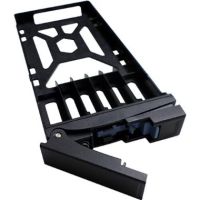
 QNAP SP-SS-TRAY-BLACK 2.5" and 3.5" Hard Disk Driv...
 In Stock
Brand: QNAP SKU: SP-SS-TRAY-BLACK Condition: NEW USD 15.98 - USD 15.98 QNAP TRAY-35-NK-BLK06 TRAY-35-NK-BLK06 3.5" Hard Drive ... In Stock
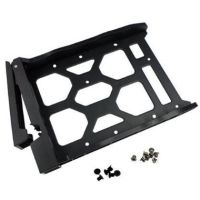
Brand: QNAP SKU: TRAY-35-NK-BLK06 Condition: NEW USD 15.98 - USD 15.98 QNAP TRAY-35-NK-BLK07 3.5" HDD Tray for the TS-932X, TS... In Stock
Brand: QNAP SKU: TRAY-35-NK-BLK07 Condition: NEW USD 15.98 - USD 15.98 QNAP TRAY-25-NK-BLK05 2.5" Drive Tray Without Key Lock ... In Stock
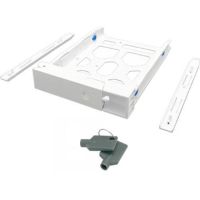
Brand: QNAP SKU: TRAY-25-NK-BLK05 Condition: NEW USD 15.98 - USD 15.98 QNAP TRAY-35-WHT01 3.5" HDD Tray with Key Lock (White) In Stock
Brand: QNAP SKU: TRAY-35-WHT01 Condition: NEW USD 15.98 - USD 15.98 QNAP TRAY-35-BLK02 3.5" Drive Tray With Key Lock (Black... In Stock
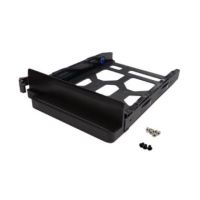
Brand: QNAP SKU: TRAY-35-BLK02 Condition: NEW USD 15.98 - USD 15.98 QNAP TRAY-35-NK-BLK04 HDD Tray v4 for 2.5" & 3.5&qu... In Stock
Brand: QNAP SKU: TRAY-35-NK-BLK04 Condition: NEW USD 15.98 - USD 15.98 QNAP SP-TS-TRAY-BLACK HD Tray for 2.5" (6.35cm) & 3... In Stock
Brand: QNAP SKU: SP-TS-TRAY-BLACK Condition: NEW USD 15.98 - USD 15.98 QNAP TRAY-25-NK-BLK01 2.5" Drive Tray for the TVS-x82 &... In Stock
Brand: QNAP SKU: TRAY-25-NK-BLK01 Condition: NEW USD 15.98
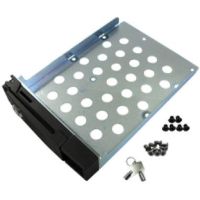
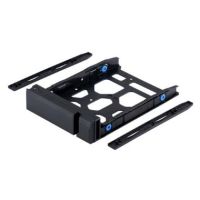
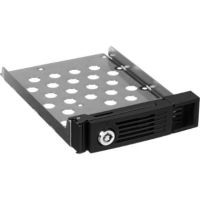
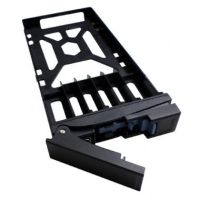
Buy Drive Trays & HDD Caddies for Enterprise Servers
A Drive Tray, also known as Drive Caddy, or Drive Sled, is a small metallic or plastic enclosure that is designed to hold a storage device (Solid-State Drives, Hard Disk Drives, or the like) and lets it to slide into the drive bay of a server, computer, or storage. These hard drive trays ensure that the SAS/SATA/NVMe connectors are positioned at the exact depth and angle that are needed for seamless connection with the backplane. Secondly, storage drive trays are designed to absorb vibration that is often responsible for the shorter lifespan of SSDs or HDDs. Thirdly, they help storage drives enjoy optimum temperature by routing airflow across the drive surface. Fourthly, they support ejection mechanisms through hot-pluggable design, allowing users to insert or remove them without any need to shut down the systems. In short, if you buy drive trays for enterprise servers, you can enjoy enhanced stability, ventilation, and secure installation, helping you improve the overall performance, lifespan, and usability of all kinds of storage drives. Therefore, you need to understand replacement drive trays, including their types such as HDD drive trays, SSD drive trays, SAS drive trays, SATA drive trays, and NVMe drive trays, so that you can choose the best storage drive trays tailored to your needs.
Drive Trays vs HDD Caddies:
Both hard drive caddies and drive trays are used to mount storage drives on laptops, desktops, servers, and storage devices. However, Hard Drive Caddies help users install a 2.5-inch hard drive or solid-state drive (SSD) into a 3.5-inch drive bay. They are effectively an adapter, proving extremely handy when users need to build a new system with limited space for storage or upgrade desktop computers.
Drive Trays, on the other hand, are devices that are deployed for physically securing a storage drive into standard bays. Unlike hard drive caddies, which come in standardized form factors and show compatibility with 2.5" to 3.5" dimensions, HDD and SSD drive trays are very specific, showing compatibility with a particular server brand or computer case design.
Types of Drive Bays:
Storage Drive Trays come in several categories, making them suitable for a specific set of users. Understanding their differences can help you make the right choice.
1- 3.5-Inch Drive Trays:
As the name indicates, 3.5-inch drive trays are precision-mounting solutions for 3.5-inch hard drives, designed to fit into drive bays of servers, laptops, and other devices. Drive bays are slots in computers that are built to hold a hard drive or other storage devices.
These are essential for maintaining enterprise storage hardware, which, if placed properly, ensures stability, ventilation, and secure installation, helping users enjoy optimum performance and protection of sensitive storage solutions. They are SAS and SATA drive trays for storage systems, supporting fitting into storage enclosures, servers, or PC cases.
Since they can hold 3.5-inch storage drives, they are built for capacity. They come in Large Form Factor or LFF, supporting large capacity 3.5‑inch SATA or SAS hard disk drive (HDD) or SSD. Depending upon the motherboard, RAID controller, or operating system, you can deploy them for as large as 32TB Hard Disk Drives or as low as 4TB or even lower.
3.5-inch storage enclosure drive trays are deployed in storage-intensive settings such as video surveillance archives, media libraries, object storage clusters, and backup repositories. You can find in the server drive carriers for enterprise storage solutions such as Supermicro 36-bay and 60-bay top-loading servers, HPE Apollo 4200, and Dell PowerEdge R740xd. Similarly, they can also be used to swap 3.5‑inch drives in and out of desktop cases or 5.25‑inch bays.
Nowadays, 3.5-inch drive trays come in a hybrid configuration. These enterprise storage drive tray solutions come with integrated 2.5"-to-3.5" adapter brackets, allowing users to fit 2.5-inch drive trays into 3.5-inch drive trays. You can thus deploy hybrid drive trays for adding Solid-State Drives to chassis that otherwise can only accommodate 3.5-inch replacement HDD carriers.
2- 2.5-Inch Drive Trays:
As name indicates, 2.5-inch Drive Trays or Small Form Factor (SFF) are mounting solutions that are built to hold 2.5‑inch SATA or SAS HDDs or SSDs and slide into a drive bay or slot in a laptop, server, desktop, or storage enclosure. These are high-quality server drive trays that feature a compact footprint, allowing users to add a significant number of drives in a single chassis. You can find them in various performance-driven workloads. For instance, users can deploy them for accommodating 10K and 15K RPM SAS hard drives, which are used for email servers, transactional databases, and virtualization hosts. Likewise, they are SSD drive trays for rack servers supporting the vast majority of enterprise SAS and SATA SSDs.
2.5-inch drives are used extensively in servers and rack-mount systems. You can use these enterprise rack servers to install SAS or SATA drives securely. These rackmount storage trays support advanced features as well, including LEDs for activity/fault indication. They are designed to support specific server generations of various brands, such as HP ProLiant G8/G9 and Dell PowerEdge.
Similarly, slim 2.5-inch disk drive caddies allow users to mount a second 2.5‑inch SATA SSD or HDD into the drive bays of laptops. Users can deploy them as a native internal drive for a second OS or storage and enjoy plug-and-play simplicity.
3- SSD Drive Caddies:
Solid-State Drive Caddies or SSD Tray and SSD Caddy are slim plastic and metal enclosures that are designed to hold 2.5‑inch SATA SSDs and slide them into drive bays of laptops, desktops, or servers. SSD Drive Trays feature 9.5 mm or 12.7 mm thick and come with universal SATA‑III adapters, allowing users to plug them into the motherboard.
SSD drive caddies are preferred for mission-critical workloads where sub-millisecond latency is required. For instance, SSD caddies for servers are deployed for write-intensive caching layers, high-frequency trading platforms, real-time analytics, and transactional databases.
There are multiple distinctions that make SSD drive trays different from HDD drive trays having the same form factor. First, SSD trays are paired with a backplane that comes with a high-speed interface such as 12Gb SAS or 24Gb SAS for SAS SSDs, or PCIe lanes for NVMe SSDs. Second, they have hot-swappable drive caddies for SSDs, allowing you to insert or mount a new drive without any need to shut down the systems. Third, they feature a different thermal design from that of HDDs. They also support plug-and-play simplicity, allowing users to install the whole unit like a normal drive; you don’t need extra cables or power adapters when you use them in laptops.
4- NVMe Server Drive Trays:
NVMe server drive trays are specialized and precision mounting solutions, allowing users to hold NVMe SSD Drives securely in storage arrays, enterprise storage, and servers. NVMe drive trays are cutting-edge tray solutions, enabling these Solid-State Drives or SSDs to communicate directly over PCIe lanes and bypass the SAS/SATA stack entirely. They are hot-swappable and tool-less drive trays, allowing users to easily remove or insert NVMe drives without any need to shut down the system.
Apparently, drive trays for U.2 or U.3 NVMe SSDs look similar to 2.5-inch SAS/SATA SFF trays; however, they come with a connector pinout inside that can support PCIe Gen3, Gen4, or Gen5 lanes. The backplane is thus capable of routing those lanes directly to the CPU's PCIe controller or through a PCIe switch. They can thus deliver faster data transfer rates and lower latency for enterprise workloads. More importantly, NVMe server drive trays are provided with a robust thermal management mechanism as they produce considerably higher heat than SAS SSDs.
What’s more, there are some advanced NVMe Trays that support EDSFF E1.S, E3.S, and E3.L form factors. The E1.S, E3.S, and E3.L trays have completely reshaped the NVMe tray designs. For instance, E1.S drive trays can hold vertical thin SSDs, allowing users to install 32 or more drives across a 1U server's front face. You can thus enhance the overall storage capacity of your servers considerably.
5- SAS & SATA Drive Trays:
SAS and SATA Drive Trays are the most common drive trays and caddies used in enterprise settings. SAS Drive Trays can hold enterprise-grade SAS hard drives and SSDs. They are used extensively in high-performance servers and storage arrays. Users can find SAS trays supporting the full range of SAS interfaces, including 3Gb (SAS-1), 6Gb (SAS-2), 12Gb (SAS-3), and 24Gb (SAS-4). However, it should be noted that the tray itself cannot determine the speed; in fact, the speed is determined by the drive, HBA/RAID controller, and backplane combination.
Likewise, SATA Drive Trays are designed for SATA HDDs and SATA SSDs. They are deployed widely in general storage applications, NAS devices, and entry-level servers.
Nowadays, manufacturers are coming up with dual-mode flexibility. Users can use the same SFF drive trays for a 15K RPM SAS drive or SATA SSD, or a 7.2K nearline SAS HDD without needing to change drive hardware.
How to Choose the Right Drive Tray & HDD Caddy:
You need to choose the right drive tray carefully in line with your workload, server, drive, and conditions inside the data center and other applications.
Here are some factors that you need to consider in the most suitable drive trays for enterprise servers and similar mission-critical applications.
1- Drive Size Compatibility:
Needless to say, the compatibility of drive size is one of the most important factors that you should look into. Typically, drive trays are designed to cater to the needs of 2.5-inch drives and 3.5-inch drives. Consequently, you can purchase 2.5-inch drive trays and 3.5-inch drives and Hard Drive Caddies that support installing 2.5-inch drives into 3.5-inch drive bays.
2.5-inch drive trays are often recommended for 10K and 15K RPM SAS HDDs, U.2/U.3 NVMe drives, and enterprise SAS/SATA SSDs. However, you need to look into drive height as well. Typically, you need to deal with 7mm slim drives, 9.5mm standard drives, and 15mm enterprise drives. It should be noted that 2.5-inch drive trays can support all these drives when it comes to width; however, they can accept varying heights. Therefore, you need to look at these aspects also.
3.5-inch drive trays are mainly for Large Form Factor (LFF) 3.5-inch storage drives. They are physically heavier and larger. You can not mount 3.5-inch drive trays on 2.5 drive trays. Nonetheless, the reverse is possible thanks to HDD caddies or HDD adapters. You also make sure that the drive's SAS/SATA/NVMe connectors are perfectly aligned with the exact depth and orientation expected by the backplane for enjoying performance.
2- Interface Support (SAS, SATA, NVMe):
The drive trays and Hard Caddies must feature a design that is compatible with the interface used by drives. Concerning this, you need to focus on SAS, SATA, and NVMe interfaces.
As far as SATA and SAS interfaces of SSDs and HDDs are concerned, both SAS and SATA drive trays come with the same SFF-8482 connector geometry. The same connector geometry enables the same drive trays to hold both SAS and SATA storage devices. Furthermore, you can use the same drive tray to use SAS HDDs today and upgrade your storage tomorrow to SATA SSD drives without changing the trays. What’s more, SAS and SATA drive trays support all variants of interfaces. They support a full speed range from 3Gb provided by SAS-1 to 24Gb delivered by SAS-4 interfaces.
NVMe is another interface type. NVMe SSDs demand a specialized tray type because they need a PCIe connection rather than traditional SATA/SAS pathways. For instance, U.2 NVMe drive trays are designed in a way to connect PCIe Gen3, Gen4, or Gen5 lanes to the backplane; later on, these lanes are routed to the CPU via a PCIe switch. Therefore, SAS/SATA trays and NVMe trays work in a completely different manner. Installing SAS/SATA drives in NVMe-only trays would not work at all.
To address these incompatibility issues, manufacturers have come up with innovative solutions: U.3 trays and backplanes. U.3 drive trays and backplane come with Tri-Mode technology that enables these drive trays to support SAS, SATA, or NVMe drives interchangeably. Users can find these trays extremely useful for a hybrid working environment where businesses need varying speeds and capacities of storage drives.
3- Server Brand Compatibility:
This is a very important factor that you must consider before making the ultimate choice. First and foremost, drive trays and caddies are not cross-band compatible. Server trays are most vendor-locked. Each manufacturer, including Dell, HPE, IBM/Lenovo, Cisco, Supermicro, and Fujitsu, designs proprietary trays. Even within a vendor, you need to change server drive trays for the next generation of servers. For example, a drive tray designed for holding a Dell PowerEdge R730 server cannot be deployed for Dell R740, let alone holding and sliding any generation of HPE ProLiant servers.
Therefore, you need to check the server's exact model, generation, and, more importantly, you should also confirm the original tray part number.
4- Cooling & Ventilation Design
Finally, the cooling and ventilation design of drive trays and HDD caddies is also crucially important. In high-density server settings, SSDs and HDDs generate a lot of heat that needs effective thermal management. Therefore, a drive tray with a well-designed cooling and ventilation mechanism can help you maintain proper airflow and allow users to prevent overheating within the servers.
In this regard, you should look into drive trays with adequate ventilation slots or perforations on the front bezel. Typically, OEM-compatible drive trays come with ventilation holes, mesh patterns, or airflow channels. These enterprise drive trays can thus maintain specified airflow rates when installed, and with the help of server fans, they can dissipate heat and ensure optimum and stable working temperature.
More importantly, never ignore the significance of filler caddies, which are deployed to fill empty bays. If these filler caddies are not employed to fill empty bays, it leads to disruption in the pressure differential across the chassis. Therefore, empty bays must contain filler caddies, and these caddies must be vendor-specific as they are not cross-brand compatible, similar to drive trays.
Applications of Drive Trays:
Drive trays and HDD caddies are deployed widely in various fields. For instance:
• Data Centers
• Enterprise Servers
• Cloud Storage Infrastructure
• NAS & SAN Systems
• Backup & Archiving Solutions
Benefits of Using High-Quality Drive Trays:
The deployment of high-quality drive trays can help users accrue multiple advantages. For example:
• Improved drive protection
• Easier maintenance and upgrades
• Reduced downtime in enterprise environments
• Better organization within the rack servers
• Enhanced airflow and thermal management
Why Buy Drive Trays from Kijero:
At Kijero, we promise effortless sourcing of drive trays and hard drive caddies at the market price. We provide genuine and high-quality trays from leading manufacturers across all generations and form factors. Thanks to ready stock for fast delivery, competitive pricing, expert compatibility guidance, and the most extensive product portfolio, Kijero has earned a unique name in the market, serving customers across the fields and domains.
Shop cutting-edge drive trays and caddies today and find your perfect fit in minutes.
Featured Products
Ubiquiti Networks UniFi 48-Port Gigabit PoE+ Compliant Managed Switch Call us for price
(669) 244-0333