

Chromebook
- USD 22.30
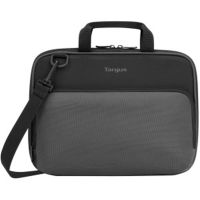
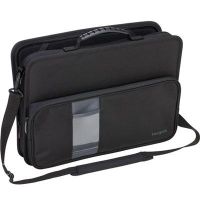
 Targus Work-in Essentials TED006GL Carrying Case for 11.6&qu...
 In Stock
Brand: Targus SKU: TED006GL Condition: NEW USD 22.3 - USD 25.75 Lenovo 4Z11D05519 300e/500e Chromebook Gen 3 and 300w/500w G... In Stock
Brand: Lenovo SKU: 4Z11D05519 Condition: NEW USD 25.75 - USD 27.88 Targus THZ973GLZ 11.6” Commercial Grade Form Fit Cover for... In Stock
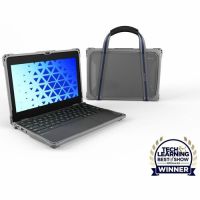
Brand: Targus SKU: THZ973GLZ Condition: NEW USD 27.88 - USD 28.24 MAXCases LNESF3100EG4GRY Extreme Shell-F3 Slide Case for 100... In Stock
Brand: Max Cases SKU: LNESF3100EG4GRY Condition: NEW USD 28.24 - USD 28.37 MAXCases LNESF3300EG4GRY Extreme Shell-F3 Slide Case for 300... In Stock
Brand: Max Cases SKU: LNESF3300EG4GRY Condition: NEW USD 28.37 - USD 37.61 Targus TKC001 Work-In TKC001 Carrying Case (Briefcase) for 1... In Stock
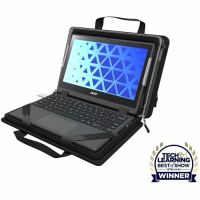
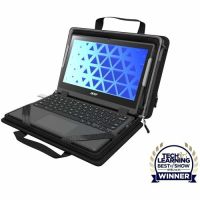
Brand: Targus SKU: TKC001 Condition: NEW USD 37.61 - USD 41.01 MAXCases MCEB5P11BLK Explorer 5 Work-In Case with Pocket for... In Stock
Brand: Max Cases SKU: MCEB5P11BLK Condition: NEW USD 41.01 - USD 42.40 MAXCases MCEB5P14BLK Explorer 5 Work-In Case with Pocket for... In Stock
Brand: Max Cases SKU: MCEB5P14BLK Condition: NEW USD 42.4 - USD 349.50 Lenovo 82W0001EUS 100e Chromebook Gen 4 - 11.6" - Media... In Stock
Brand: Lenovo SKU: 82W0001EUS Condition: NEW USD 349.5

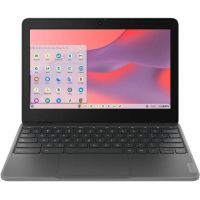
Buy Chromebooks Online – Student, Business & Touchscreen Chrome OS Laptops | Kijero
Shopping for a laptop? You have now ended up encountering one or more Chromebooks. What exactly is a Chromebook, and why should students, businessmen, and everyday users choose Chromebook laptops? Simply speaking, a Chromebook is a type of laptop that runs on Google's Chrome operating system (OS) instead of Windows. Chrome OS Laptops are built for mostly web browsing, and they are designed to get the most out of the Google Suite. For instance, Google Sheets, Google Drive, Gmail, and Google Docs come as built-in features, offering users instant access to these productivity apps. These budget-friendly laptops are for web applications, and they rely upon cloud storage; therefore, they store documents and files online rather than locally. Since Chromebooks don’t store data locally and they come with built-in browser and productivity apps, they are lightweight and faster to boot. They are comparatively cheaper, making a budget Chromebook suitable for students, business, and everyday use. Chromebooks are available in different types, including 2-in-1 Chromebooks, Chromebook Tablets, Gaming Chromebooks, and more. You need to understand their differences and the factors that you should bear in mind while shopping so that you buy the best Chromebook for your needs.
Types of Chromebooks?
Depending upon form factors and specific use cases, you can buy multiple kinds of Chromebooks from leading manufacturers, including ASUS, Dell, Lenovo, Samsung, Acer, Max Cases, Targus, Eaton, and the like.
1. Touchscreen Chromebooks:
Touchscreen Chromebooks come with responsive displays, allowing users to tap, swipe, and pinch directly on the screen. Users can thus enjoy a responsive experience similar to tablets or smartphones. They can deliver a seamless blend of portability and intuitive navigation. They are high-performance Chromebooks for work, making them suitable for browsing the web, streaming content, or managing daily tasks.
Nowadays, most mid-range and premium Chromebooks feature touchscreen displays, offering a versatile and interactive experience for users. For example, the IdeaPad Flex and IdeaPad Duet families of Lenovo, the HP Dragonfly Pro Chromebooks, Acer's Chromebook Spin family, the ASUS Chromebook Flip family, and Samsung's Galaxy Chromebook family are some Chromebook series that offer interactive and touchscreen displays.
2. 2-in-1 Convertible Chromebooks:
2-in-1 Chromebook Laptops are innovative Chromebook types that feature a 360-degree hinge or detachable design. Users can thus flip the screen all the way around, helping them to use convertible Chromebooks in four different modes: tablets, laptops, stand, and tent. Users can thus use one device for various use cases, for instance, laptop mode for typing essays, tend mode for watching movies, tablet mode for reading and drawing, and the like. You can thus use these Chromebooks for online learning, creative work, and similar tasks.
Some well-known 2-in-1 convertible Chromebooks are Acer Chromebook Plus Spin 714 Intel Core Ultra 7, Lenovo ThinkPad C13 Yoga Chromebook, Lenovo IdeaPad Duet Chromebook, ASUS Chromebook CX34 Flip, and Acer Chromebook Spin 311.
3. Budget-Friendly Chromebooks:
These are affordable Chromebooks that are designed to cater to the needs of users with a strict budget. The budget-friendly Chromebooks are provided with entry-level Snapdragon chips, Intel Celeron, and other processors. They also come with 4–8GB of RAM and 32–64GB of storage. The best budget Chromebook for students cannot handle heavy tasks or run demanding applications. However, students and other budget-conscious users can use them for emails, video calls, streaming, and web browsing.
Acer Chromebook Plus 514 is a budget-friendly Chromebook that comes with an Intel Core i3-N305 processor, 8GB RAM, a 14-inch screen, and a 1920 x 1080 resolution. Likewise, Lenovo Chromebook Duet 11″ Tablet, ASUS Chromebook CM30 Tablet, and ASUS Chromebook CM14 are often ranked as the best budget Chromebooks for students and everyday users.
Why Choose a Chromebook?
Over the years, Chromebooks have started to play an important role in various fields and applications.
Here are some compelling reasons why you should choose them for your tasks.
1- Fast Boost Time:
One of the most standout features of Chromebooks is their incredibly fast boot time. Thanks to the lightweight Chrome Operating System, Chromebooks take seconds to start working, unlike MacBooks and Windows-based laptops that have to undertake complex background processes to resume working.
Fast boost time makes Chromebooks extremely suitable for users who are rushing to a meeting or joining a class who can ill-afford a delay in the working of their laptops. The ultra-fast boost time, reaching as fast as 8 seconds, makes a lightweight Chromebook for traveling, meetings, and other assignments.
2- Cloud-Based Storage and Apps:
Chromebooks feature deep integration with web-based applications, including Gmail, Slides, Google Docs, and Google Drive. Therefore, your files and projects are automatically synced, and you can access them from anywhere and at any time. So, when your Chromebook is lost or destroyed, you don’t need to worry about it.
What’s more, Chromebooks are provided with multiple built-in apps such as Gmail, Calendar, Drive, Meet, Docs, Sheets, and Slides. You can also work on the Microsoft 365® app on a Chromebook for using Word, Excel, PowerPoint, OneNote, OneDrive, and Outlook. Similarly, you can also access photo and video-editing tasks, including Adobe Photoshop, LumeFusion, Clipchamp, and the like. Graphic designers can also use Chromebooks as they come with Figma, Clip Studio Paint Pro, and other apps. Video streaming platforms are also there including Netflix, Amazon Prime Video, Disney+, and Twitch. You can thus purchase a Chromebook for video meetings, schools, business, home offices, and homes.
3- Easy Security Updates:
This one of the best features of Chromebooks. They are provided with built-in antivirus protection, providing a reliable safeguard against nasty viruses sneaking in. You don’t need to install expensive third-party antivirus software systems as well.
In addition, security patches are updated in the background automatically, and you can install them with just a simple restart of the Chromebooks. More importantly, Chromebooks come with a feature known as “sandboxing”. This feature makes sure that each browser tab and app remains isolated, preventing malware from infecting the entire system.
4- Lightweight Design:
Chromebooks are thinner and lighter as compared to Window laptops and MacBooks. Chromebooks weigh less than 3 pounds. You can easily fit lightweight Chromebooks in your backpack and carry them around wherever you like. Therefore, Chromebooks are often recommended for students who need to move between classes and for any professionals who are often on the road.
In additional compact form factor, portable Chromebooks appear slim as well because they come with not much hardware. Even the budget Chromebooks feel snappy and responsive. In short, you can purchase a lightweight Chromebook for travel and remote work as well as online reading.
Shop Chromebooks for Every Need:
You can purchase Chromebooks to meet your specific needs. For instance:
1- Chromebooks for Students:
Chromebooks have become quite popular for students because they are affordable, portable, and feature web apps that are used for physical or online learning. Concerning this, you need to consider these specs to make sure that the intended Chromebooks serve the students' needs.
• Up to 10 hours battery life at least, ideally, a long battery life Chromebook laptop should last 12+ hours.
• Smaller screens (11.6 inches) Chromebooks are suited for younger students, and large-screen Chromebooks are recommended for high school and college students for research, multi-tasking, and writing.
• 8GB of RAM and a mid-range processor like an Intel Core i3, Pentium, or Ryzen 3 are recommended for high school and college students.
• 32GB to 64GB storage is sufficient for younger students, whereas 128GB storage is suggested for high school and college students.
• An 1080p webcam for online study, virtual classes, and videos is recommended.
• At least two USB-C ports and a USB-A port for older peripherals, and a headphone jack should also be looked into. Students can also choose a Chromebook with a microSD card slot for future expansion in storage.
• Advanced features in Chromebooks, such as stylus or pen support, convertible 2-in-1 design, anti-microbial keyboards, and privacy webcam shutter, can provide additional advantages for students.
Acer Chromebook Plus 514, Acer Chromebook Plus Spin 714, HP Chromebook 14a, Lenovo Chromebook Plus 14, Lenovo Chromebook Duet 11, Lenovo IdeaPad Flex 5i Chromebook Plus, and ASUS Chromebook Plus CX34 are some examples of Chromebooks that are often ranked as the best Chromebooks for students.
2- Chromebooks for Business Users:
For businessmen who need to perform various business tasks online while traveling, Chromebooks best serve them. Chromebooks are provided with top-notch management tools. Chromebooks for business are equipped with robust security features, including Verified Boot, automatic updates, and sandboxing, helping professionals protect their sensitive data.
More importantly, Chromebooks are built to work with the web version of Microsoft 365 and Google Workspace. Businesses can also enjoy seamless working experience with popular SaaS tools like Slack, Salesforce, and Zoom.
Here are some specs that you should look into while purchasing the Chromebook for business.
• A mid-to-high-tier processor like an Intel Core i5 or i7, AMD Ryzen 5 or 7, or a high-end Snapdragon chip.
• At least 8GB RAM; however, for heavy tasks, multi-tasking, and running multiple Android apps, you should go for 16GB RAM.
• Full HD (1920x1080) resolution on a 13–14-inch screen is a minimum requirement. You should also go for 2K resolution and an IPS panel for tasks like spreadsheets and design work.
• 10-hour battery life is a bare minimum; you should look into Chromebooks with 12-hour battery life.
• 1080p webcam (or better), noise-canceling dual microphones, and clear stereo speakers should also be on your checklist.
• For connectivity, at least two USB-C ports with Thunderbolt, one USB-A port for legacy devices, and WiFi 6E/WiFi 7 must be sought in any Chromebook for business.
• 128 GB SSD storage is a minimum business requirement. Preferably, you should go for 256GB or 512 GB storage if you are power users. NVMe SSD must be preferred to eMMC storage for faster performance.
• Advanced features like convertible 2-in-1 design, Smart card readers, and AI-powered features, including magic eraser, live translation, and Google Gemini Integration, are also becoming popular among businessmen.
Chromebook Duet Gen 9 (11″ MediaTek), Asus Chromebook Plus CX34 (2025), CTL Chromebook Plus PX141GXT, Google Chromebook Plus, and Lenovo Chromebook Plus 14 are often regarded as the best Chromebooks for businesses.
Shop Chromebooks by Features:
In addition to specific use cases, you can also purchase Chromebooks by features, allowing you to meet your particular uses and preferences.
1- Chromebook with SSD Storage:
Chromebook featuring SSD storage can give you multiple advantages, such as fast boot time, snappier file transfer, and ultra-fast app launches. SSD Chromebooks are suitable for users who need to transfer large files and engage in heavy multitasking. They are also recommended for installing multiple Android apps, running Linux development environments, or storing substantial offline content.
Typically, low-range Chromebooks are equipped with slower eMMC SSD storage, though it is sufficient for basic tasks. Mid-range and high-end Chromebooks feature NVMe M.2 or removable M.2 2242/2280 SSDs.
ASUS Chromebook Plus CX34, Acer Chromebook Spin 714, Lenovo IdeaPad Flex 5i Chromebook, and HP Dragonfly Pro Chromebook are often ranked as the best Chromebook laptops with SSD storage.
2- Chromebooks with Long Battery Life:
Thanks to ChromeOS's efficient and lightweight design, Chromebooks come with longer battery life than MacBooks and Windows-based laptops. Chromebooks can support up to 10-12 hours of real-world battery life performance. What’s more, premium Chromebooks can provide up to 14 hours of battery life. Therefore, long battery life Chromebook laptops are often suggested for students and remote workers who cannot access a power outlet.
Concerning this, you are suggested to look for Chromebooks with larger battery capacities (50Wh or higher), efficient processors including Snapdragon or newer Intel chips, and support for fast charging.
Asus ExpertBook CX54 Chromebook Plus, Acer Chromebook Plus 514, Lenovo IdeaPad Duet 5 Chromebook, Lenovo IdeaPad Slim 3 Chromebook, and Asus Chromebook CM34 Flip are recommended as the best Chromebooks with long battery life to meet your varying needs.
3- Fast Performance Chromebooks:
If you are looking for high-performing Chromebooks for demanding applications, smooth multitasking, and supreme responsiveness, you should go for Chromebooks featuring Intel Core i5 or i7 processors, AMD Ryzen 5 or 7 chips, 8 GB to 16GB of RAM, and fast NVMe SSDs.
Chromebook Plus is one such model that meets the requirements of high-performing Chromebooks. Other notable examples are Lenovo Chromebook Plus 14, Acer Chromebook Plus Spin 514, ASUS ExpertBook CX54 Chromebook Plus, Samsung Galaxy Chromebook Plus, Lenovo Chromebook Plus 2-in-1, and Acer Chromebook Plus Spin 714.
Popular Chromebook Brands
• Acer Chromebooks
• HP Chromebooks
• Lenovo Chromebooks
• ASUS Chromebooks
• Samsung Chromebooks
Why Buy Chromebooks from Kijero?
At Kijero, we bring the most competitive price on the whole range of Chromebooks from leading brands, including Lenovo, Dell, ASUS, Samsung, and Acer. Our product selection is quite wide, featuring hundreds of Chromebooks to meet the needs of every kind of user, be it students, remote workers, and businessmen, to name a few. Kijero also prides itself on offering one of the most reliable shipping services, delivering your product to your doorstep in the quickest possible timeline.
Contact us today and enjoy unbeatable prices, a wide product selection, award-winning customer support, and lightning-fast delivery.
Featured Products
Ubiquiti Networks UniFi 48-Port Gigabit PoE+ Compliant Managed Switch Call us for price
(669) 244-0333