Equinox
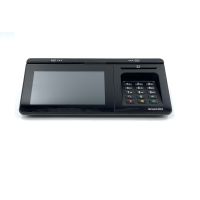
- USD 0.00Equinox Payments Luxe 8500i Transaction Terminal Touch Scree...
Out of StockBrand: Equinox SKU: 010390-002E Condition: NEW Call us for price(669) 244-0333
- USD 77.01Equinox Payments Luxe 8500i Transaction Terminal Touch Scree...
In StockBrand: Equinox SKU: A10390-501E Condition: Plain Box USD 77.01
Keyboard Drawers & Under Desk Keyboard Trays – Ergonomic Workspace Solutions
In this age of digital transformation, it has become a necessity to sit in front of computers for hours, whether for a job or for a hobby such as gaming or writing. This long period of working with keyboards can cause serious medical problems, putting the wrist and neck under severe strain and adversely impacting productivity. Keyboard drawers and under-desk keyboard trays are designed to address this problem. They help users find a comfortable angle when typing on top of their desk.
Keyboard drawers enable users to sit in a neutral and healthy posture, allowing users to use the keyboard and mouse in a more ergonomic position. Consequently, a well-designed under-desk keyboard tray and drawers help users avoid carpal tunnel syndrome, neck and back pain, and other musculoskeletal issues. These are precisely the reasons that various manufacturers are coming up with ever-ergonomic designs of these support structure such as sliding keyboard drawer, adjustable keyboard tray, and office keyboard drawer. Now, they are used in various settings, including office desks, home setups, professional workstations, gaming, call centers, school and libraries, and more.
Let’s discuss these crucial ergonomic support devices in depth so that you can make a better and well-informed decision regarding how to choose the best ergonomic workstation solution.
1. Keyboard Trays vs. Keyboard Drawers?
Both keyboard drawers and trays are ergonomic accessories, designed for under-desk positioning of keyboards. Though they are often used interchangeably, there are some subtle differences that users need to know before making an ultimate purchasing decision.
|
|
Keyboard Drawers |
Keyboard Tray |
|
Adjustability |
Basic height and depth adjustability, focused more on pull-out/in. |
Height, tilt (negative tilt), swivel, and they even feature a lateral track for more ergonomic positioning |
|
Space-saving |
They offer more space-saving solutions suitable for cluttered or shared desks. |
A decent space-saving option, they can retract, but protrude slightly without full enclosure. |
|
Ergonomics |
Supports neutral wrist position when extended, offers fewer tilt options |
Offers excellent customization options, for instance, 11-15° negative tilt, and mouse integration |
|
Installation |
Easy to install, screw/clamp under the desk, |
All models require a drill to attach |
|
Best Use Cases |
More suitable for occasional use, standard desks, and clean storage |
For precise posture needs, sit-stand setups, and prolonged typing |
2. Why Do You Need an Ergonomic Keyboard Drawers and Under-Desk Keyboard Trays
Here are some compelling reasons why you should purchase a well-designed keyboard drawer or trays.
• Improved Ergonomics:
Ergonomics is one of the biggest advantages of installing these support devices. They deliver a comfortable typing experience by lowering your typing height, adjusting for a comfortable wrist position, keeping your mouse and keyboard on the same level, reducing strain on your shoulder and neck, and maintaining a neutral position throughout the day.
Carpal Tunnel Syndrome is a serious medical problem when you sit in front of computers with any regard for ergonomic and neutral positioning. Similarly, slouching, leaning forward, or hunching over while working on desk can also cause stiffness, tension, and achiness in the neck, shoulder, and back. A well-designed keyboard tray or drawer can help you avoid all of these problems.
• Enhanced Desk Space:
Space-saving is another benefit. A keyboard drawer or tray allows users to move the keyboard from the desk, freeing up valuable space for monitors, documents, and accessories.
• Better Cable and Workspace Management:
Keyboard drawers and trays are designed in a way to help users organize their workspace. Users can better place their accessories, converting their workspace into an enabling and productive setting. Users can also manage cabling well, reducing clutter and generating a focused working atmosphere.
3. Features to Consider When Buying a Keyboard Drawer/Ergonomic Keyboard Tray:
Here are some factors that help you decide how to choose the best ergonomic keyboard drawer or tray.
• Select the Suitable Keyboard Tray/Drawer Styles:
Workstation configurations should be known first before choosing a keyboard drawer or tray. Usually, you end up having a corner computer desk, a standard straight office desk, or an L-shaped workstation. You should choose the style of keyboard trays accordingly.
For instance:
There are three types of keyboard trays: wall-mounted, under-desk, and chair-mounted.
Under-desk trays are the most common. They are provided with a range of systems for attachment to the lip or underside of the desk.
Wall-mounted trays are suitable for non-standard office desks, for instance, circular or standing desks. You should go for these trays if you have to work in these settings.
Chair-mounted trays are designed to attack with arm or the central post of the chair. They are more suitable for users who lean back when at their desk. You should consider buying wireless keyboards or a mouse when you plan to deploy chair-mounted keyboard trays.
• Choose the Right Platform:
Before you start exploring various options of ergo keyboard drawers or trays, you need to choose the platform carefully.
Concerning this, you need to choose one of three platforms:
• Standard Size Platform:
Standard-size platforms are designed to house a keyboard and mouse comfortably. They can reduce wrist pain and provide enough space for natural wrist movement. They are compatible with standard deskspace.
• Large-Size Platform:
Large platforms are suitable for users who love to maintain a larger space for additional accessories and a typing area. They can accommodate keyboard, mouse, wrist rest, writing pad, and more.
• Compact Size Platform:
These platforms are more suitable for a smaller setup and for users who want to focus solely on keyboard usage. They are designed to provide a snug fit for the keyboard, allowing users enjoy maximized space while experiencing ergonomic positioning.
• Watch Out for the Tray's Attachment
The attachment mechanism of the tray determines how securely and comfortably the key can be fitted to your desk. Needless to say, you should watch the attachment of keyboard trays carefully.
There are two types of attachment mechanisms:
• Screw-On Attachment:
Screw-on attachment involves fastening keyboard trays to the underside of the desk with screws. It is a permanent mounting solution that is recommended for heavy-duty usage or when users need a stable platform for mission-critical tasks.
• Clamp-on Attachment:
Clamp-on keyboard trays come with adjustable clamps, allowing users to attach the trays to the edge of the desk securely. Clamp-on attachment mechanisms are a versatile mounting solution, making them compatible with different desks. Users can enjoy a flexible and adjustable mounting solution without any need for drilling or permanent deployment.
• Look for Adjustability:
Keyboard trays are adjustable in multiple ways, delivering more ergonomic positioning and a comfortable typing experience.
For instance, you look into:
• Sit-Stand is a specialized height adjustment, allowing users radically change the height for use when they are sitting or standing. However, this height adjustment comes with a very steep price.
• Lift-and-lock utilizes a knob for angle adjustment, supporting lifting and locking the tray where users want it.
• Drawers enable users slide the tray keyboard forward and backward. Users can thus match the distance of their chairs, stashing the tray away when it is not needed.
• Knobs are the most common method of adjustment. One knob is for height, and another is for angle adjustment.
Adjustability can be of various types, such as tilt adjustability and swivel adjustability. Tilt adjustability is a slight negative tilt resulting into keyboard sloping downward away from you, reducing wrist pain. You should also look for keyboard trays that support positive tilt, negative tilt, and negative tilt. Swivel adjustability supports left or right rotation, helping users ensure fine tune the alignment, improve typing experience, and decrease shoulder rotation, further enhancing the overall ergonomic level.
• Don't Forget the Slides:
You should also look for slides of keyboard trays because they play a key role in functionality and durability. The high-quality slides ensure that your trays will last for years.
Here are some factors that you should consider when choosing an ergo keyboard tray.
• Weight capacity:
You should look into the weight capacity of slides to determine how much weight they can support for accessories. Slides with higher weight capacity ensure durability and longevity.
• Smooth Glide Movement:
Keyboard trays with smooth glide movement support easy adjustment without resistance or sticking. This feature helps users place the tray precisely where they need it for a more ergonomic working experience.
• Looking Mechanism:
Looking mechanisms place trays securely where you like, preventing accidental movement, ensuring stability, and reducing risks of shifting and sliding of trays while working.
• Look for Wrist Support:
Some manufacturers come with keyboard trays equipped with padding stuffed with foam or gels. You can rest your wrist when not working, further enhancing the overall comfort provided by ergonomic keyboard drawers or trays.
4. Types of Keyboard Drawers and Under-Desk Keyboard Trays:
Here are some types of keyboard drawers and under-desk keyboard trays that you should consider carefully before making an ultimate decision.
• Standard Under-Desk Keyboard Drawer:
It is a classical and standard under-desk drawer, supporting direct mounting under the desk and in and out smooth slides. Key features of these keyboard drawers include a fixed height tray, a simple slide mechanism, and a space-saving design, making them the best keyboard drawer for an office desk available in the market. They are suitable for home offices and general typing tasks.
• Clamp-On Keyboard Trays:
These keyboard trays support direct attachment to the front edge of your desk via an adjustable clamp. They are recommended for users who don’t want to drill in their desks, small workspaces, and home offices. Clamp-on keyboard trays don’t require any installation and are very easy to reposition or move, making them suitable for shared workstations and rented workspaces.
• Full-Size Keyboard Drawer with Mouse Platform:
Keyboard drawers with mouse platforms are provided with a dedicated mouse platform. They come with a built-in mouse pad area and extra surface for ergonomic mouse placement. They are often adjustable, providing flexibility for users to work with various sizes of desks.
• Floating/Ergonomic Keyboard Tray:
These are specialized and purpose-built ergonomic trays that support tilting, pivoting, or floating with movements to reduce strain. They feature a floating arm or pivot mechanism, adjustable tilt, and rotation. They are provided with wrist support.
Floating keyboard trays are smaller in size, making them extremely space-efficient and suitable for laptops, compact keyboards, and a minimalistic setup.
• Heavy-Duty Keyboard Drawer
These are purpose-built keyboard drawers that are made of reinforced hardware and durable materials. They can support heavier keyboards and accessories. They are provided with strong metal slides and a wider platform, making them suitable for corporate offices, industrial workstations, and multi-user environments.
5. Keyboard Drawers for Different Work Environments:
Here is our recommendation when it comes to the best ergonomic keyboard drawers and space-saving keyboard trays in 2026.
• Best Keyboard Drawers/Trays for Home Offices:
There are multiple options in the market; however, the BONTEC Under Desk Tray is often ranked as one of the best solutions when it comes to home offices. It is provided with advanced features including a C-clamp mount, holding for keyboard/mouse, and an adjustable angle for comfort.
• Best Keyboard Drawers/Trays for Corporate Workstation:
Uncaged Ergonomics KT3 is ranked as the best keyboard drawer system for a corporate workstation. It features track-mounting and ultra-stability with precise tilt/height, making it suitable for professional corporate settings.
• Best Keyboard Drawers/Under Desk Trays for Gaming:
Mount-It! MI-7147 is dubbed as the best available keyboard drawer solution for demanding tasks like gaming. It features a 26x12-inch surface, clamp-on ease, and ergonomic drop for wrist relief.
FAQs:
1- How hard is it to install a keyboard tray?
It depends upon the method of installation and initial assembly. Simpler under-desk trays support a simple installation involving only twist knobs to tighten against the lip of the desk. There are some trays also that demand a sizable collection of pieces and parts, and drilling into desks.
2- What tools are required for installation?
It also depends upon type of keyboard drawers or trays. Normally, you need Phillips screwdriver, a power drill with a 3/32-inch bit, a tape measure, a level, a pencil, and painter's tape.
3- How do I choose the right size?
You need to measure your keyboard and mouse width to ensure the tray is wide enough. Standard trays typically take 22 inches of unobstructed under-desk clearance.
4- What is the best keyboard drawer for a home office?
Under normal conditions, adjustable under-desk keyboard drawers, clamp-on keyboard trays (no drilling), and compact trays with mouse platforms are recommended for home offices.
5- Can gamers use keyboard drawers?
Gamers must use keyboard drawers, and they are often recommended to deploy heavy-duty or ergonomic keyboard drawers with smooth motion and stable platforms.
Why Shop Keyboard Drawers from Kijero?
Kijero is a leading IT firm specializing in offering ergonomic accessories and peripherals along with standard IT products and equipment. Our product portfolio is quite extensive, covering ergonomic keyboards, ergonomic mouse, ergonomic keyboard drawers, under-desk keyboard trays, and more. Our specialty lies in offering high-quality products at the best price available in the market.
Contact us today and boost your productivity with our comprehensive range of ergonomic accessories, including keyboard drawers and keyboard trays.