

Standby UPS
- USD 119.95

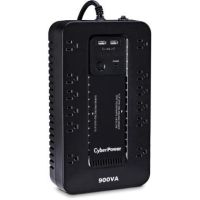
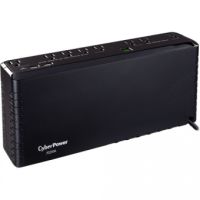
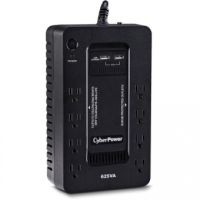
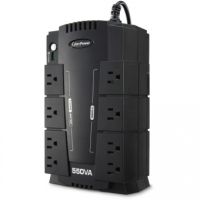
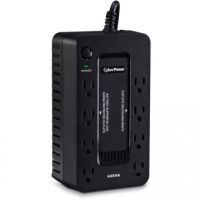
 CyberPower ST900U 12-Outlet Standby UPS
 In Stock
Brand: CyberPower SKU: ST900U Condition: NEW USD 119.95 - USD 103.44
- USD 91.94
- USD 89.64
- USD 68.94
Best Standby UPS Battery Backup Systems for Home & Office | Affordable Power Protection
We are living in a digital world where reliable and uninterrupted power is essential for homes, offices, small businesses, and larger organizations. However, a power outage is not the only issue that users experience. Detectable power outages account for a smaller part of power disturbances. Incoming utility power often comes with surges, sags, electrical noise, harmonics, load fluctuations, and other interferences. Therefore, even under normal conditions when there is no storm, lightning, earthquakes, or flood, your IT equipment continues to be affected by wide-ranging power disturbances that can prove quite damaging to your devices. Therefore, you need an Uninterruptible Power Supply Unit or UPS that can provide both power backup and power conditioning.
Though you can purchase various types of UPS systems available in the market, including Line-Interactive UPS and Double Conversion UPS, Standby UPS models, also known as offline UPS systems, are in high demand due to several compelling reasons. However, you need to understand the ins and outs of these Standby UPS battery backup solutions so that you can purchase the best UPS battery backup for your homes and offices.
Let’s discuss Standby UPS systems.
What Is a Standby (Offline) UPS?
Standby UPS or Offline UPS models are entry-level UPS systems, designed to provide a basic level of power backup. They are called offline because when IT equipment is connected to an offline UPS system, it receives power directly from the input utility supply. The inverter remains offline, making sure that these UPS systems can accept a range of power anomalies without switching to backup batteries.
The inverter, responsible for converting DC power of batteries into AC, in Standby UPS systems, is activated only when there is a power failure. So, in case of a power outage, connected devices are automatically connected to the battery output through the transfer switch, providing a basic level of power backup. Normally, there is a 6-8 millisecond break in power when UPS activates backup battery power.
Standby UPS topology can protect from most power spikes by clamping down on excess voltage and help ride out more than 90% of all outages.
This basic UPS power supply is recommended for devices under 1500VA, such as small offices, personal home computers, and other less critical applications. Therefore, if you are looking for a home UPS backup, a desktop UPS battery, a small office UPS, a UPS for PC backup, or a UPS for routers and modems, a standby UPS must be your first choice.
How a Standby UPS Works:
The standby or offline UPS technology is the most basic and budget-friendly UPS solution, offering reliable power backup and a moderate level of protection against voltage fluctuations.
Here is a working method of low-cost UPS systems.
1. Normal Mode:
Under normal conditions, when the power supply is stable, the connected load is supplied with power directly from utility sources. The battery and inverter remain idle; however, a built-in charger makes sure that the internal battery remains charged so that backup power can be supplied instantly. Some standby UPS models support basic EMI/RFI filters and surge protection inside the UPS, offering light voltage‑regulation filtering, smoothing out minor sags and surges without switching to battery.
2. Battery Mode During Outage:
Offline UPS systems start providing backup power as soon as power is dropped, surges, or is stopped completely. Under these conditions, the connected load is connected to the battery backup. The battery produces DC power that is converted into AC output at the same voltage and frequency as that of utility power. The output is normally Stepped or Simulated Sinewave; however, some high-end Offline UPSs provide Pure Sinewave Output as well for sensitive equipment.
The AC power generated by the inverter is thus supplied to critical equipment like computers, routers, and POS systems, making sure that users have sufficient runtime for proper and graceful shutdown of the devices.
The runtime provided by Offline UPS models depends on the total load and battery capacity. Typically, a consumer-grade or budget offline UPS system can provide a runtime of a few minutes to ensure a safe shutdown.
3. Automatic Switching Process:
This is a key feature of standby UPS systems. They come with a transfer switch that can detect a power disruption and automatically connected load to backup batteries. Standby UPS systems take some time to transfer power from the utility to battery power; however, the transfer time is minimal, making them suitable for non-critical loads such as small homes and office applications.
When grid power is stabilized, USP reconnects the load again to utility power, returning the inverter to standby conditions, and restarting the charging of batteries.
4. Surge Protection Mechanism:
Though offline UPS systems are designed to provide a basic level of power backup, some advanced models also support built-in surge protection to safeguard electronics. For instance, they can use components like Metal Oxide Varistors (MOVs) to absorb excess voltage, thereby protecting against power surges, voltage spikes, and lightning-induced power fluctuations.
Before we move ahead to highlight the salient features and benefits of Standby UPS systems, it would be pertinent here to have a brief overview of all UPS topologies available in the market.
Standby vs Line Interactive vs Double Conversion UPS Systems:
|
Features |
Standby UPS |
Line-Interactive UPS |
Double Conversion UPS |
|
Transfer Time |
2-10 ms |
Minimal |
0ms |
|
Voltage Regulation |
Basic |
Good |
Perfect |
|
Power Conditioning |
Basic protection |
Moderate protection |
Complete protection |
|
Power Efficiency |
Highest |
Higher |
Lower |
|
Cost |
Lowest |
Moderate |
Highest |
|
Application |
Home Use, Non-Critical Applications |
Business Applications |
Mission-Critical Applications |
Key Features of Standby UPS:
Offline UPS systems are designed to provide cost-effective battery backup and surge protection for desktop computers, workstations, networking devices, and home entertainment systems.
Here are some features that you need to know for making the right choice regarding
1- Battery Backup During Power Failure:
This is the key feature of these home UPS systems. They provide reliable power backup in the event of a blackout or severe undervoltage. They immediately switch load from utility power to batteries when they notice a disruption in power supplies. They can provide sufficient runtime for safe shutdown of devices such as PCs, WiFi routers, small servers, or POS systems.
2- Surge and Spike Protection:
Standby UPS systems are provided with built‑in surge suppressors (often MOV‑based), clamping down high‑voltage transients such as lightning‑induced spikes or grid switching surges. More importantly, these surge suppressors can work offline, protecting connected loads from surges and spikes without resorting to battery mode. Users can thus get longer battery life and lower replacement costs.
3- Compact & Affordable Design:
Standby UPS Battery Backup solutions come in a very compact design as they feature the simplest UPS topology. They are designed to provide power directly from the utility, and the inverter is activated only when there is a major power disruption. This simple design makes them lighter, compact, and more affordable than Line-Interactive or Double Conversion Online UPS models.
4- Simulated Sine Wave Output:
These are mini-UPS backups that produce simulated or stepped sine wave output. They utilize pulse wave modulation to create a stepped, approximated sine wave, making as cost-effective battery backup power for equipment that does not require sine wave output. It should be noted that stepped sinewave output may cause problems for active‑PFC PSUs or sensitive equipment, where Pure Sinewave Output provided by line-interactive UPS systems should be preferred.
Simulated Sinewave and Pure Sinewave are different outputs, recommended for specific applications. For instance:
|
Features |
Simulated Sine Wave |
Pure Sine Wave |
|
Waveform quality |
Approximated or stepped waveform |
Smooth, clean, and similar to utility power |
|
Performance |
Less stable, may cause overheating or buzzing |
Stable and efficient performance |
|
Compatibility |
May have some issues with sensitive or modern devices |
Compatible with all types of devices, particularly suitable for sensitive equipment such as computers, servers, and laptops |
|
Noise Level |
Can produce audible noise and heat |
Minimal noise and heat generation |
|
Equipment lifespan |
May reduce lifespan |
Extension in lifespan |
|
Efficiency |
Reduced with potential heat loss |
Optimum power transfer |
|
Stability |
May causing buzzing |
Excellent for all loads |
|
Ideal for |
Basic electronics like fans, lights, and simple PCs |
Servers, medical equipment, gaming PCs, networking devices |
5- USB Charging Ports:
Some advanced Standby UPS systems, such as CyberPower Standby UPS models, are provided with front‑panel USB‑A or USB‑C ports. These ports can draw power from the internal 5 V DC or battery system. You can thus charge phones, tablets, or small gadgets during an outage without taxing the main AC load. However, it may cause a slight reduction in backup time for the main load.
Benefits of Using Standby UPS:
Similar to other UPS types, including Line-Interactive UPS and Double Conversion UPS, Standby UPS systems also offer multiple practical benefits for users. For instance:
• Prevention of Data Losses:
This is an important benefit of these desktop PC UPS solutions. In case of a power failure or a sudden voltage drop, offline UPS systems switch the connected load to battery backup. In this way, they provide sufficient runtime for users to shut down their systems gracefully. This safe shutdown reduces stress on hardware and minimizes the chances of a forced shutdown.
• Protection of Hardware from Damages:
Since Offline UPS systems support safe shutdown through immediate switching to backup battery power, they help protect hardware equipment from various power disturbances, including power surges, spikes, and voltage fluctuations. Users can thus protect sensitive internal equipment from unstable electricity that may prove quite devastating and harmful.
• Cost-Effective UPS Solution:
Since standby UPS models come in a simple UPS topology, this makes these UPS comparatively cost-effective and affordable. In addition to lower upfront cost, they also have lower operating costs than line-interactive or online UPS types. Typically, they come with high efficiency since the inverter activates only on failure.
• Easy to Install and Use:
These basic UPS power supply models are effectively plug-and-play budget UPS solutions. You don’t need specialized technical knowledge for their installation, and they also support automatic operation during power interruption.
Buying Guide for Standby UPS:
Choosing the right standby UPS requires a deeper understanding of our power needs, usage, and essential features.
Below is a detailed discussion that can help you make a well-informed decision regarding which standby UPS best meets your needs.
1- Power Capacity:
Needless to say, this is the first and foremost requirement that you need to determine. Concerning this, you need to make sure that the Standby UPS that you are purchasing can meet your current and future needs.
• First, you need to start by calculating the total power consumption of all connected devices (in watts).
• Second, add extra capacity (10–20%) for future expansion and to avoid overload issues.
• Now, choose a UPS that can meet your total Watt/Va requirement.
2- Runtime Requirement:
Simply speaking, runtime, often measured in minutes, is the amount of time a UPS can provide for the safe shutdown of devices and systems. It is determined by battery capacity and connected load; however, External Battery Modules or EBMs can also be added to enhance the runtime.
Here are some recommendations regarding how much runtime you need for your needs.
• 5–10 minutes: Safe shutdown (home/office PCs)
• 15–30 minutes: Short outages (Wi-Fi, routers)
• 30+ minutes: Requires larger UPS or external batteries
• 1+ hours: for mission-critical servers.
3- Number & Type of Outlets:
You need to count how many devices you need to connect. Concerning, you need to ensure that your sinewave UPS has the following types of outlets:
• Battery + Surge Outlets are designed to offer power backup during outages, making them suitable for critical loads.
• Surge-Only Outlets provide only protection. They don’t offer power backup, making them suitable for non-critical loads.
4- Brand Comparison:
CyberPower and APC are mostly two brands when it comes to standby UPS systems in the market. CyberPower Standby UPS models are budget-friendly and feature a compact design. They offer decent efficiency, making them suitable for non-critical connected loads. APC Standby UPS units offer higher power efficiency and longer runtime as compared to CyberPower. However, they are comparatively costly and recommended only for premium reliability.
5- Warranty & Safety Features:
You need to choose an offline UPS with at least 3 years of warranty. For instance, CyberPower Standby UPS models offer up to 3 years of warranties covering batteries and other parts. Similarly, you should also look for AVR (automatic voltage regulation), surge protection (1000+ joules), and UL certification for safety.
Additionally, GreenPower UPS™ High-Efficiency design can help you reduce power consumption.
FAQs:
1- What is the typical life of a standby UPS?
Battery and operating conditions influence the overall life of a standby UPS. However, under the condition of reasonable use and regular discharge for maintenance once a month, it can be used for 5 to 8 years.
2- How fast does a Standby UPS switch to battery power?
A typical Standby UPS takes 2 to 10 milliseconds after detecting a power failure, which is unnoticeable for most equipment.
3- What devices can a Standby UPS support?
A standby UPS is suitable for the following devices:
• Desktop Computers
• Home Networking
• Home Theater Equipment
• Personal Electronics
• Routers & Modems
• VoIP Phone Systems
• Workstations
4- Can a Standby UPS run heavy equipment?
No, Standby UPS is not recommended for heavy or sensitive equipment like servers, medical devices, or industrial machines.
5- Does a Standby UPS protect against power surges?
Yes, some standby UPS models support surge and spike protection to safeguard connected devices from sudden voltage increases.
Why Buy Standby UPS from Kijero:
Kijero has long served its valued customers and supplied them with cost-effective IT hardware. We deal in a full portfolio of ICT hardware and IT services, including but not limited to all kinds of APS UPS, such as Standby, Line-Interactive, and Double Conversion Online from leading brands including CyberPower, APC, and more.
Additionally, our tech experts provide IT services, including solution designs for helping you access the most suitable UPS hardware customized to your needs and budget.
Contact us today and elevate your UPS experience to the next level at the best price in the market.
Featured Products