

SATA Adapter
- USD 30.65

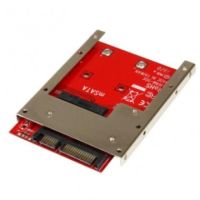
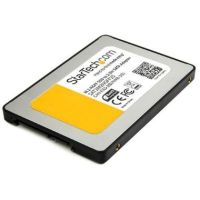
 StarTech mSATA SSD to 2.5in SATA Adapter Converter - SAT32MS...
 In Stock
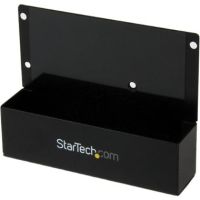
Brand: StarTech SKU: SAT32MSAT257 Condition: NEW USD 30.65 - USD 36.13 StarTech SATA to 2.5" or 3.5" IDE Hard Drive Adapt... In Stock
Brand: StarTech SKU: SAT2IDEADP Condition: NEW USD 36.13 - USD 0.00 StarTech M.2 SSD to 2.5" SATA III Adapter - SAT2M2NGFF2...
 Out of Stock
Brand: StarTech SKU: SAT2M2NGFF25 Condition: NEW Call us for price(669) 244-0333
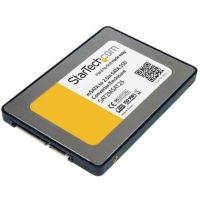
- USD 0.00 StarTech 2.5" SATA to Mini SATA SSD Adapter Enclosure (...Out of Stock
Brand: StarTech SKU: SAT2MSAT25 Condition: NEW Call us for price(669) 244-0333
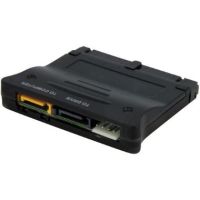
- USD 0.00 StarTech Bi-Directional SATA/IDE Adapter Converter (Black) -...Out of Stock
Brand: StarTech SKU: PATA2SATA3 Condition: NEW Call us for price(669) 244-0333
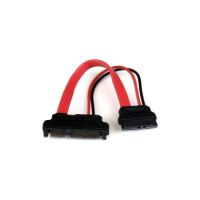
- USD 0.00 StarTech 6in Slimline SATA to SATA Adapter with Power - F/M ...Out of Stock
Brand: StarTech SKU: SLSATAADAP6 Condition: NEW Call us for price(669) 244-0333
Buy SATA Adapters Online – SATA to USB, IDE & SSD Converter Solutions
SATA hard drive adapters are hardware devices designed to connect your storage devices, such as HDDs and SSDs, to your PCs or other systems through various interfaces. SATA drives are popular among IT professionals and everyday users for multiple reasons, including but not limited to plug-and-play simplicity, broad compatibility, compact form factor, fast data transfer rate, and versatility across multiple device interfaces. Therefore, it is not surprising at all that SSD SATA adapters and HDD SATA adapters are now considered the backbone of modern IT infrastructure, used widely for upgrading storage, data transfer, backup, and recovery tasks. Given their importance in modern storage infrastructure, you need to choose SATA adaptors carefully that warrant a deeper understanding of their functions and types, such as USB to SATA adapter, USB-C to SATA adapter, SATA to USB cable, and multi-interface adapters (USB 3.0 + Type-C), and more.
What is a SATA Adapter?
Simply speaking, SATA adapters are hardware devices that allow users to connect a SATA storage device, such as Hard Disk Drive (HDDs) and Solid-State-Drive (SSDs), to a PC or other systems that don’t come with a SATA port.
SATA adapters and SATA cables are two different devices. They are different in many ways.
SATA cables are just passive wires, designed only to transmit data and power between two SATA-compatible devices.
A SATA adapter, on the other hand, is provided with a controller chip that converts the SATA interface into a different interface. In other words, they convert one connection standard, say USB, to another, such as SATA. They make sure that a non-SATA device can communicate with a SATA device.
SATA cables are used almost exclusively for permanent internal installation of HDDs or SSDs inside a PC. Users can only use SATA cables when both ends of the connection are SATA-compatible. You need two SATA cables when you want to install a storage device permanently. A SATA Power Cable that carries only electricity from the Power Supply (PSU) to the storage device. A SATA Data Cable that connects a SATA drive to a SATA port on the motherboard. It carries only data.
SATA adapters are deployed to connect storage devices externally. More importantly, some SATA adapters, such as USB-to-SATA adapters, combine data and power into a single cable.
How SATA Adapters Convert Internal Drives to External Use:
Of all the benefits that a SATA adaptor offers for users, this is one of the most fundamental functions of these adaptors. They can effectively allow internal hard drives to communicate with computers through USB interfaces, making them suitable for external use. How do they manage to perform this feat?
Let’s explain it step by step.
#01: The Physical Connection:
The SATA Drive Adapter is designed to combine SATA connectors. They combine a 7-pin SATA data connector and a 15-pin SATA power connector into a single piece. This single molded slide fits into matching ports on any 2.5" or 3.5" SATA drive. This creates the same interface that HDD or SSD drives utilize within the PCs. So, when you plug an internal drive with a SATA adaptor, the adaptor connects to the SATA data port (7-pin) and the SATA power port (15-pin). It is an exact mirror of the interface that internal drives utilize inside the PCs; the only difference is that internal drives can now communicate with external SATA storage devices.
#02: The Power Supply:
Now that the physical connection has been established, the next major requirement is a power supply. For both HDDs and SSDs, a power supply is needed for spinning up drives in case of HDD and activating the controller in case of SSD.
SATA adaptors work in different ways when it comes to power supply. For 2.5-inch HDD and 2.5 SSD drives, they can extract the required 5V power from the USB port and route it to the drive's 15-pin power pins. However, 3.5-inch HDD and SSD drives require 12V electricity, which is why they come with an external power brick.
#03: Protocol Conversion (Core Function):
This is the most important function of a SATA adapter. Both HDD SATA adapters and SSD SATA adapters feature a controller chip or a bridge chip. Normally, USB and SATA ports speak different and mutually incomprehensible languages. However, the bridge chip sitting in the middle of the SATA adapter translates every read/write request from USB format into SATA commands that the SATA hard drive can understand. Likewise, the chip also converts the response from SATA drives into a USB format that a computer understands.
Use Cases of SATA Adapters:
You can deploy a plug-and-play SATA adapter for various applications. For instance:
1. You can clone an old hard drive to a new SSD before installing the new SSD permanently in your laptop.
2. You can utilize internal hard drives as an external backup drive for data redundancy.
3. You can recover data from internal drives that have been pulled out of a broken laptop.
4. You can also use SATA adapters for adding more drives to a desktop PC that has run short of power connectors.
Types of SATA Adapters:
SATA adaptors can be grouped into several categories, each offering a specific set of features and user cases.
1- USB to SATA Adaptors:
This is the most commonly available SATA adaptor. It comprises a small cable or dongle with a SATA connector on one end and a USB plug on the other end. USB to SATA adaptors enable a seamless connection between SATA drives (HDDs and SSDs) and any computer with a USB port. This adaptor allows seamless data transfer when you are doing a PC migration or upgrading.
You can find various variants of USB to SATA adaptors in the market. For instance:
• USB 2.0 SATA adapters are budget SATA adapters, supporting a maximum 40Mbps real-world speed.
• USB 3.0 / 3.2 Gen 1 SATA adapters are high-speed SATA adaptors that can support up to 5Gbps speed. You can purchase a USB 3.0 to SATA adapter for SSD and HDD drives.
• USB 3.2 Gen 2 SATA adapters are the best SATA adapters for data transfer, supporting up to 10Gbps speed, making them suitable for SATA III drives.
2- USB-C to SATA SSD adapters:
A USB-C to SATA SSD adapter is a compact and high-speed adapter that is used to connect a 2.5" SATA SSD/HDD to modern laptops, MacBooks, tablets, smartphones, gaming consoles, and even some Android phones through their USB-C or Thunderbolt port.
USB-C to SATA adapters are high-speed SATA adapters that are available in various form factors.
You can find a cable-style adapter that comprises a short cable with USB-C on one end and a combined SATA data + power connector on the other.
3- IDE to SATA Adapters
These are bidirectional adapters that are built to connect legacy IDE/PATA drives to modern SATA motherboards. Alternatively, they can also support the connection between modern SATA drives and old IDE-only systems.
They are very crucial SATA adapters for data recovery and backup, supporting data recovery from older computers and archival work.
4- SATA Adapter with Power Supply:
These are specialized types of USB to SATA adapters that come with an external 12V DC power brick. They are designed to provide extra power that a USB cannot provide alone. You need to plug the power brick into the wall on one end and into the body of the adapter on the other end.
Why do you need a SATA adaptor with a power supply? The answer is simple.
A USB3.0 port can deliver up to 5V, and USB-C can deliver slightly higher than this. A standard USB port cannot provide the required voltage that a 3.5" SATA HDD (desktop) needs. A plugged HDD drive that is not receiving the required voltage doesn’t spin at all, or it spins for a while then stops, or it may cause data corruption. You need to purchase a SATA adapter with a power supply for 3.5 HDD to avoid all these problems.
5- Mini-SATA (mSATA) and Micro SATA Adapters:
Mini-SATA (mSATA) and Micro SATA Adapters are designed for smaller form-factor drives used in older ultrabooks and embedded devices. These enable compact storage devices used in older laptops to be used in modern PCs, or you can deploy mSATA and Micro SATA adaptors for their upgradation to modern formats like M.2.
Key Features to Consider in SATA Adapter:
There are multiple factors that you need to consider before choosing the ultimate SATA adaptors for data backup, recovery, and other applications.
1- Speed & Host Interface:
This is the most important consideration that you need to make. It should be noted that the connector of SATA adaptors does not determine the speed; it is, in fact, the USB generation that has a direct role in determining the speed.
For instance, USB 2.0 can support 480 Mbps theoretical speed, USB 3.0 / 3.2 Gen 1 can deliver up to 5Gbps speed, USB 3.2 Gen 2 allows up to 10Gbps speed, and Thunderbolt 3 or 4 can deliver up to 40Gbps speed.
You are recommended to go for USB 3.2 Gen 2. This USB Gen is best-suited for the USB standard for SATA III drives.
2- Drive Form Factor Compatibility:
The compatibility of drive form factor is another important consideration. You need to make sure that the SATA adaptor is compatible with the form factor of SSDs and HDDs.
For instance:
• 2.5" SATA-only adapters are one of the cheapest adaptors, and they are sufficient for SSDs and laptop HDDs.
• 2.5" + 3.5" + IDE compatible adaptors are universal, and legacy adaptors are recommended for data recovery and backup.
• 2.5" + 3.5" compatible adaptors demand an external 12V power adapter for desktop drives.
Users often end up purchasing a 2.5/3.5 universal adaptor, and they don’t realize that 3.5-inch drives demand an additional power brick.
3- UASP Support for Faster Performance:
You need to choose a SATA adaptor that supports USB Attached SCSI Protocol to enjoy SSD-class performance. This protocol replaced the older USB Mass Storage protocol. As compared to older protocols, UASP ensures 30–50% faster random read/write speeds, decreased CPU usage during transfers, and it can support better real-world performance, especially with small files.
More importantly, UASP protocol enables SATA adaptors to process multiple commands simultaneously rather than in a sequential queue, enhancing data transfer speeds and responsiveness.
Therefore, you skip the SATA adaptor that does not support UASP protocols, at least for SSDs.
4- Plug & Play Functionality:
Plug-and-play is a vital specification that you need to look into. SATA adapters are essentially plug-and-play adapters. All you need is to connect your SATA devices through adaptors, and your device recognizes the external device automatically. You don’t need to install drives, perform software configuration, or restart the systems.
Though all major Operating System (OS) supports plug & play functionality, it is always better to check whether the OS supports this functionality of SATA adapters or not.
For instance,
• Windows 10 / 11 shows excellent support for the plug-and-play feature of SATA adapters. You don’t need to install additional drivers.
• macOS (10.13+) features excellent support, though some low-budget SATA adapters could have Trim quirks.
• Linux has excellent support for plug-and-play.
• iPadOS 13+ shows decent support for plug-and-play; files can be read/write requests from external storage through the USB-C port.
• PS5 / Xbox Series X have limited support for this feature.
• ChromeOS shows a decent level of support for plug-and-play features.
Benefits of Using SATA Adapters:
SATA Adapters have become essential for technicians, IT professionals, and everyday users alike for a range of benefits they offer.
For example:
1. Conversion of Internal Drives to External Storage:
This is one of the most useful advantages of having a portable SATA hard drive adapter. They can convert internal 2.5-inch and 3.5-inch storage into portable storage. This conversion capability helps you accrue many benefits.
You can pull out a 1TB storage device from a damaged laptop and use it as an external backup drive. You can use enterprise-grade storage devices externally, as SATA adaptors help you connect high-performance enterprise SATA SSDs to your system.
2. Easy Data Backup & Recovery:
SATA adaptors have become a key role for IT and data professionals. You can deploy them for both data backup and recovery.
For instance, you can clone an entire disk by using tools like Macrium Reflect, Clonezilla, or Acronis True Image.
SATA adapters help users in browsing and copying specific folders without any need to boot the original system.
Similarly, SATA adapters are also useful devices for data recovery. You can extract files directly from a drive pulled out from a damaged laptop. They help users bypass the corrupted Operating Systems as they make sure that drives in corrupted operating systems are still readable when accessed externally.
3. Upgradation of Laptop/PC Storage:
SATA adapters have made the upgradation of laptops and storage quite easy. Earlier, the upgradation of storage required the reinstallation of Windows, applications, and the like. Now, all you need is to connect a new SSD externally through a SATA adapter and run clone software such as Macrium Reflect Free, Samsung Data Migration, or EaseUS Todo Backup. Within 20 to 60 minutes, all OS, applications, settings, and files are copied to the new SSD. You can now swap the new SSD into the laptop.
Behold! You have completed the upgradation of laptop/PC storage within a minute or at max one hour. Before SATA adapters, upgrading used to take an entire day.
FAQs:
1- Can I use a SATA adapter for both HDDs and SSDs?
Yes, you can use SATA adapter for 2.5-inch (SSD/HDD) and 3.5-inch hard drives. However, you need separate and external power supply for 3.5-inch drives.
2- Can I boot my computer from a drive connected via SATA adaptor?
Yes, but sometimes. The booting depends upon your computer’s BIOS/UEFI and the OS. Normally, all the modern PCs support boot from external USB drives if you enable "USB Boot" in BIOS settings.
3- Why does my SATA drive disconnect randomly when using an adaptor?
This disconnection may be due to one or several reasons. For instance, you may suffer this problem due to insufficient power, faulty USB cable, USB hub interference, failing drive, and power management settings.
4- Do SATA adaptors work with Mac computers?
Yes, virtually all USB-to-SATA adaptors work with macOS without drivers.
5- Do I need external power for my SATA adapter?
For 2.5-inch drives, you don’t need as they are powered by USB. However, for 3.5-inch drive, you need external power cable.
Featured Products