

Gaming Keyboard
- USD 0.00

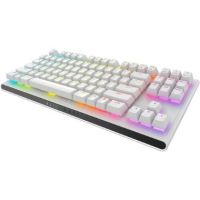
 Dell Alienware AW920K Tri-Mode Wireless Backlit Mechanical G...
 Out of Stock
Brand: Dell SKU: AW920K Condition: NEW Call us for price(669) 244-0333
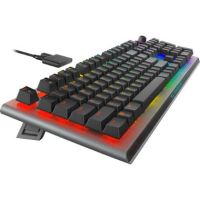
- USD 0.00 Dell Alienware AW420K Ten-Keyless Backlit Mechanical Gaming ...Out of Stock
Brand: Dell SKU: AW420KLL Condition: NEW Call us for price(669) 244-0333
- USD 0.00 Dell Alienware AW920K-DSOM Tri-Mode Wireless Backlit Mechani...Out of Stock
Brand: Dell SKU: AW920K-DSOM Condition: NEW Call us for price(669) 244-0333
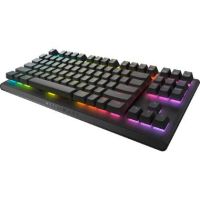
- USD 0.00 Dell Alienware AW420KDSOM Ten-Keyless Backlit Mechanical Gam...Out of Stock
Brand: Dell SKU: AW420KDSOM Condition: NEW Call us for price(669) 244-0333
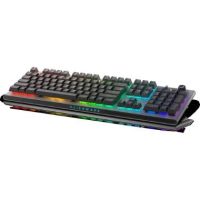
Gaming Keyboards for PC & Console – Mechanical, RGB & Wireless Gaming Keyboards
Gaming has become fiercely competitive, demanding purpose-built mouse, monitor, workstation, GPU, and CPU for optimum performance. Of all the peripherals that are required in competitive gaming, keyboards are extremely important. A gaming keyboard can help gamers gain a competitive edge thanks to fast, precise key presses, ergonomic considerations like wrist rests, macro and shortcut keys to execute complex in-game commands, programmable keys for different games, media controls, and volume wheels. So, when gamers navigate through complex battlefield maps, vast open fields, and rapid-fire gamers, gaming keyboards can help you defeat your competitors with ease and confidence. Given the popularity of these gaming-specific peripherals, many manufacturers are entering the market, such as Logitech, Adesso, Dell, Lenovo, Thermaltake, and more. Therefore, gamers need to deal with a great variety of options, making it hard to choose what keyboard best serves their gaming needs.
In this write-up, we will help you understand the ins and outs of these game-specific peripherals. For instance, you will know how to choose the best mechanical gaming keyboard, wireless gaming keyboards, RGB backlit gaming keyboards, and the like for competitive gaming.
First, we understand what are the differences between a normal keyboard and a gaming keyboard.
Normal Keyboard vs Gaming Keyboard:
Here are some differences between these two types of keyboards for PCs and consoles.
|
Features |
Normal Keyboards |
Gaming Keyboards |
|
Response speed |
Slow to moderate |
Fast and precise |
|
Durability |
Low |
High (50M+ keystro |
|
Typing feel |
Quiet and soft |
Linear or tactile |
|
Key Type |
Membrane / Scissor |
Mechanical switches |
|
Anti-Ghosting / N-Key Rollover |
Limited |
Fully available |
|
Ergonomic design |
Basic |
Advanced often includes wrist support |
|
Extra Features |
None |
Media keys, USB pass-through |
|
Price |
Affordable |
Expensive |
|
Use cases |
Basic typing |
Work + Gaming + Shortcuts |
Type of Gaming Keyboards:
Gaming keyboards are available in a great variety, offering gaming-specific features and capabilities.
Here are some types that you need to know.
Mechanical Gaming Keyboards:
Mechanical gaming keyboards are purpose-built keyboards that employ individual, spring-loaded switches for each key. These keyboards are liked by gamers because of their high durability, faster actuation, and superior tactile feedback.
Mechanical keyboards also come with an extensive range of customization options, including customizable switches (linear, tactile, clicky), N-Key Rollover (NKRO) for simultaneous key presses, programmable macros/RGB lighting, and hot-swappable capability.
Each key of these keyboards is made of a spring and a stem. When users key is depressed against the spring, an electronic contact is registered as a keypress. This unique design features support faster key registration, more consistent performance, and precise feedback with every press.
These are precisely the reasons why mechanical keyboards are considered the cream of crop when it comes to precision, typing experience, and durability. They have long occupied the gaming market; however, professionals are also switching to mechanical keyboards both at home and in offices.
Mechanical gaming keyboards are provided with different types of switches, offering varying needs of switches.
For instance,
· Linear mechanical keyboards are provided with linear switches, providing a soft and quiet typing experience, making them suitable for both gaming and typing.
· Tactile mechanical keyboards come with tactile switches, featuring a noticeable bump, making them a great choice for gaming.
· Clicky mechanical keyboards are known for featuring audible clicks, producing a classical typing experience, making them a preferred choice for typists and even gamers.
Membrane Gaming Keyboards:
Membrane keyboards for gaming are the most common type of keyboard, preferred by users for their simple design, quiet operation, versatility of uses, and, more importantly, affordability. They are designed without space, and the keys are pressure-sensitive.
Unlike mechanical keyboards that come with individual mechanical switches, membrane keyboards are provided with a flexible rubber or silicone membrane beneath the keys. So, when you press the keys, the membrane underneath pushes down to complete an electronic connection.
You can thus enjoy a quiet, simple, and budget-friendly typing experience, making it suitable for gamers who don’t want the “click-clack” of keys.
Wireless Gaming Keyboards:
Wireless keyboards are also in great demand, given their ability to connect to a PC or console either through 2.4 GHz wireless dongles or Bluetooth. Though earlier, latency has been a key limiting factor, forcing hardcore gamers rely upon wired keyboards, manufacturers have come up with gaming-specific keyboards. Now, you can purchase a wireless gaming keyboard with low latency to enjoy portability and a clean setup.
Wireless keyboards for gaming feature multiple advanced capabilities. For instance:
· Wireless gaming keyboards are provided with higher polling-rate capabilities and lower-latency designs, allowing gamers enjoy consistent control while performing tasks such as rapid inputs, quick directional changes, and frequent action sequences.
· They feature ergonomic design, supporting wrist supports, balanced weight distribution, and well-placed keys or buttons. This ergonomic design helps users reduce pressure on the wrist and shoulder thanks to adjustable elements, supportive contours, and ease-of-use principles.
· Customization and programming are other capabilities. For instance, you can find and deploy gaming keyboards with programmable keys, gaming keyboards with customizable RGB lighting, and gaming keyboards with adjustable DPI range. Users can thus customize their keyboards according to different sets of gamers.
RGB Gaming Keyboards:
RGB Gaming keyboards are fast becoming popular among gamers because they are designed to combine responsive inputs for competitive play with vibrant, customizable visuals that sync across peripherals. They feature per-key or zoned RGB LEDs controllable via software. Users can enjoy personalization of the gaming environment, allowing them maintain a steady focus on competitive games.
RGB backlit gaming keyboards for PC gamers are provided with per-key RGB, helping users enjoy individual lighting for reactive effects. Alternatively, they are equipped with Zoned RGB. In which a group of keys lights up, balancing performance and visuals.
Users can also deploy software tools like Razer Synapse, Corsair iCUE, or SteelSeries GG, helping sync with music, games, or other devices. Gamers can also choose a mode such as e static, breathing, wave, or game-specific animations, or they can also adjust intensity to enhance the overall gaming experience.
Key Features to Consider When Buying a Gaming Keyboard:
Here are some features that you should look for in a keyboard for gaming. Understanding these features can help you make a well-informed decision on how to select a keyboard that best serves your needs.
· Switch Type and Performance:
Switch type plays a key role in the performance of a gaming keyboard. When it comes to switch types, there are mainly four types that you need to select.
Membrane Switches involves rubber dome or membrane, so when you press a key, this rubber dome is depressed, completing the registration of a key press. Membrane switch keyboards are thinner and don’t offer tactile feedback. They are also less precise, making them less suitable for gaming.
Scissor switches come with a scissor mechanism under each key, featuring a smooth and short-travel distance. Keyboards with scissor switches are thinner than mechanical keyboards, and they are made part of laptops.
Mechanical switches come with an actual physical switch under each key, providing tactile feedback. They are popular among gamers thanks to their responsiveness and customization options. There are multiple mechanical switch types, including Cherry MX and clones, Topre, buckling spring, and optical.
Optical switches involve a light-based actuation. They are designed to detect key presses through the interruption of infrared light caused by a key press. They support extremely fast response that is comparable to mechanical switches; however, optical switches are newer one and they are less common compared to the other three switch types.
· RGB Lighting Customization:
RGB lighting customization refers to the ability of keyboards to change colors and lighting effects. By combining Red Green Blue colors, gamers can create millions of vibrant colors and dynamic lighting effects.
RGB customization helps users gain multiple advantages. For instance, users can customize keyboards to match setup, PC case lighting, or gaming theme, such as cool blue for FPS, warm orange for RPG. Users can also light up certain keys for enhanced visibility in dark rooms or late-night gaming.
What’s more, RGB customization helps gamers sync lighting with in-game events like health changes, spells, ammo alerts, or cooldowns.
· Programmable Keys & Macros:
Gaming keyboards with programmable keys allow users assign specific tasks or functionalities to certain keys. Users can thus enjoy a competitive edge as navigation becomes easier. There are some gaming keyboards that come with software, supporting assignment of certain functions, lighting, and the like to individual keys.
Games have become complex over the years, requiring many commands and navigation through complex settings to play games competitively. Keyboards with programmable keys and macros help you address this issue comprehensively. You can program the whole commands or macros to a specific key, so when the need arises, all you need is to tap the pre-programmed key to perform your desired tasks.
Mechanical keyboards with programmable keys are specially recommended to enjoy this function. They support an extensive range of customization, allowing users to even change their switches to achieve a specific tactile feel on different keys.
· Build Quality & Durability:
You need to choose a gaming keyboard with durable build quality. In this regard, keyboards must be made of high-quality materials like aluminum frames and reinforced keycaps. For instance, keycaps are made of two types of materials: PBT plastic or ABS plastic.
PBT keycaps are normally selected for gaming as they are strong physically, they don’t get glossy with continuous usage, and they can withstand high temperatures.
However, ABS keycaps should also be chosen for certain conditions. For instance, when RGB lighting is your first priority, you should go for ABS keycaps. It is because ABS plastics support high reflection, making it more suitable for various RGB lighting effects. In addition, ABS plastics are softer, generating a softer sound when striking, so if you prefer quiet keyboards for gaming, you should go for it.
· Connectivity:
Keyboards are provided with two types of connectivity options: wired and wireless. Both these connectivity options come with pros and cons.
Wireless keyboards use either Bluetooth, Radio Frequency, or Infrared for connection with a PC or console. They allow playing games without any concern for the distance from the screen. You can simply enjoy playing games while sitting on your couch. However, wireless keyboards require frequent battery replacement, which can prove very disturbing, especially when you end up drained keyboard right in the middle of an action scene.
Wired keyboards offer precision and low-latency. Power and battery use are also not a concern, as wired keyboards can get power directly from a PC or gaming console. On the flipside, wired keyboards end up creating a messy desktop, creating problems for cable management and sometimes hurdles in mouse movement.
Gaming Keyboards for Different Gaming Styles:
The right choice of gaming keyboards depends on playstyle, balancing speed for fast-paced games or macros for complex bindings.
Here are our specific recommendations regarding which keyboards best suit your gaming needs.
Gaming Keyboards for FPS (Fast-Paced Shooters):
You should look for a compact 60-75% size keyboard for maximized mouse space. Furthermore, you should also go for a keyboard with Hall effect switches with rapid trigger and 8000Hz polling. Finally, wired keyboards should be preferred, or you should go for a premium wireless keyboard.
For example, you can consider Corsair K65 Pro Mini, NuPhy Field75HE, and Lemokey P1 HE for FPS gaming.
Gaming Keyboard for MMO (Massively Multiplayer Online) Games:
For MMO games, you should look for keyboards with dedicated macro keys, RGB lighting, mechanical switches, and clicky/tactile switches for feedback.
For instance, you can look into Corsair K100 RGB, Razer BlackWidow V4 Pro, and Logitech G915 TKL LIGHTSPEED for enjoying an optimum gaming experience.
Gaming Keyboard for Casual Gaming:
For casual gaming, you can go for keyboards with Membrane / Quiet switches, full or compact size, comfortable keys, a wrist rest, and basic anti-ghosting.
For instance, Logitech G715 and Keychron Q3 Max are some keyboards that should be considered by users.
FAQs:
1- What are programmable macros, and why are they useful?
Programmable macros help users assign specific tasks to individual keys. Users can use pre-programmed keys for repetitive tasks, saving time and effort.
2- What is N-key rollover, and how does it differ from anti-ghosting?
N-Key rollover supports unlimited simultaneous keypresses, ensuring a higher level of precision. The Ant-Ghosting feature makes sure that no inputs remain missed.
3- Which Key Type is Best for Gaming?
It depends upon personal preferences. For instance, clicky switches produces audible sound, linear switches are known for quiet and smooth feedback, and tactile switches provide feedback.
4- What is the best layout?
Full-Size (100%) comes with a number pad, TKL keyboards are without a number pad for more mouse space, and 60% keyboards are ultra-compact, featuring no arrow keys and the top function row.
5- How Long Can a Gaming Keyboard Last?
Some high-quality mechanical gaming keyboards are often rated for 50–100 million keystrokes.
Why Choose Kijero:
Kijero has carved a unique name in the USA market for delivering quality IT products and services, helping customers in the USA and beyond to reap the low-hanging dividends of digital transformation. We promise the best price in the market, fast shipping and customized and specialized support services, particularly, our product portfolio of keyboards is extensive, featuring membrane gaming keyboards, mechanical gaming keyboards, RGB gaming keyboard, and more.
Contact us today and take your business to the next level with our products and services at the most competitive price in the USA.
Featured Products